

This LG Magic Remote Trick Works Perfectly With Most Phones, But There's A Catch
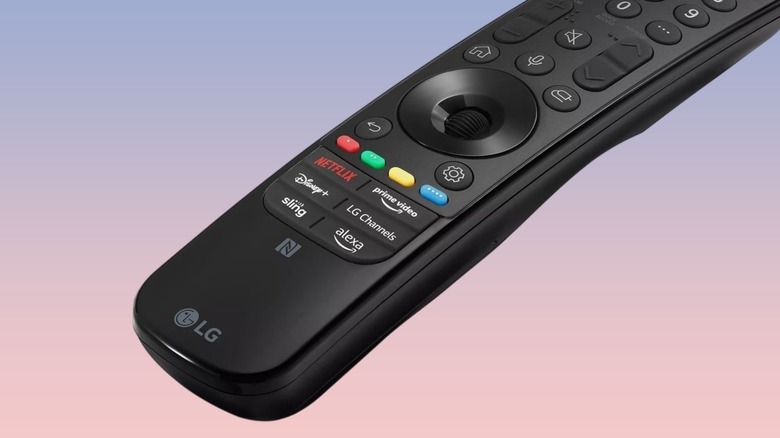
LG — one of the most reliable smart TV brands – offers a pretty handy Magic Remote with its smart TVs. While it's not slim or particularly sleek, especially on the older models, it offers a ton of useful functions, including colored buttons for different shortcuts and a motion-controlled pointer for mouse-like versatility. Another helpful feature of the LG Magic Remote is built-in NFC support to trigger a host of functions when you tap it to your smartphone. Dubbed Magic Tap, this feature works with most phones, regardless of the operating system, and enables you to do stuff like mirror your phone screen, play TV audio on your phone, and more.
Unfortunately, the feature is not available on all LG TV remotes. It was introduced in 2021, and the company ditched it with the 2025 LG TV models, as it introduced a new, slimmer remote design. Basically, only if you have an LG TV launched between 2021 and 2024 can you enjoy the feature. Otherwise, it won't be available. You can easily identify support for it by looking for the NFC symbol below the various streaming service icons on the bottom of the LG Magic Remote. The remotes missing the Magic Tap feature won't have the NFC icon.
How can you use Magic Tap?
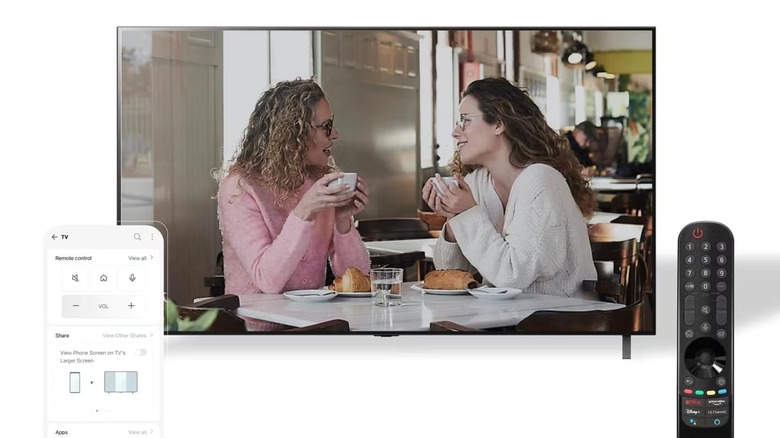
Magic Tap is a pretty useful feature and has two primary requirements: you need to have an NFC Magic Remote with the LG ThinQ app on your NFC-enabled smartphone. You'll first have to set up the app on your phone if you haven't done that already, and besides Magic Tap, the app also enables you to connect to other LG smart home appliances if you have them.
Once you set up the app, connect your TV to it, and then you can simply tap the back of your phone on the remote to trigger Magic Tap. Depending on your phone, it may be instant or take a second or two. While all the Magic Tap functions appear automatically on most Android phones, iPhones typically require you to tap once to trigger them after the NFC tag in the remote is recognized. More importantly, both your phone and the TV need to be on the same Wi-Fi network for the Magic Tap functions to work.
What can you do with Magic Tap?
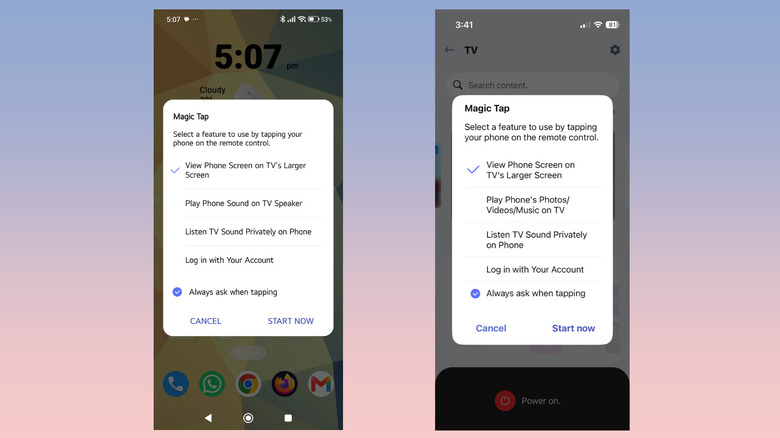
Magic Tap primarily has four main functions. You can use it to mirror your phone's display on the TV. Depending on your phone, you might be limited to displaying one app at a time. Notably, apps for streaming services and more that include DRM-locked content might not mirror at all because of copyright restrictions. Magic Tap can also play photos, videos, and music from your phone on your LG TV. This can be pretty helpful at times, like when you want to show your vacation photos to the entire family or play downloaded media on a large screen.
Another very interesting benefit of this feature is that it allows you to listen to your TV audio on your phone. If you don't want to disturb everyone around but don't have a pair of headphones handy, this function can come to your rescue. Finally, Magic Tap makes it easier to log into your LG account on your TV. It simply pulls your account data from the ThinQ app on your phone and logs you in on the TV. Keep in mind that Magic Tap functionality may vary by phone; LG phones support most features.