

What Does It Mean When Your Samsung Galaxy Watch Ultra Turns Red?
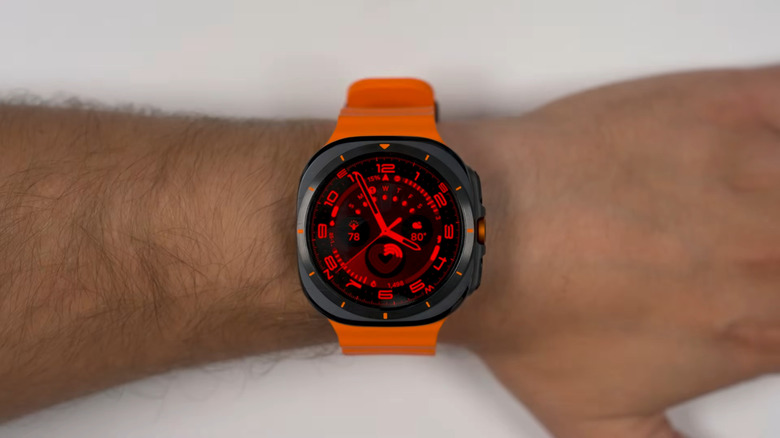
So, you're going about your day wearing your Samsung Galaxy Watch Ultra when you notice that it has turned red out of nowhere. Don't worry, your watch isn't damaged by any means. This red display is actually due to a built-in feature on your Galaxy Watch: night mode. When night mode is active, it makes the watch face red for better readability in the dark.
By default, night mode on the Galaxy Watch Ultra is set to Auto. This means that it turns on and off automatically depending on the ambient lighting detected by the watch's sensors. Night mode is on when dim lighting is detected and off whenever the watch senses bright light in a well-lit room or during the day. That's why you'll usually see the red display when you enter a dark room or use your watch outdoors at nighttime.
It's important to note that night mode on the Galaxy Watch Ultra only works on two watch faces: Simple Ultra and Ultra Analog. If you downloaded some Samsung Galaxy Watch Face apps or are using another built-in watch face design, you'll have to change to either of these watch faces to use night mode. To do so, long-press on your current watch face, swipe left, and go to Add watch face. You'll quickly find the Ultra Analog and Simple Ultra watch faces under the Featured section. Just tap on one to set it as your watch face. If, however, you're not a fan of the striking red glow on your Galaxy Watch Ultra, there's a quick and easy way to deactivate it.
How to turn off the red display on your Samsung Galaxy Watch Ultra
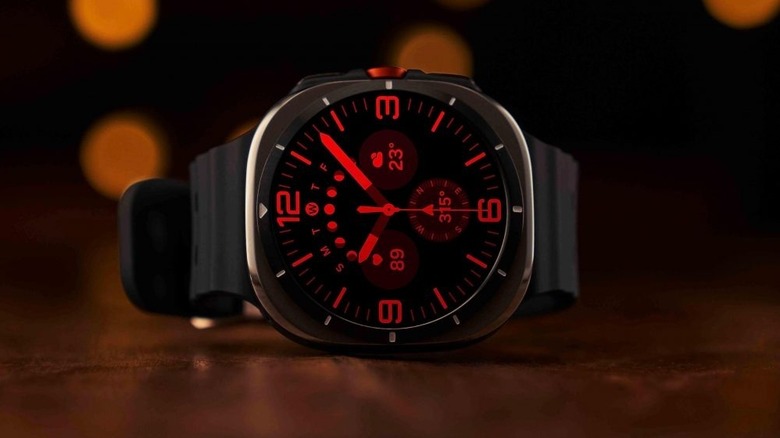
To stop your Galaxy Watch Ultra from glowing red, you'll have to manually turn off night mode in the watch face settings. Here's how:
- Press and hold your watch face.
- Select Customize.
- Go to the Night mode option by swiping left.
- Tap on the watch face until you see the Off option.
If you switch to a watch face that isn't the Ultra Analog or Simple Ultra, you also won't see the display on your Galaxy Watch Ultra turn red again. If, on the other hand, you want your Galaxy Watch Ultra to stay red 24/7, you can leave night mode to On instead of Off. This forces the display to glow red at all times, regardless of the ambient light. Keep in mind that night mode is one of the exclusive features on the Galaxy Watch, specifically the Ultra model. It isn't available on any other Galaxy Watch models.