

Waze Vs. Google Maps: Which App Is Best For Older Drivers?
Google Maps and Waze are two of the most popular navigation apps available on Android and iPhone, and while Google owns both of them, the apps offer significantly different experiences. Google Maps is the more complete navigation app of the two, featuring a richer design that offers more details about the geography and road layout than Waze. Google Maps also includes more discovery tools that allow users to find places of interest and key information about them with ease while supporting public transit and walking directions. Finally, Google Maps includes user-generated content such as reviews and photos, and supports natural language voice chats with Gemini AI during navigation. Waze, on the other hand, is a navigation app that focuses on a specific goal: fast navigation from point A to point B. The app uses a large community to offer users information about the drive ahead in real time, including incident reports that may slow down traffic. Waze can quickly recalculate the route to bypass traffic. With all that in mind, older drivers may be better served by Google Maps' predictable, familiar interface and reliable main-road routing than Waze.
Most people shouldn't have to choose between one app or the other. You should install both Google Maps and Waze on your smartphone and use the app that fits best. You may want to switch to Waze only for those road trips where you want to avoid getting stuck in traffic for too long, while Google Maps can work for everything else, including city exploration in new destinations and getting around a new region with various means of transport.
When Waze can be useful for seniors driver
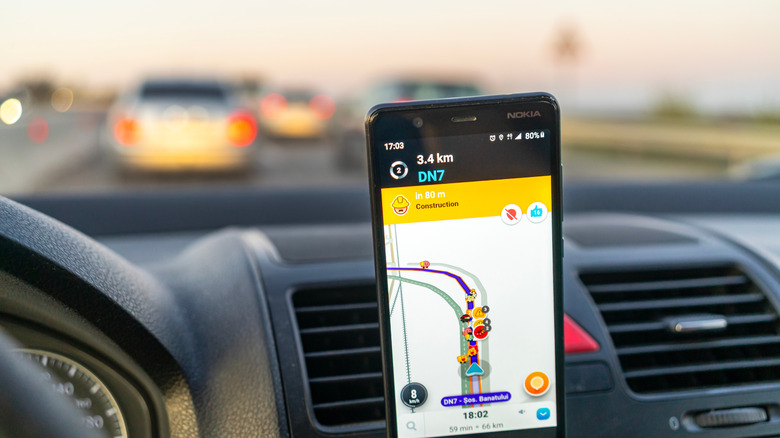
While Google Maps is easier to recommend to older users, there is an exception. If a senior has been using smartphones for the better part of the last two decades, they're more tech-savvy than users who have started using phones more recently. Such an older driver may be familiar with multiple navigation apps already, including Google Maps, Waze, Apple Maps, and other options.
This type of older user will know how to use various navigation apps and understand the UI differences between them, allowing them to seamlessly switch between Google Maps and Waze. In this case, an older driver who is still active in the workforce may want to use Waze when navigating the same route each day, driving between work and home.
Google Maps has supported incident reports since 2019, but the Waze experience may still be better. An older user who already knows how to interpret the various incident reports that appear on the map, and even contribute reports themselves, could rely on Waze and use the app to reach their destination faster. Still, Waze wouldn't satisfy other needs, like public transportation or directions for walking and cycling, which are available in Google Maps.
Why Google Maps is better for most senior drivers
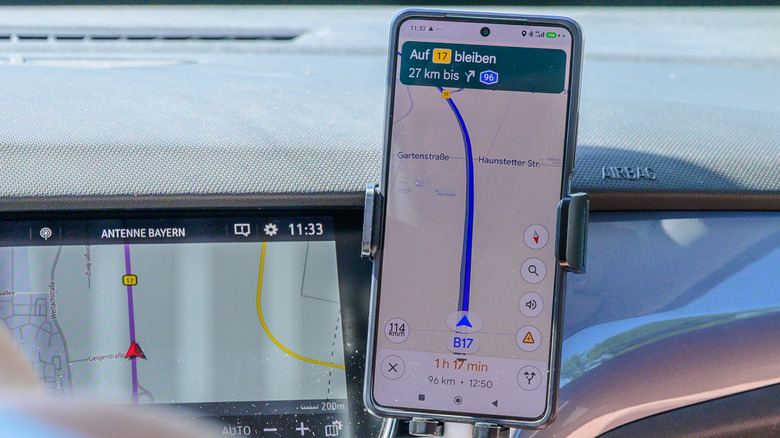
Older users who aren't as experienced with smartphones and apps may want to stick with Google Maps for all their navigation needs, whether they're driving or using public transit to travel. Google Maps offers a less cluttered navigation experience than Waze, where incident reports may appear on the display at an unpredictable rate.
Age can be a risk factor for driving, as it impacts vision, hearing, and cognition. Even if the vehicle has a larger infotainment system that can support CarPlay and Android Auto, thus displaying the navigation on a larger screen, older drivers may still get confused with a navigation app like Waze.
For instance, Waze will warn users about accidents, roadwork, police, and other incidents that may slow traffic. An older driver may find these warnings confusing, annoying, or generally overwhelming and distracting. Instead of focusing on traffic, older users may divert their attention to understanding the complexity of Waze. While Waze can reroute a driver to a speedier route, getting directed toward another route may make an aging motorist anxious about getting lost.
The advanced Gemini-based voice interactions in Google Maps may also benefit older drivers, who could use natural language to control navigation by voice rather than inputting destinations on a display. Gemini also lets users alter their route and find places of interest by voice, which streamlines adding other stops.