

5 Google Pixel Launcher Alternatives That Users Swear By
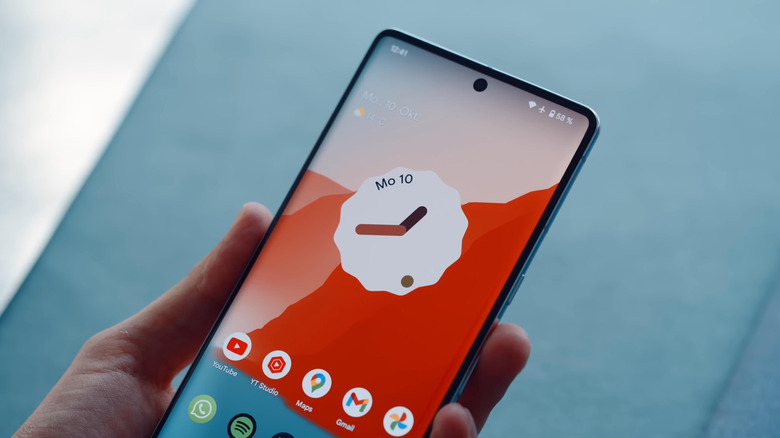
One of the best things about Android is that it is an open system built on top of an open-source project. Unlike Apple's locked-down mobile OS, Android is the opposite; allowing many core apps to be replaced by third-party apps like file browsers, internet browsers, and, of course, our beloved app launchers. The Pixel Launcher is one such app that many try to emulate and perfect, usually by adding a boatload of features Google doesn't bother with. This is how apps like Lawnchair gain popularity — by doing what Google does, but better. The Pixel Launcher is proprietary, and can't be used on non-Pixel phones, at least not without a few hacks.
While the AOSP launcher is very much open source (known as Launcher 3), this is often what many developers base their launcher on (again, like Lawnchair), not to be confused with the proprietary Pixel Launcher. So since you have to purchase a Pixel Phone just to experience the Pixel Launcher, third parties are filling the gaps with their own interpretations of what a launcher should be. There are tons of app launchers available on the Play Store, but if you're unfamiliar with them, it's hard to know where to start.
This is why we've leaned on our expertise while considering user opinions and professional testimonials across the Play Store, social media, and blogs to identify the top launchers that the majority of users agrees are among the very best. So whether you're looking to recreate the Pixel Launcher experience on a non-Pixel phone, need something that goes beyond what the Pixel Launcher offers, or simply wish to replace your current launcher with something better, here are five Google Pixel Launcher alternatives that users swear by.
Lawnchair
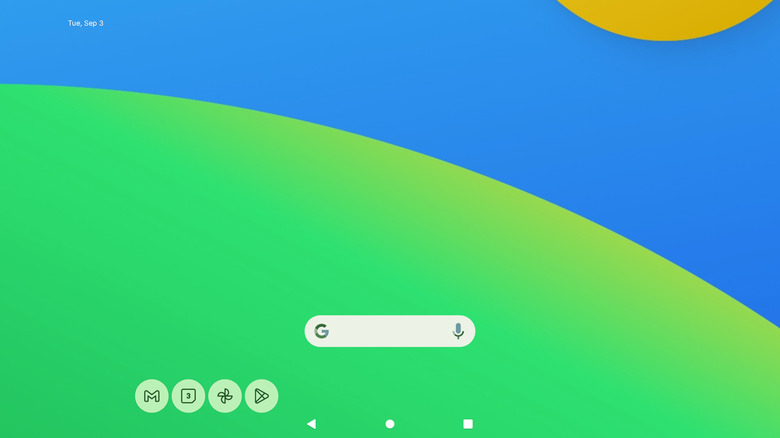
If you're looking for a launcher that is as close to the Pixel Launcher as possible, but also would prefer access to more features to tweak, then look no further than Lawnchair. Not only does it bring a similar look, but it's also completely free, with no in-app purchases to be seen and no advertisements. The app is free in the truest sense of the word, though it is in active development and the Play Store listing is in beta. Don't let that status fool you: Lawnchair is plenty stable for daily use, and has been for many years despite its ongoing beta status.
For a launcher that simulates a clean stock Android experience, Lawnchair is considered by many as their top choice. While you won't find any Play Store reviews, thanks to the app's beta status, you can assuredly find plenty of users singing the launcher's praises across social media, including Reddit. Any time someone asks for launcher recommendations, you'll find more than a handful who appreciate that Lawnchair is free, open source, and actively developed. Not to mention it's a perfect replacement for the Pixel Launcher since they look and behave fairly similar, with the added benefit of offering plenty of more options; like layouts that indeed let you hide the search bar, something the Pixel Launcher still won't let you do.
Add all this up, and this is why Lawnchair is at the top of this roundup. It's one of the best Pixel Launcher alternatives available if you're in need of similar design language that offers features that go above and beyond anything Google offers.
Niagara Launcher
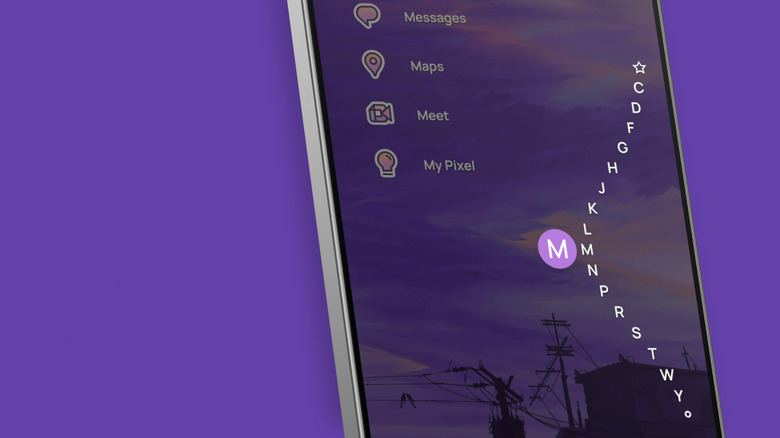
For those who love theming and minimalism, Niagara Launcher is a quality choice, outpacing Nova Launcher now that it is owned by an analytics firm. So it's easy to see how a launcher like Niagara has managed to amass over 10 million installs: It's a themer's delight, which pairs well with the best wallpaper apps for your phone screen. It's also a good launcher for one-handed use, thanks to its vertical alphabetical app drawer. Plus, if you're into minimalism, the extendable theming includes the ability to set up a clean home screen devoid of distractions.
Unlike Lawnchair, Niagara does include in-app purchases even though it's a free app. You can either pay a $14 yearly subscription for Pro access, which grants you advanced customization options, or you can unlock the full app with a lifetime pass for $42. Having the option to buy the app outright is nice, as this isn't something all launchers offer. No matter if you're a power user looking for an incredibly customizable theme app, someone who prefers a clean minimal interface, or are simply looking for a polished launcher that stays out of your way, Niagara is the answer.
The launcher is also a fan favorite, with ratings holding a very respectable 4.8 stars out of 5 on the Play Store. It's safe to say it's a beloved app in Android land, and you don't have to look far to find users who adore it, especially on Reddit where you'll see the name bandied about anytime someone asks what the best launchers on Android are. So if you're looking for a solid Pixel Launcher replacement that does things a little different, but looks good doing it, Niagara Launcher is a top contender.
Smart Launcher 6
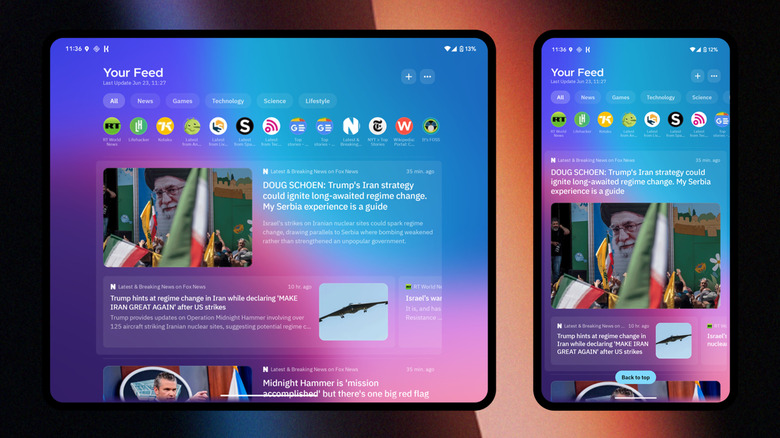
Another launcher that leans heavily into customization and theming is Smart Launcher 6, and while it is a free app, in-app purchases are included — including a $2.50 monthly subscription, as well as a lifetime sub at $30. Both are cheaper than Niagara, despite the app clocking 50 million installs from the Play Store. Yes, its rating is a little lower at 4.5 out of 5 stars thanks to some noted lag on Samsung devices, but by and large, it's still a well-reviewed app.
Just keep in mind this is the sixth version that replaced the fifth, which means you may lose out on specific layouts when the inevitable update to Smart Launcher 7 happens. Still, if themeability, customization, single-hand use, and auto app organization are on your needed features list, Smart Launcher 6 fits the bill while offering a lower price than similar competitors like Niagara. Even dedicated Android sites have noted how the launcher has changed how they use their phone.
Now, if you do choose to pay for the optional subscription, there are some pretty fantastic features, like custom widget pages (up to nine of them) and an app drawer that supports custom categories, including folder support. If customization is your goal, Smart Launcher 6 stands above much of the competition, and you don't have to look far to find users who are enamored with its many features. Specifically, much like Niagara, you'll find plenty of positive mentions across Reddit, typically calling out its customization options like the ability to remove the search bar from the home screen, ensuring Smart Launcher 6 is a top Pixel Launcher alternative.
Hyperion Launcher
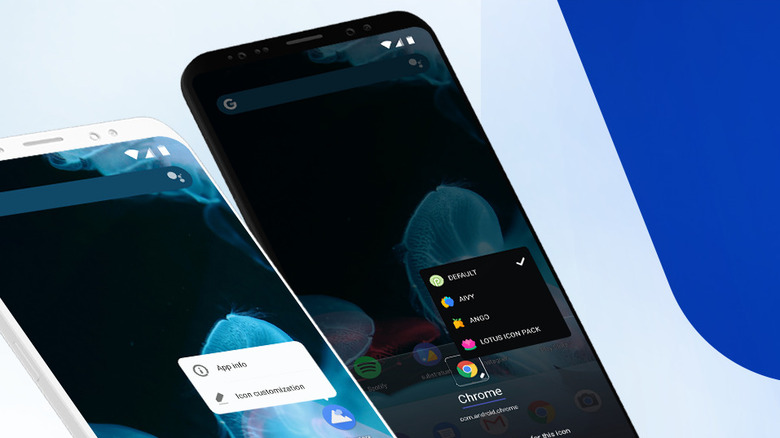
Swinging back to an option that brings a similar Pixel Launcher design with a boatload of features built on top, there is Hyperion Launcher. Better yet, it is also one of the more affordable options in this roundup, where you can unlock its entire feature set for $2; either through its single IAP, or by purchasing Hyperion Supreme, which is priced the same. Despite the low cost, Hyperion doesn't skimp on features like gesture support, and there's even a plugin if you require Google Feed just like Pixel Launcher. Not only can you ensure Hyperion functions similarly to Google's in-house launcher, you can go well beyond with custom animations and colors to boot.
Of course, as a budget option, Hyperion users can experience a few bugs, since development can't be as aggressive as competitors that pull in much more money. This is why the Play Store users' reviews sit at 3.8 stars out of 5, where mentions of laggy animations and slow development don't help. At the end of the day, if you are looking for a launcher similar to Nova, one of the best third-party Android launchers that is now dead, Hyperion is one of the ideal choices among the Android community.
You can find praise across Reddit, including the Android subreddit, where you'll see the app mentioned when users ask for launcher recommendations. Often its low price, lack of bloat, and customization are the mentioned features, which lines up with Play Store reviews, despite the lower score. Overall, it's a launcher worth testing if you are looking for a Pixel Launcher alternative, and one that has been around since 2018, so shouldn't be going anywhere anytime soon.
Yasan Launcher
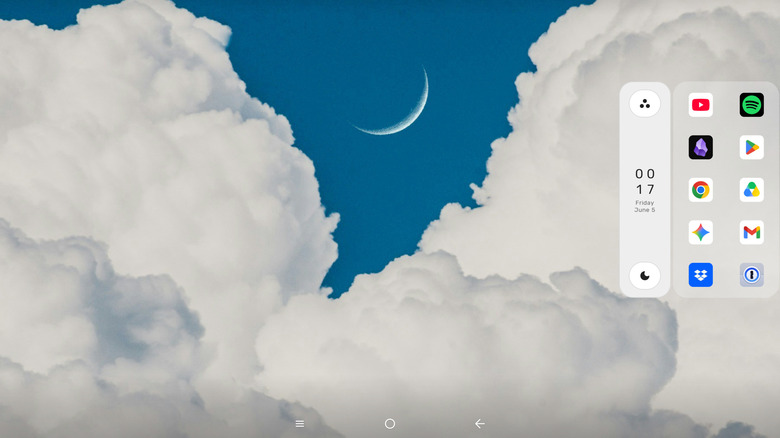
Yasan Launcher is the new kid on the block, but comes from a primary developer of Lawnchair, Yasan Glass. It's a launcher that started years ago as a side project (known as MNML Launcher back then), but has been recently picked up with plenty of development. Yasan launcher has been adding plenty of new features, with a unique AI approach that learns your habits to populate your home screen with your most used apps, changing throughout the day as needed. This way, the apps you use most will show at the times you need them, resulting in an Android launcher that can help reduce your screen time. Better yet, the app's AI works locally, ensuring your data remains yours.
Since the launcher is newly refreshed and under active development, user reviews and scores are absent from the Play Store. This has not stopped the app from gaining attention, notably with XDA going hands-on, calling out just how unique the app is; there is no need for an alphabetized app list when the launcher floats your most used apps, thanks to the background automations built on top of AI. Of course, you can also find user testimonials on Reddit, as the launcher has not escaped /r/Android's ever-watching eye.
Best of all, Yasan Launcher is completely free, with no in-app purchases or advertisements. Thanks to the minimal interface, it's fun to watch it learn your usage patterns, growing better at its recommendations each day, with new features landing all the time, like improved widget support. If you're tired of the Pixel Launcher, Yasan Launcher is a solid alternative that brings unique features, and has no cost attached, making it a solid Pixel Launcher alternative.
How we chose the best Pixel Launcher alternatives
In order to uncover the best Pixel Launcher alternatives, we have leaned on our years of tech expertise, all while taking into account user reviews and testimonials across the Play Store and social media, considering review scores as well as public opinion.
We've also taking into account professional reviews, along with our own hands on experience, and have compiled all of this data, for the sole purpose of choosing the best of the best. We came away with five alternatives for the Pixel Launcher that go well and beyond its feature set, not matter if you love free launchers, premium launchers, or simply want theme customization to your hearts content.