

The Most Common Problems With JBL Bluetooth Speakers
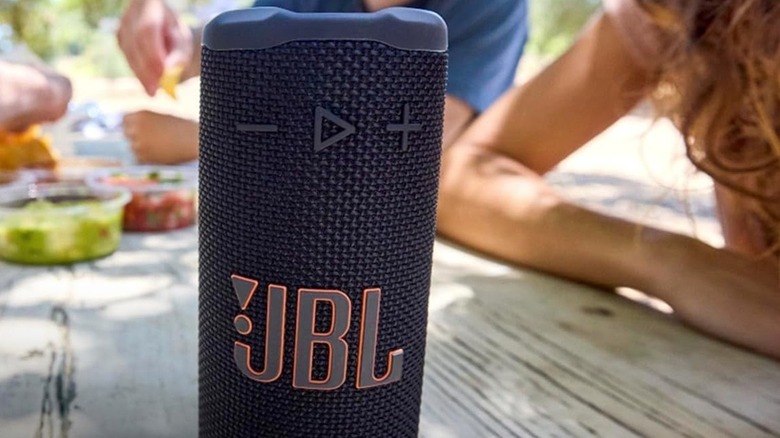
We may receive a commission on purchases made from links.
The JBL brand of speakers is consistently a customer favorite, offering advantages in sound quality, durability, and battery performance. Unfortunately, JBL speakers aren't perfect, meaning you may need to occasionally attempt some troubleshooting techniques. Some of the most common problems with speakers from JBL include devices that won't turn on, can't hold a battery charge, won't maintain a Bluetooth connection, create crackling sounds when playing music, cause skips in the music, and make beeping sounds when charging.
Before digging into specific common problems with JBL speakers, resetting the speaker back to its factory settings is a universal solution that may solve many of them. However, this process erases all settings in memory, and you'll have to pair the speaker to your devices again. One of the best Bluetooth speakers you can buy is the JBL Charge 6, so let's use it as an example of how to reset the device: Turn on the Charge 6, then press and hold the volume up and play buttons at the same time for at least 3 seconds. This should complete the factory reset. For other versions of JBL speakers, you may need to turn them on and press the volume up and Bluetooth buttons at the same time for at least 10 seconds. If you have a Wi-Fi-enabled JBL speaker, try pressing the heart icon and play buttons at the same time for at least 10 seconds.
Common power and connection problems with JBL speakers
Experiencing problems pairing the JBL speaker with your smartphone or tablet via Bluetooth is common. To fix it, try turning the Bluetooth connection off at the source device and pausing slightly before turning it back on. Otherwise, have the smartphone "forget" the pairing with the speaker and then try pairing the speaker and smartphone again.
Charging and battery-related issues are common with JBL portable speakers, too. If you're experiencing charging problems, you should connect the USB cable to the JBL speaker and see if the connector wiggles. If so, the unit may have interior damage that's causing intermittent charging. Try wiggling the connector until the charging light comes on.
If the unit simply won't charge, you could have a malfunctioning USB connector cable. Try a different one. Make sure the electrical outlet you're using has power. With some models of JBL speakers, you can reset the battery management system (BMS) by resetting the entire device to its factory settings, which may get the battery charging properly again. If the speaker operates normally while it's plugged into a wall outlet but won't play when unplugged, you could have an old battery that needs replacement. JBL says a healthy battery should still hold at least 70% of its original capacity after 500 charging cycles.
JBL speakers can commonly experience audio quality problems
JBL is one of the best Bluetooth speaker brands for sound quality. However, you may occasionally experience audio issues, such as a crackling sound while playing music or the audio cutting out. If you don't have a water- and dust-resistant JBL speaker model, water and debris exposure can cause these issues. Use compressed air or a soft-bristled brush to clean dust out of the speaker grille section. If you suspect water damage in the speaker grille, shake it to remove excess water and let it dry completely before trying to use it again.
Bluetooth issues can also cause crackling or intermittent audio, so you may need to pair the speaker and smartphone again. Try using the JBL app to look for firmware updates that may fix the speaker's audio problem. Otherwise, a factory reset may fix the audio issue.
If your JBL speaker is beeping, it will interfere with your audio quality. This beeping alerts you to a problem with the charging process, usually indicating that water, dust, or another contaminant is blocking the charging port and causing charging issues. To stop the beeping, remove the charging cable. Before trying to charge it again, clean debris from the charging port with rubbing alcohol and a cotton swab. To remove moisture from the charging port, wipe away any water you can reach. Then let the port air dry before trying to charge the speaker again.