

The Best Hidden Features Of Apple Find My
Apple Find My is a useful tool with iPhone, making it simple to locate where someone is, as well as track items attached to Apple AirTags. Using the Find My network, you see exactly where an item is in the house or if you left it at another location. Good Samaritans can use their devices and the network to help reunite you with a lost item as well. I use Find My daily to see my son's location as he's walking home from school or when he's out with friends. I can track my keys and other items through attached AirTags as well. When my son misplaced his phone, I was able to tap in from my device to confirm with him that it was still somewhere in the school and even pinpoint what end of the building it was. (It was in the gym!)
There's a lot more you can do with Apple Find My, such as pinging devices like AirPods or AirTags to play a sound for you to find them. With Precision Find, you can be guided right to an item or person, like a child lost in a store or your phone somewhere in the house. Beyond these lesser-known capabilities are even more Find My features you might not be aware of, but would probably use if you were. From tracking other devices that have the Find My network built in to being able to pause sharing of your location temporarily with the latest update, Find My is more useful than you think.
Track Find My enabled devices
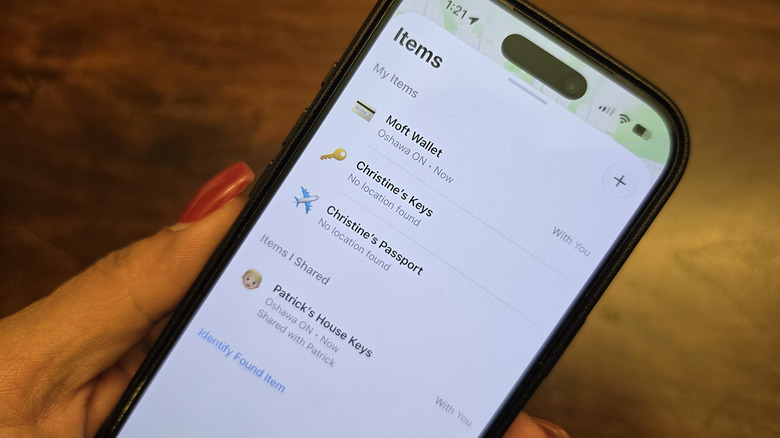
Along with Apple AirTags, including the original AirTags along with the newest version with improvements, did you know that some devices have Find My capability built into them? It gives you the same functionality as an AirTag without actually needing that separate accessory. There's a large and growing number of them. I, for example, use a Satechi passport holder, a Moft Wallet magnetically attached to the back of my phone (that I can track if it falls off or I forget it somewhere), and the Powerbeats Fit earbuds from the Beats brand, which is owned by Apple.
The Find My network accessory program opened in April 2021, and since then, there has been a flurry of devices that connect to it. Tons of third-party gadgets work with Apple's Find My network, including products from Belkin, Chipolo, and even Segway, along with VanMoof bicycles, other branded headphones and mobile accessories, and more. It's simple to add the item by searching for the device in the Find My app once you have it charged and set up. Connect once it's recognized, name it accordingly, and you're good to go.
Pause, temporarily share your location
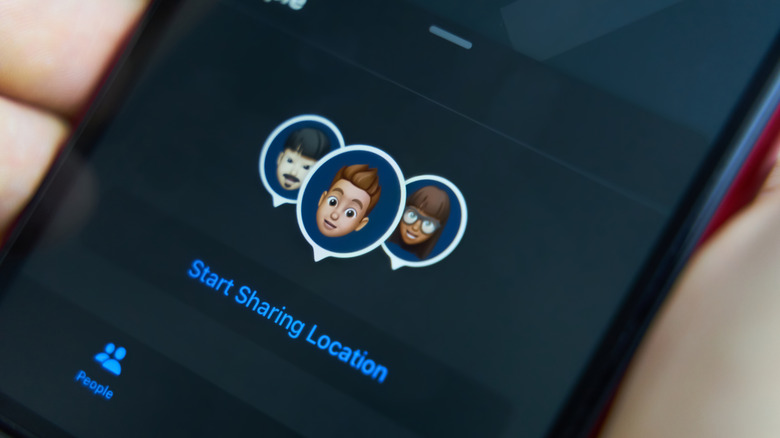
One of the newest features with iOS 27 is the ability to hide your location temporarily in Find My. The reason might be so your partner doesn't know you're at the jewelry store getting their anniversary present or so the kids can't see that you're picking up party supplies for what is supposed to be a surprise birthday party. Maybe you're flying into town to surprise your parents, and you don't want them to know you're coming. With this feature, you can pause your location for a custom duration of time to do what you need to do, and the person with the ability to track you won't know you have done it. Instead, they will just see "no location found" if they try to find you.
Similarly, Apple has also expanded the options to share your location with someone for a short period of time. Now, you can select the number of days, hours, and minutes via rolling dials. This might be for one week while you're on a trip to keep tabs on everyone's location. It could also be during a work event so colleagues can converge as needed, or for a few hours while you take a group of kids to an amusement park.
Add Location Alerts in the Find My app
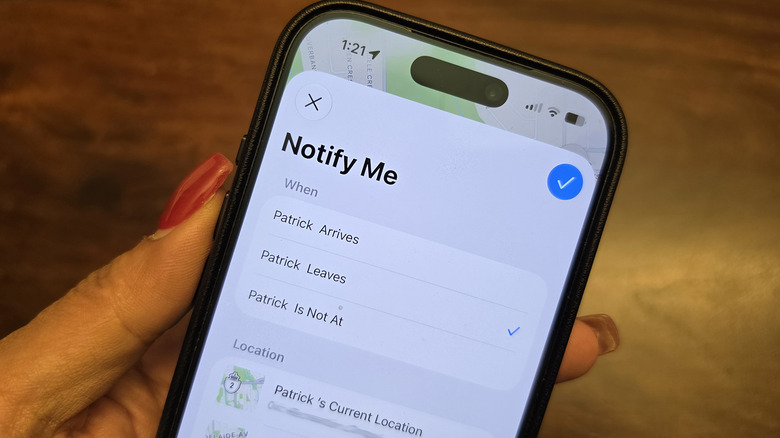
Say you have Find My set up to track your elderly parents and pre-teens or teens. Along with being able to actively see their location 24/7, you can also set up Location Alerts. These would notify you any time the person arrives at a specific location, leaves a specific location, or is not at a specific location. This could be to track arrival and departure at school for a child or to let you know any time your elderly parent has left their home and when they have safely arrived back.
You can set it up based on the person's current location, your current location (like your home), or add any other specific location, like the address of a school, place of work, or retirement home. You can set this to happen only once or every time the individual arrives or leaves the set location. It's a great way to build trust with a teen while giving them the autonomy to go out on their own. It can also provide peace of mind if you have elderly parents or grandparents still living on their own and you want to keep tabs on their comings and goings.
Enable When Left Behind to get notifications
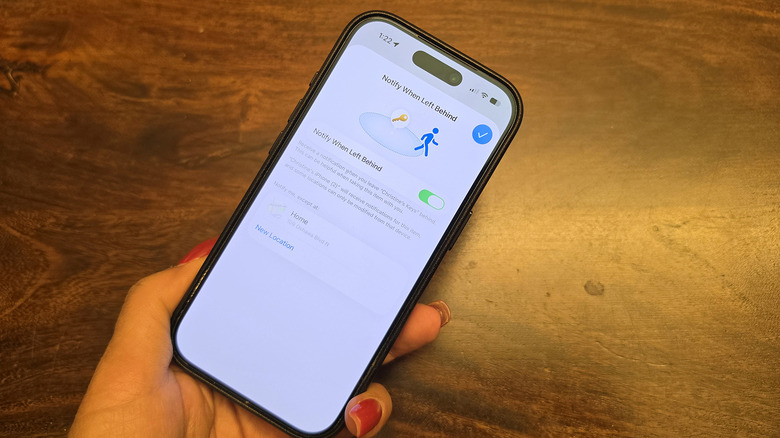
You know that you can ping your iPhone from another Apple device, like your Apple Watch or MacBook, to play a tone and find it nearby. But you can also adjust settings to alert you if you leave your phone, or another item behind. Select the item in question from the app and under Notify Me, enable "When Left Behind." If you leave your house keys at a local café, for example, or your laptop bag in the car, you'll receive a notification before you get too far away so you can run back and grab the item. You can set an exception location, most logically your own home.
This comes in handy for easily forgotten items like keys, so you don't leave them on your desk at the office. This feature worked wonderfully for me a few years back when, in a rush at an airport in Japan for a connecting flight, I left my passport in the aforementioned Satechi passport cover at the check-in desk. I was notified shortly after leaving that I had done so. Thankfully, the wonderful airline worker raced after me to hand it over. But if she hadn't, I would have been able to head back to get it because I received the warning before I went too far. This feature and others confirm that Find My can do so much more than just track the basic location of your Apple devices and AirTags.