

iOS 27 Will Let You Hide Your Location In 'Find My' Without Anyone Knowing
There are plenty of new features coming with the iOS 27 update for iPhone, including cool photography features like spatial reframing and improved Clean Up, the ability to ask questions about visual content, a more intelligent Siri assistant, improved parental controls, and more. Some pertain to Apple's safety features, including the Find My app. This includes upgrades to Find My for Apple Watch, including a new map interface with directions for a unified experience. But one update in particular allows you to hide your location from someone without them knowing you're doing it. It might sound nefarious, but there are actually practical uses for this.
While this isn't a feature you'll want your tween or teen using to fool you into believing they're safely at a friend's house when they're really at the mall, it's a feature you can turn on temporarily for good reason. Maybe it's while you gather supplies for a surprise birthday party, or perhaps you're en route to an impromptu visit home and you don't want Mom and Dad to know you're coming. Conversely, you can also turn on location sharing temporarily when you only need to share your location with someone for a limited time, like with a group of friends while you're away on vacation or colleagues at a trade show.
How hide my location works
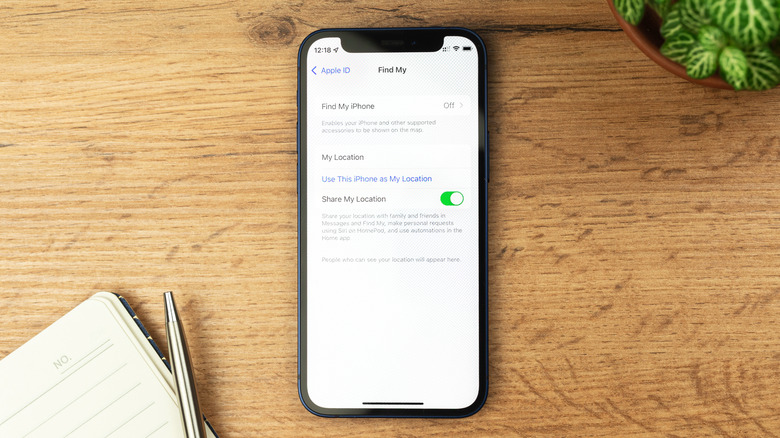
The new hide my location option now appears in the Find My app, allowing you to pause your location sharing for certain people temporarily. Most notable is that the person or people won't get a notification advising them that you have done this. They will be none the wiser. Rather than always share your location, you can also choose to share your location with someone for a custom duration of time, selecting the number of days, hours, and/or even minutes using rolling dials. You can select a timeframe from 15 minutes to 30 days at a time. While set durations are already available in iOS 26, there are just three presets: one hour, until end of day, and indefinitely. This update gives you more control.
Once you start sharing from a device like the iPhone 17 Pro, your location is visible to that person for the duration you set. When the time elapses, you are notified that location sharing with that person has ended. When you hide your location, your whereabouts are immediately hidden. If they search for you, all they will see is "No Location Found." While you could always cut off sharing altogether in the Find My app, this doesn't remove your sharing settings with that person. Consider it a short pause instead of a more permanent deletion of location sharing privileges.
Why you'd hide your location

When would this feature come in handy? Let's say you're anniversary gift shopping but you don't want your spouse to know. Seeing you at the local jewelry shop is sort of a dead giveaway of what's going on. With kids, why ruin the surprise birthday party, or that you're in line to get them tickets to that concert they've been dying to see, by risking them seeing your location and figuring it out? Chances are you won't use this feature often. But it can save you from being the one to ruin the surprise party, the big Christmas present, or the unexpected visit.
Conversely, the ability to only share your location with someone for a custom duration is useful, as is the unified view with Maps on Apple Watch, which makes it so that you don't even need to pull out your phone to the person or item you're looking for. Say you're traveling with friends or at a busy amusement park. You can keep tabs on everyone's location for the day or for the duration of the trip, then turn it off after. Perhaps your child is with a babysitter for the weekend and you want to grant them permissions to track your kid's location just for the time they're doing the job. iOS 27 is currently available as a developer beta with the public beta to come in July 2026 and a full release by September.