

5 Lesser-Known Web Browsers You Should Try Instead Of Google Chrome
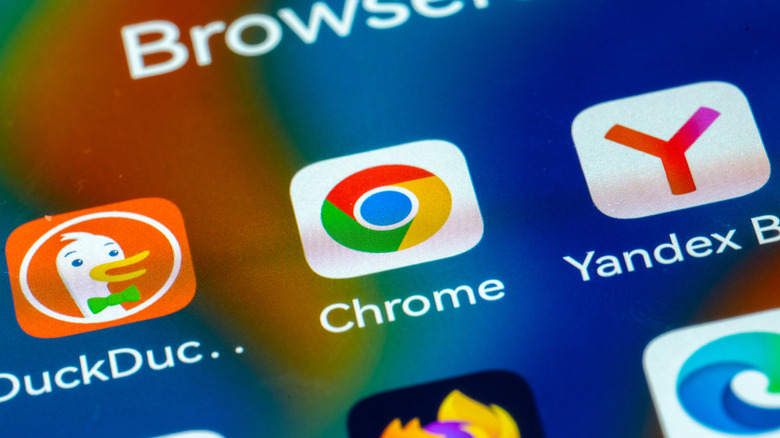
Google Chrome is the most-used browser in the world, with a controlling market share of close to 70%, according to the latest data by StatCounter. This is despite the existence of many other browsers on the market that are just as free as Chrome and offer similar features, with some even being superior in certain aspects. In fact, there are several reasons why you should ditch Google Chrome for alternative browsers, starting with privacy.
For those who've tried something other than Chrome, it's not uncommon to see someone using either Mozilla's Firefox, Microsoft's Edge, or Apple's Safari (if they own an iPhone, iPad, or Mac). However, these aren't the only options available. If you don't want to use Chrome and aren't willing to settle on the usual well-known alternatives like Firefox, Edge, and Safari, there are other options you should consider.
We've scoured the web to find lesser-known yet more-than-good-enough web browsers you can use. All the options we discuss below are available on mobile (Android and iOS) as well as on major desktop platforms, such as macOS and Windows.
Opera
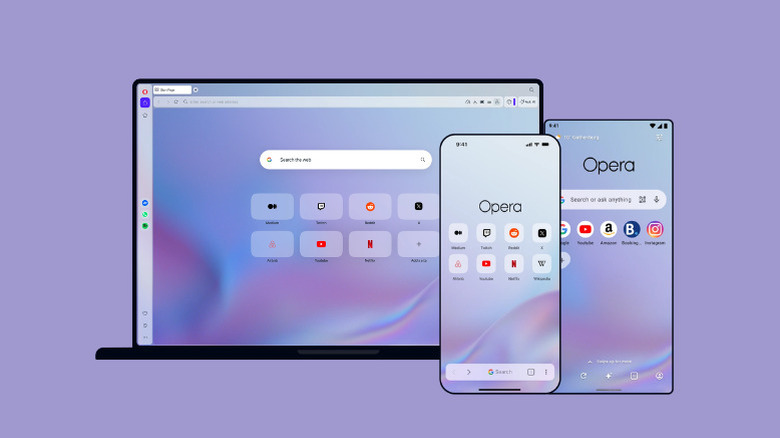
Even though it's not a household name, the Opera browser has been around for a while and has support for major platforms. Opera is available to download on Android, iOS, macOS, Linux, and ChromeOS. Besides its universal support for different platforms, the Opera browser is also packed with features that make ditching Chrome a no-brainer despite running on top of Google's open-source Chromium codebase — the same one that Chrome is based on.
It has a built-in ad blocker to keep those intrusive website ads away, includes a free VPN, and also syncs data between platforms so you can easily pick up from where you left off as you switch from, say, your phone to your laptop. Opera also gives you more tools to organize your tabs, such as Tab Islands, which allows you to group related tabs based on context, and you can collapse or expand them to keep your browser tidy. The browser also has integrated instant messaging platforms like WhatsApp, Telegram, Slack, and Facebook Messenger into the sidebar for easy access.
The Opera browser hasn't been left behind the AI wave, and it offers its own version appropriately named Opera AI. Opera AI can access your browser tabs for context while answering your queries, which makes it more helpful. If you prefer ChatGPT or Gemini, they're available in the browser's sidebar. The browser also has other worthwhile features like file sharing between devices, screenshots, workspaces, translation, bookmarks, themes, and Pinboards.
Vivaldi
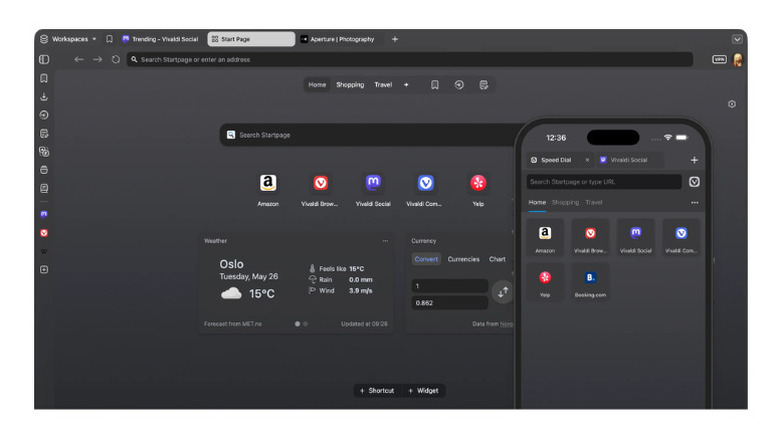
Vivaldi stands out among the best Android browsers for its customizability. For example, you can move the tab bar from the top to the bottom, or even to the left or right side if you're on desktop. Vivaldi also lets you customize the interface icons, toolbars, color scheme, corner roundness, and so much more. On top of its highly customizable interface, Vivaldi is packed with a variety of features that put the likes of Google Chrome and Safari to shame. It comes with Proton VPN built-in, an ad and tracker blocker, feed reader, note-taker, and screenshot tool.
There's also a feature called Quick Commands that lets you easily search for anything in the browser or the web. A novel feature that Vivaldi offers is Command Chains, which allows you to execute a sequence of commands, making it one of the best browsers for power users. For instance, you can toggle on Reader View and enable full-screen mode with a single shortcut. Vivaldi also differentiates itself from the rest by its pledge not to stuff AI features into the browser. That makes it worth switching to if you're worried about AI browsers spying on you.
Additionally, the browser doesn't partner with Google for search, which is a rarity, although it's also built atop the open-source Chromium codebase. Besides its unique features and deep customizability, Vivaldi also comes with a built-in password manager and a handful of productivity-focused features such as Workspaces, Web Panels, and profiles. You can download Vivaldi on desktop (macOS, Linux, or Windows) and mobile (Android or iOS).
Brave
If you're someone concerned about privacy while surfing the web, you should consider Brave, as it's one of the most privacy-focused options available. Brave has built-in shields that protect you from both tracking and fingerprinting. The browser also includes a special Tor mode that routes your traffic through the Tor network if you need more privacy while surfing the web. It's also a great choice if you'd like a browser that can block ads. Using Brave Shields, it can block ads on social media, search engines, and video platforms like YouTube.
One useful feature that Brave offers that every person will appreciate is automatic cookie consent blocking or hiding, saving you the hassle of rejecting or accepting cookie consent notices. Another interesting addition is Wayback Machine integration, where Brave prompts you to find archived versions of web pages that are inaccessible. There's also a self-custody crypto wallet and an AI chatbot. For additional privacy, Brave offers a built-in firewall and a VPN that has over 300 servers in more than 40 regions.
Like any other browser, it offers all the standard features you'd expect, like history, bookmarks, and extension support. Brave supports extensions, and even better, you can install all your favorite Chrome extensions in it. Brave supports all the major operating systems, such as Android, iOS, macOS, Linux, and Windows. If you juggle multiple devices in a day, it supports cross-device sync, enabling you to access your history, tabs, and bookmarks without a hassle.
DuckDuckGo
DuckDuckGo is a privacy-focused browser that blocks email trackers, third-party trackers from the likes of Facebook and Google, as well as targeted ads. DuckDuckGo's built-in ad blocker can also block ads on YouTube, giving you an uninterrupted watching experience. The browser also offers a built-in VPN, although it's exclusive to paying users. Another useful feature offered by the browser is automatic blocking of most cookie pop-ups for fewer interruptions while surfing the web.
There's also a one-click setting for deleting all your data, and it offers its own search engine for privacy, which, unlike Google, doesn't track your browsing activity. Regardless of its privacy focus, the browser hasn't been left behind when it comes to AI, as it offers Duck.ai, which gives you free anonymous access to popular AI chatbots from Mistral, Claude, and ChatGPT in one place. In addition to these privacy-focused niceties, DuckDuckGo gives you all the standard browser features like a private browsing mode, bookmarks, history, password manager, and the ability to sync data between devices.
If you're ditching Chrome or another browser for DuckDuckGo, switching should be easy, as it gives you a password importation tool. Like other browsers we've discussed, DuckDuckGo is available on both desktop and mobile devices. You can download the app on Android, iOS, Windows, and macOS. The only major desktop platform missing is Linux. A caveat with using DuckDuckGo is that it doesn't support third-party extensions. So, unfortunately, if there's a favorite extension you'd like to use, you won't be able to in DuckDuckGo.
Yandex Browser

The last lesser-known browser that you should try instead of Chrome is Yandex. Yandex is a simple browser that comes with all the essential features you expect from a web browser, like incognito mode, bookmarks, and browsing history. You can log in to store your settings, browsing history, bookmarks, and even payment methods, similar to Chrome. This browser is also available on multiple operating systems, including Android, iOS, Linux, macOS, and Windows.
If you have different devices, Yandex comes with cross-device sync to ensure you can access your data across them. Yandex also supports profiles if you need separation of browsing activity across different accounts. If you're someone who fancies customization, Yandex does give you a variety of settings to change the look of the browser, although it's not as extensive as what you get in Vivaldi. Here, you can only customize the home page, new tab, background, icons, side panel, fonts, and zoom level.
Yandex allows third-party extensions to be added, and you can install any as long as they're listed in Google's Chrome Web Store or the Opera browser's add-on catalog. Other features available in Yandex include a note-taking web application, power-saving mode, picture-in-picture mode for videos, an ad blocker, and a password manager. And like most modern browsers, Yandex also has AI-powered features available. With its AI integration, you can summarize YouTube videos and articles, and translate text in images, among other things.
How we selected lesser-known alternatives to Google Chrome
The current browser market isn't short of alternatives to Google's ubiquitous Chrome. To come up with this list of lesser-known alternatives, we had some key factors to consider before selecting a browser. The primary selection criterion was to ensure that the browser selected isn't ranked in the top four in global market share by StatCounter. With that, we automatically disqualified Safari, Edge, and Firefox as they rank second, third, and fourth, respectively.
Next, we considered browser support for mobile and desktop operating systems. We only included browsers that support the major desktop and mobile operating systems, including Windows, macOS, Android, and iOS. Support for Linux was a nice-to-have feature, but not necessary. All the options we've included are free to download on all the major platforms that they support. However, you might run into paywalls in some of the browsers.
The good thing is that for browsers that offer paid features, such as Brave and DuckDuckGo, the paywalled functionalities are not essential for everyday use — they're simply nice-to-haves.