

Google Maps Is Tracking More Than Just Your Location Data
We may receive a commission on purchases made from links.
Google Maps remains one of the most used navigation apps globally, with over 2 billion active monthly users. Whether you are navigating, searching for nearby restaurants, or looking up reviews, Google Maps is often the first app you open. One of the main reasons behind Google Maps' popularity is it's preinstalled on Android devices. And provided the app does a good job, users never bother exploring available Google Maps alternatives. That's where the problem starts. Many people believe Google Maps simply needs access to their location to provide real-time navigation. But in reality, Google Maps collects much more data.
Besides tracking your location, Google Maps collects personal details, such as your name, phone number, and email address. The list goes on, and may include details like payment information, saved contacts, text messages, search history, device ID, diagnostic data, browsing history, and how you interact with Google Maps. This data, along with information collected through Google Chrome (change these settings to protect your privacy), Google Search, Gmail, and YouTube, is then used for advertising and sometimes reaches data brokers.
While most of this data collection does little to benefit the end user, some of it can be useful. For instance, Timeline in Google Maps can help you quickly find out where you were on a particular day a month or year ago. At the same time, it can feel invasive to anyone who doesn't want a service to store this kind of sensitive information.
Limiting data tracking by Google Maps
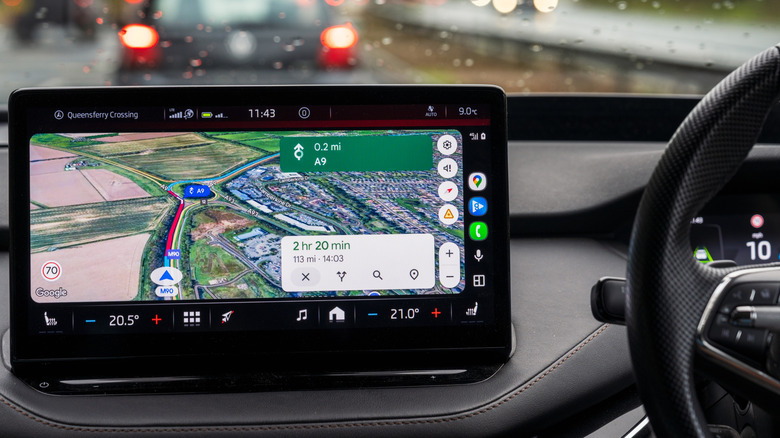
Many of these data collection features are enabled by default, and while you can disable some, others are linked to core Google Maps functionalities. This means turning them off directly impacts your Google Maps experience. For instance, if you turn off location access, Google Maps shows a preview option instead of real-time directions. Similarly, turning off Timeline doesn't completely stop Google from collecting location-related data. It still does so through the IP address and device's location, which are linked to features like Search Services History and Web & App Activity.
Keep in mind if you plan to use Google Maps for navigation, you can't completely turn off data tracking. But you can certainly limit and prevent some of this data from being tied to your Google account. First, you should disable Timeline in Google Maps. To do that, launch the app, tap your profile icon near the top right, select Settings, tap Location & Privacy, choose Timeline, and set it to off. Also, delete all the existing Timeline data.
Next, turn off Personalized Recommendations and Search Services History. When enabled, this allows Google to use your searches, interaction, and other information to offer personalized ads and recommendations. To disable it, tap the profile icon in Google Maps, select Settings, go to Location & Privacy, tap Personalized Recommendations in Maps, and turn it off. Now, tap Search Services History underneath, and disable that, too. If you don't find these options, look under Web & App Activity.
Alternatives to Google Maps
Once you realize how much data Google Maps collects, you may wonder whether the alternatives, like Waze and Apple Maps, are any better. According to Surfshark's research, they too collect a vast amount of information. However, Google Maps and Google-owned Waze top the charts in data collection. Of the 35 data types, Google Maps collects 24, Waze 21, while Apple Maps collects only 11. Apple's official website states search and navigation data aren't associated with your account. Additionally, for features like saving the location of a parked car, the associated data is saved on the device.
If you want to explore open-source alternatives, Organic Maps and OsmAnd are two popular options. These are built on OpenStreetMap, an open-source database maintained by volunteers. With Organic Maps and OsmAnd, you can easily bypass the data collection practices of Google Maps, but there are trade-offs to be mindful of. The experience isn't as refined, and both require a bit of setup. You have to download the maps before you can actually get directions. Additionally, you don't get real-time updates of the traffic ahead since the maps suggest routes based on existing data. So, if you can put in the effort and accept the trade-offs, these two could be viable alternatives. For iPhone users, Apple Maps is undoubtedly better from a privacy standpoint. And for those who can't switch, limiting Google Maps' data tracking is possibly the most feasible approach.