

What Does The Trident Symbol On A USB Port Mean?
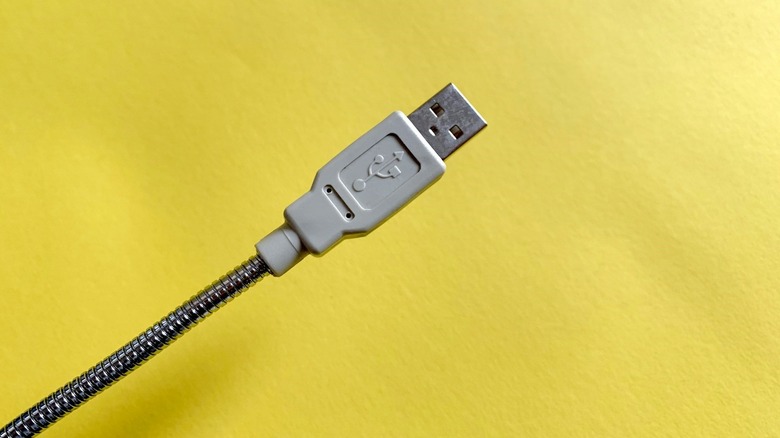
There are many types of USB ports because the technology has undergone several upgrades over the years. You almost need a detailed guide to understand them all. Here's what every USB port type actually means, by the way. Generally, they're separated by capabilities and speeds, or bandwidth, with USB Type-C ports being the cream of the crop, at least for now. An easy way to tell them apart, besides looking at the color of the port — colors are used, too — is to look at the icon or symbol near each port or connector. The trident symbol, a three-prong icon, signals classic USB, and the rest are all iterations of that.
The trident or USB symbol is the universally accepted logo for the standard. Starting from a larger circle at the bottom, likely indicating a source port, a rudimentary wire diagram splits into three channels, each topped with a unique shape: circle, triangle, and square. The shapes represent the true versatility of the technology, as a myriad of devices rely on USB. By itself, the trident indicates the USB 2.0 standard — High Speed or Hi-Speed USB.
From there, the trident is effectively shown with small changes to help you discern the port generation. The trident with an "SS" is a SuperSpeed port, usually USB 3.0 or 3.1. The trident inside a battery icon tells you the port also supports Sleep-and-Charge or USB Power Delivery (PD) technology. Meanwhile, a trident with numbers tells you the port is a high-performance USB4 with the listed data transfer speeds, so 40 means up to 40Gbps transfer speeds. A lightning bolt icon indicates fast-charging support.
Why do USB ports have different colors and different symbols?
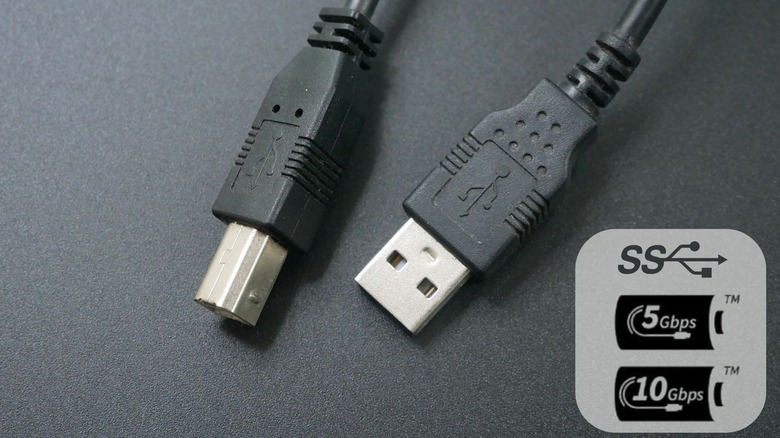
Simply put, each version of USB supports varying speeds, with some of the slowest available from USB High-Speed or USB 2.0. Despite the "high speed" in the name, which is admittedly a little confusing, standard USB can be identified by the basic trident symbol. USB 2.0 only offers speeds up to 480Mbps. Standard SuperSpeed USB, often a trident logo with an "SS," or a logo with the SS, trident and a "5," is much faster, supporting speeds up to 5Gbps. Small symbol variations reveal a little more, like a trident, SS, and a 5 inside a battery icon, which is SuperSpeed with Power Delivery. Tack on a "20" and the port is capable of 20Gbps speeds. A lightning bolt means fast-charging, and a black "D" icon with a white "P" inside means the port supports DisplayPort Alternative Mode for video signals.
If you are someone planning to use a USB port to charge your device, or want to transfer data from a PC to an external hard drive, portable media player, or similar device, the port you use matters. As long as the device supports faster speeds, you can use a newer USB port, like SuperSpeed, for faster data transfer rates and faster charging. Plugging into an older USB port would limit those speeds and could make things pretty frustrating. The symbols allow you to tell USB versions apart.
The same is true for ports of different colors. When a USB port is blue, it means it's a SuperSpeed 3.0 port, for example. That's compared to a plain black USB port, which is used for standard USB 2.0 High-Speed.