

What Happens To Your MacBook When You Skip macOS Updates?
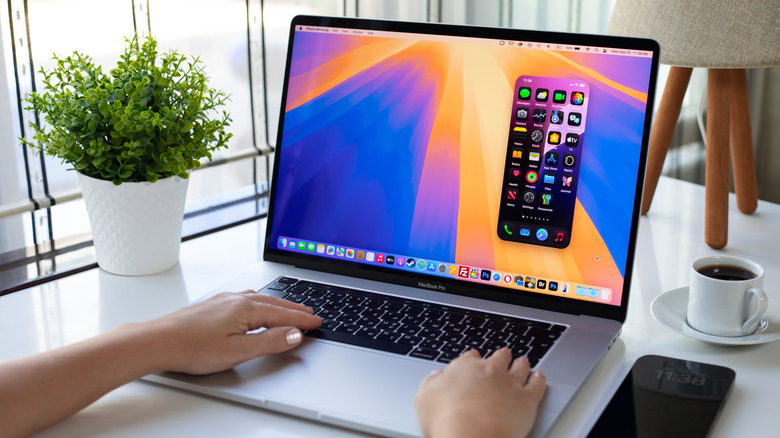
Your MacBook will update itself automatically, but you can turn this off at any time. Just go to System Settings > General > Software Update and click "i" next to Automatic Updates. Toggle off Download new updates when available and Install system data files and security updates. You'll be asked for your password or Touch ID to confirm the change before clicking Done. Just like that, you have complete control of when you can install updates. You can skip them indefinitely if you so wish.
While you can skip restarting your MacBook until you need to, macOS updates are a different story. On the downside, skipping updates means that you miss out on the latest features that improve the macOS experience. An even bigger disadvantage is that you also don't get security updates that keep your MacBook safe from cyberthreats. Furthermore, you might lose access to certain apps and features that require the latest macOS update to function.
With that said, there are a couple of scenarios where not skipping macOS updates can seemingly make sense. For instance, you might be using a MacBook that is too old and fear that you will run into performance issues, especially if the last time you upgraded, the MacBook became slow (you can't easily downgrade either). You might also fear that an update can break compatibility with some apps you rely on. But overall, it's not worth it to keep your MacBook stuck in the past.
macOS updates are crucial to your MacBook's functionality and security

When you don't update your macOS, you will definitely miss out on those software upgrades, which change the version number and name, such as moving from macOS 18 (Sequoia) to macOS 26 (Tahoe). These happen once a year between September and October, and it usually brings new major features and changes to the overall look of macOS. For example, macOS Tahoe brought Live Translation, the "Liquid Glass" visual redesign, and the dedicated Apple Games app. Not upgrading can also break compatibility with certain apps like Safari. iCloud services will also eventually stop working further down the line.
While waiting for the next macOS software upgrade, you get software updates. These are minor updates that patch bugs and optimize performance to ensure your MacBook is running smoothly. These will have a new version number that changes a decimal point upwards, such as macOS 26.1, but no name change. If your MacBook doesn't get these updates, it can become sluggish in the long run.
Software updates also come with security improvements that protect your MacBook from cyberthreats like malware and exploits (malicious code injected into your computer by taking advantage of software vulnerabilities). If there's a major security vulnerability in macOS, you remain with it until you update. Your MacBook will also receive Background Security Improvements from time to time to further enhance macOS security. You just need to be running the latest version of macOS; otherwise, you won't receive them.
Eventually, your MacBook will stop receiving updates
If you keep your MacBook for too long, there will come a time when you will have no choice but to skip updates because it's too old and no longer supported in newer versions of macOS. A good example is how macOS 27 drops support for Intel MacBooks. That means that once Apple moves on from macOS Tahoe, they are under no obligation to release a security patch should a major security vulnerability be discovered that threatens these Intel Macs. With a supported MacBook, you at least get a choice, but by that time, updating macOS is a no-brainer if you don't want to get hacked.
Apple usually supports MacBooks for at least eight years. Afterwards, it becomes a vintage MacBook. As of this writing, only the M-series MacBooks have years' worth of updates ahead. In fact, the chipset is so good that the sales of refurbished Apple Silicon MacBooks have surged. This has created a problem for Apple because these older MacBooks still provide the value people need, even though they don't offer the latest incremental features.