

These Password Managers Are Consumer Reports' Top Picks For Keeping Your Data Safe
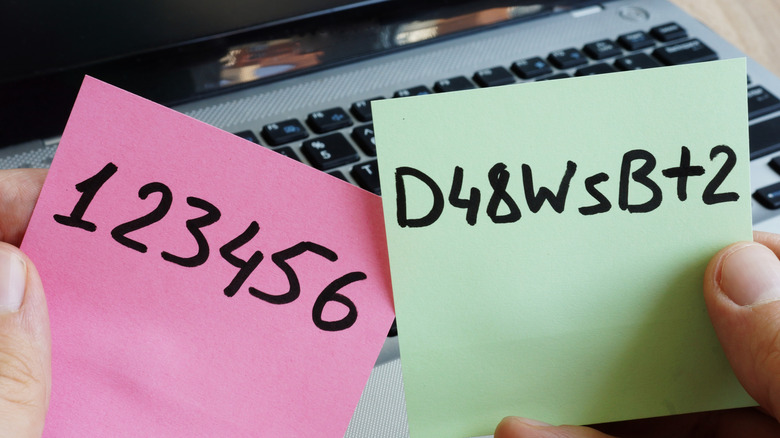
If you adhere to safe password practices, it's likely you use a password manager, or at the very least, are familiar with what they are. Simply put, these digital devices act as a vault for your various login credentials, requiring you remember just one advanced password that's not easily cracked. But there are a lot of options out there, and given some — like LastPass — have been affected by security breaches, there's something to be said for choosing the right one.
To help you sort through password managers, Consumer Reports has ranked these services using its own internal research and by incorporating millions of surveyed consumers who have hands-on experience. So, let's take a look at what these highly-rated password managers actually are. Consumer Reports' top picks largely mirror the best password managers that users swear by, with a few extra if you want some more options to consider something besides what's listed here.
Premium password managers often include extra features

Before we get deep into third-party options, know that Apple's iOS has a built in password manager feature, and it's free if you don't want to pay for a premium service. Google also has a password manager that works on Android and Chrome devices. Samsung Pass is another solid alternative if you have a Galaxy device. While most of these tools are free, especially if you are using a compatible device or browser, they may not include some of the extras you'd get with a premium, or subscription-based manager.
Premium password managers might include personal and shared vaults, with the ability to share your accounts and details across trusted contacts, built-in VPNs, scam detection tools, and real-time security alerts, to name a few. Moreover, standalone password managers may have better security and privacy protocols than integrated options thanks to advanced encryption and higher-level security. If you're looking to beef up your password security, that benefit alone might be worth the cost.
1Password Families
Tied for the highest overall score on the Consumer Reports list — with Dashlane Premium and Keeper Unlimited — is 1Password Families. 1Password is the service, while 1Password Families is the group component that allows you to share password management with your loved ones. Up to five people are included with a single subscription, and there are options to expand if you want coverage for more. What's most beneficial about this, besides everyone getting their own private vault for logins, is that you can share information between family members, if say, your spouse wants to log in to a credit account.
Private and shared vaults are managed separately, which can be useful if you're sharing the premium plan with several people. Consumer Reports gives 1Password Families high marks for usability, data security, and data privacy. Like the other password managers here, 1Password Families supports Windows, Mac, Android, and iOS. Prices start at $6 per month and there is a 14-day free trial period. It also earned positive reviews from PCMag and ZDNet, with the latter outlet saying 1Password is "well worth the money."
Dashlane Premium
Another highly recommended password manager from Consumer Reports is Dashlane Premium, which is perhaps more widely known for its professional-focused services. Don't let that scare you off, however, as there is a personal component that tacks on scam protection and cross-platform sign-in support. Overall, Consumer Reports awarded Dashlane a lower data security score that 1Password Families, but it performs well in the usability and data privacy categories. According to TechRadar, Dashlane's service is pricey, but "impressive and fully-featured."
Something to note is that Dashlane Premium includes a built-in VPN for Wi-Fi protection, so you could save some money if you're already subscribed to a VPN. The Premium plan is meant for a single user and starts at $5.42 per month. But if you want a family plan — allowing up to 10 users on one subscription — prices start at $8.13 per month, which is a bit pricier than what 1Password offers.
Keeper Unlimited and Keeper Free

Most password managers have done away with their free service tier that allowed limited access at no cost. But Keeper continues to offer a premium plan, called Keeper Unlimited, and Keeper Free, both of which ranked highly on Consumer Reports rankings. The scores for usability, data security and privacy are actually identical. In a review by Tom's Hardware, the level of functionality left a good impression, "as long as you use the paid version."
Keeper Free is limited to just a single mobile device and up to 10 passwords total, though it does support two-factor authentication. It could work if you don't have many accounts or passwords to manage. Most likely, however, you'll want to upgrade at least to the Personal plan, which costs $3.58 per month. This version comes with unlimited password storage and devices, biometric login options, and a 30-day free trial to see if you like it.
Bitwarden Families and Bitwarden Free
One password manager option, with a slightly lower overall score, is Bitwarden. Usability scores are high, but the data security and privacy scores come in a bit lower. Bitwarden is actually the password manager I use, and as a result I've also roped in my family. I chose it for being open source. Despite ranking slightly lower on the Consumer Report's list, Bitwarden earned strong reviews from PCMag and Wired, which noted its easy-to-use workflow and free plan with few limitations.
Bitwarden's premium plan starts at $1.65 per month, or about $20 annually, and you can share your vault with one other user. The family plan costs $4 per month, and allows up to six users, unlimited sharing, unlimited collections, and the option to share vault items between the entire group. If it's just you using the tool, Bitwarden's free tier is generous. Access is available across Windows, Mac, Android, and iOS, and depending on which browser you use, the login tools are intuitive and work well. I have run into some issues using Bitwarden plugins with Brave. But on the whole, my tech-illiterate family seems to do just fine with this password manager.