

There's A New Way To Stop Scam Texts On Your Android Phone - Here's How
We may receive a commission on purchases made from links.
There could be many reasons why you're suddenly receiving a bunch of spam text messages or emails you suspect to be scams. You might have entered your contacts on a shady website, your phone number could be public, or your details could have been exposed as part of a data breach. Fortunately, there are many Android apps and features that let you deal with scam messages, including one from NordVPN itself.
This feature is called Message Protection, and it comes with the NordVPN app on Android. With the feature turned on, NordVPN automatically scans incoming SMS and flags potential scam messages or malicious links. It does this by scanning these messages and matching them against its database for malicious links or keywords that scams often use. It also checks the sender's details to see if they've been flagged for any prior suspicious activity, and notifies you if so.
Message Protection isn't turned on by default even if you have a NordVPN subscription. To activate it, you have to open the NordVPN app and then tap on the grid icon in the bottom toolbar to access the Products tab. Here, you can toggle on Message Protection alongside similar options, such as Call Protection.
What does NordVPN's Message Protection do?
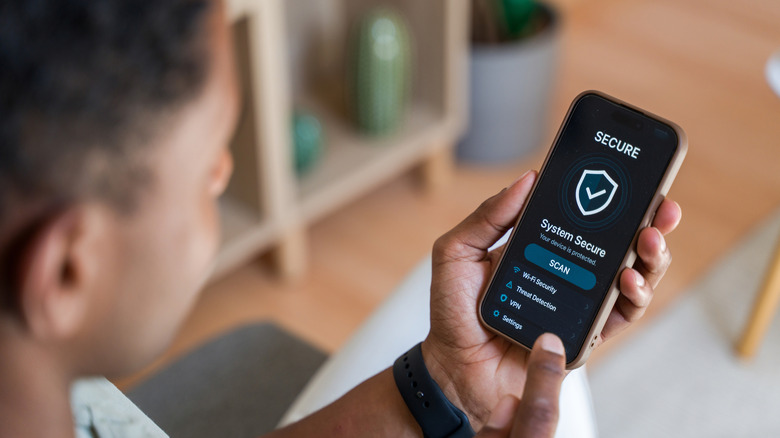
When the app flags a message as malicious, it doesn't automatically delete the message from your inbox or block the number. Instead, it gives you an alert showing that it's a scam. This lets you make the final decision on what to do with the message, ensuring that a message that you were meant to receive doesn't accidentally get lost without you ever noticing it.
The feature is quite useful, especially when paired with everything else the app offers. However, there are some caveats. NordVPN, unfortunately, requires a rather expensive paid subscription for most of its features, including this one. When billed monthly, the VPN-only plan costs $15/month, but you'll need to shell out at least $20/month to access the Call and Message Protection feature. This does go down a lot if you choose either the one-year or two-year package, though, costing $66 for a single year and $121 for two. The Message Protection feature is also only available on Android for now, which means iOS users can't make use of it. Furthermore, this only works with incoming SMS messages and doesn't apply to texts received on platforms like WhatsApp or Telegram.
Whether you're able to use this feature also depends on where you're located. While users in the U.S. can use it just fine, those in many other regions currently don't have access to it. Apart from the U.S., some other countries that have Message Protection include Australia, Canada, Japan, and the UK, according to a post from NordVPN.
Other ways to stop scam texts on your Android phone

If you want to protect your digital presence and avoid scam messages but also don't want to pay for a subscription to do so, there are many alternatives to NordVPN's Message Protection. NordVPN itself offers a web-based version of its scam text checker, which lets you check whether your messages, links, or files are safe. This uses the same technology as Message Protection, but you have to manually upload items here to check them, whereas Message Protection automatically scans incoming SMS messages.
There are other ways to screen your incoming messages depending on what device you're using as well. Google Pixel phones come with built-in call and scam protection, while most other Android phones that come with Google Messages as their default SMS app can use a similar feature. With Google Messages open, tap on your profile in the top right and then go to Messages settings, tap on Protection & Safety, and then turn on Spam Protection. Doing this also turns on Google Messages' recent Scam Protection feature.
Apart from these, you can also use third-party apps, but it's best to learn how to identify and deal with scam messages yourself as well. Follow the general rules of not tapping any links or responding to messages from unknown numbers, and block any senders that you don't recognize.