

5 Routers With Powerful Parental Controls

We may receive a commission on purchases made from links.
Keeping kids safe online is a challenge that starts at the front door of a user's home network. Every tablet, gaming console, smart TV, and phone in a household connects through the same router, and that single device is the most powerful online safety tool most parents already own. Router-level parental controls allow parents and caregivers to block inappropriate content, set screen time limits, and pause internet access across every connected device at once, without installing anything on individual phones or computers.
The numbers are clear. The average U.S. household now operates 22 connected "internet of things" (IoT) devices, from smart TVs and gaming consoles to tablets and voice assistants. Each new gadget is another potential point of risk, and a 2025 survey by the Family Online Safety Institute found that fewer than half of parents use parental controls on smartphones, with adoption dropping to just 35% on consoles. That gap between device ownership and actual protection is where router-level filtering has become the foundation layer of any sensible family safety setup. Modern routers do far more than just push Wi-Fi through walls, and the right one can turn a chaotic free-for-all into a manageable, age-appropriate online environment. Picking the right Wi-Fi router brand can make a real difference in how well those controls actually work.
Not all routers are created equal as far as parental controls are concerned. Some bundle comprehensive features for free, while others lock them behind paid subscriptions, with a few being purpose-built with family safety as their main selling point.
Gryphon AX
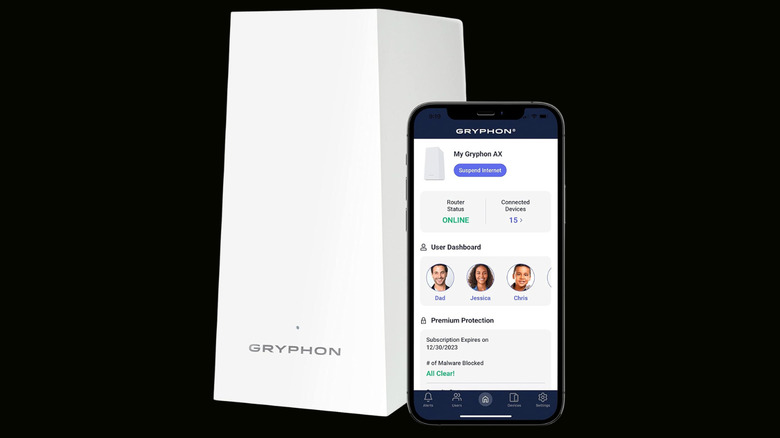
The Gryphon AX is a mesh router built from the ground up with parental controls at its core, not as an afterthought. Priced at $299, it operates as a Wi-Fi 6 system with a maximum throughput of 4,300 Mbps and uses a tri-band design to keep wireless backhaul traffic separate from device connections. A single unit covers most mid-sized homes, and additional nodes can be added to extend coverage for bigger homes.
What sets the Gryphon AX apart is its genuinely useful free parental control suite. Parents and caregivers can create individual profiles for each family member, assign age-specific content filters, set bedtime and homework hours, block ads on a per-profile basis, and restrict YouTube content. The system also includes IoT network isolation, which creates a separate virtual network for smart home devices so a hacked thermostat or baby monitor can't be used as a stepping stone into a user's main network. This is a feature most routers in this price range simply don't offer.
The catch is that unlocking the full security and advanced parental control suite requires a Premium Protection subscription. The free tier handles the essentials well enough for most families, but anyone looking for router-level malware protection, detailed activity reports, and deeper content filtering will need to budget for the ongoing subscription cost. For parents and caregivers who need a router that puts family safety first above raw speed or gaming features, the Gryphon AX is purpose-built for their homes.
Asus RT-AX82U
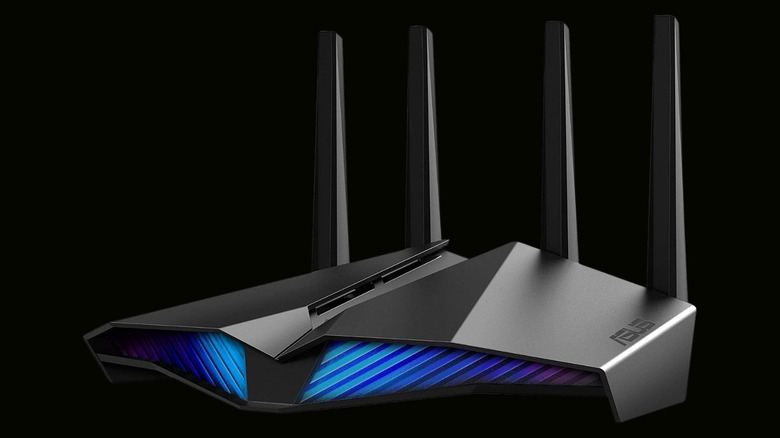
The Asus RT-AX82U is a Wi-Fi 6 gaming router that happens to be one of the best values in parental controls thanks to Asus AiProtection Pro. Available as a cheaper Amazon Renewed unit for $89, it delivers a maximum throughput of 5,400 Mbps across dual bands with 160 MHz channel support, and it includes lifetime free AiProtection Pro security powered by Trend Micro. That means parental controls, malware protection, intrusion prevention, and malicious site blocking are all included at no extra cost, with no subscription of any kind required. Wi-Fi routers can do far more than most people realize, and the RT-AX82U is a strong example of how much value can be packed into a single device.
The parental controls on the RT-AX82U are profile-based, which means parents can group devices belonging to each child and apply tailored rules to that profile rather than managing every phone, tablet, and console individually. Age-specific content presets automatically block adult content, gambling sites, and social media platforms based on the selected age bracket. Bedtime schedules and internet downtime can be configured separately for weekdays and weekends. The Asus Router app is fairly straightforward, and because the router is AiMesh-compatible, additional Asus units can be added later to form a mesh network that extends both coverage and parental controls throughout the home.
Beyond parental controls, it includes a dedicated gaming port for traffic prioritization, Mobile Game Mode, built-in VPN support, and WPA3 security. Asus is one of the few brands that bundle the full security and parental control suite at no extra cost.
TP-Link Archer AX55
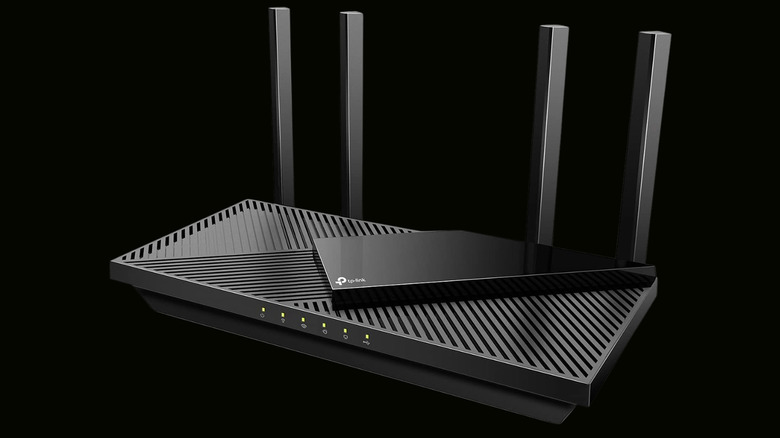
The TP-Link Archer AX55 proves that effective parental controls don't need a premium price tag. Priced at around $80 new, it's the most affordable router on this list, yet still packs Wi-Fi 6 support with AX3000 speeds, 160 MHz channel bandwidth, a USB 3.0 port, and a Qualcomm chipset with 512 MB of RAM to handle multiple devices without slowing the family down. For budget-conscious families who want router-level filtering without committing to a subscription or a $200-plus device, the AX55 delivers where it counts for parents and caregivers.
TP-Link HomeShield provides the parental control foundation on the Archer AX55, with free basic features including content filtering and time scheduling. Parents can block inappropriate content by category, set bedtimes, and pause the network quickly in the Tether app. The free tier also includes a home network scanner that detects potential threats and security issues, plus quality of service controls to prioritize devices for streaming and gaming. The controls are not as deep as what Asus or Gryphon offer, but the essentials are here and functional at no extra cost.
The trade-offs at this price point are predictable. HomeShield's advanced parental controls and security features are paywalled, and the AX55 is a dual-band router without the extra capacity of a tri-band system. It also works with TP-Link OneMesh, which lets users add compatible extenders to expand coverage without replacing the whole system.
Amazon Eero Pro 7
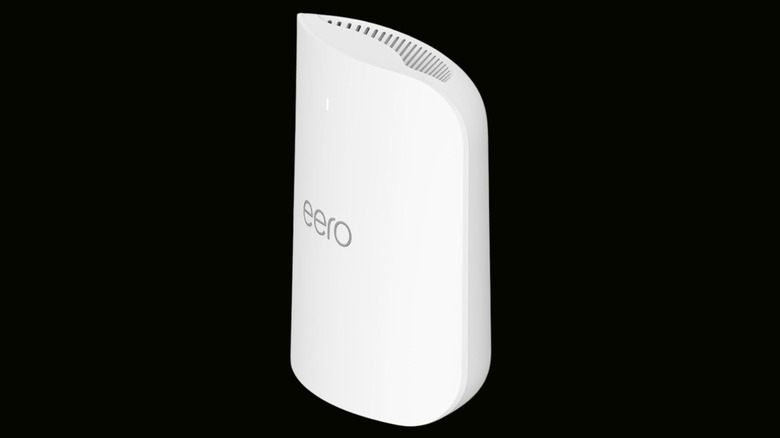
The Amazon Eero Pro 7 takes a different approach to parental controls when compared to the other routers on this list. Instead of a traditional web interface or a feature-packed desktop dashboard, everything runs through the Eero mobile app, which is designed to be as simple as possible. Priced at $299.99 for a single unit, it's a tri-band Wi-Fi 7 router that supports internet plans up to 5 Gbps and covers up to 2,000 square feet.
The free parental controls built into the Eero app cover the fundamentals. Users can create profiles for each family member, group their devices, and schedule internet pauses for bedtime or homework hours. With a subscription, the app also supports SafeSearch enforcement, which filters explicit results from Google, Bing, and YouTube at a network level.
That last feature hints at the main limitation here: Some advanced features require an Eero Plus subscription, which costs $9.99 per month after a free trial. This unlocks detailed activity insights, advanced content filtering, and additional security features like malware scanning and ad blocking. The Eero Pro 7 also includes a built-in smart home hub with Zigbee and Thread support, which is a nice bonus for families with connected lights, locks, and sensors.
Netgear Nighthawk RS200
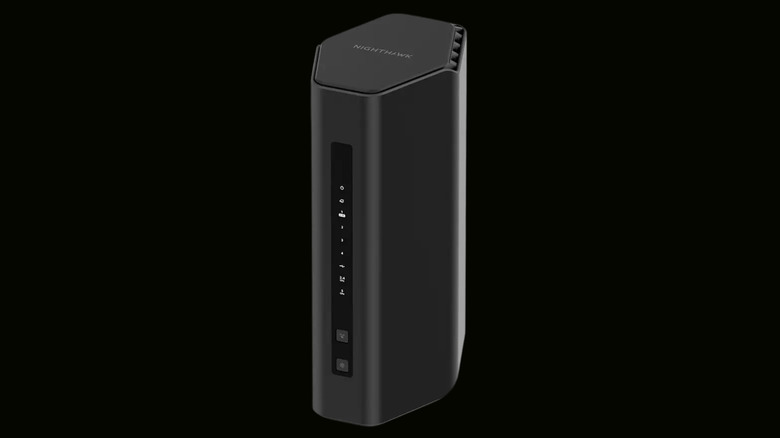
The Netgear Nighthawk RS200 is one of the two newest routers on this list, and it's also one of two with Wi-Fi 7 support. Priced at $229.99, it delivers BE6500 Wi-Fi 7 speeds up to 6.5 Gbps, covers up to 2,500 square feet, and supports up to 80 connected devices. The RS200 includes a 2.5 Gig internet port for multi-gigabyte cable and fiber plans, along with three 1 Gbps Ethernet ports for wired devices, making it one of the most capable routers in this lineup.
Where the RS200 gets more complicated is parental controls. Netgear Smart Parental Controls is a standalone platform that provides age-based content filters, daily time limits, bedtimes, and a button to pause internet access, all managed through the Nighthawk app. However, the free tier offers only device assignment and an internet pause control. Unlocking the full feature set, which includes detailed activity reports, per-app usage tracking, and the My Time companion app for children, requires a paid subscription.
The RS200 is a compelling router in its own right, with Wi-Fi 7 delivering 1.2x faster speeds and significantly lower latency than Wi-Fi 6. For families who want the latest wireless standard alongside basic parental controls, it's a solid option. Anyone who wants comprehensive content filtering without an ongoing subscription, however, will find better value elsewhere. The lesson here is that a router's sticker price doesn't mean there aren't ongoing costs in some cases — but in this instance, it's a subscription that delivers. The security of a router matters just as much as its parental control features.
Methodology

The routers on this list were selected by evaluating parental control features, pricing, ease of use, and the presence or absence of required subscriptions. Each pick was cross-referenced against multiple independent reviews and testing reports to make sure the parental control claims hold up in real-world use. The goal was to provide a range of options that cover different budgets, different household sizes, and different approaches to managing family internet access.
An important factor here was the quality and depth of the parental controls themselves. A router was only considered if it offered profile-based management, content filtering with age-appropriate presets, and the ability to set schedules and bedtimes. Any model that required a subscription just to access basic filtering was deprioritized, unless the free tier still provided meaningful protection. The evaluation also considered whether the controls were easy to configure through a modern app, since a parental control suite that requires navigating a dated web interface is unlikely to be used consistently.
Beyond parental controls, the evaluation also factored in Wi-Fi performance, coverage area, port selection, and overall value for money. A router that keeps kids safe but can't deliver stable Wi-Fi performance to a two-bedroom home isn't useful for families. The picks span five different brands, price points from $80 to $300, and control methods ranging from free all-in-one suites to premium subscription platforms. No single router is right for every family, but every kind of household and budget should at least find one of these options to be a good fit.