

4 Of The Worst-Rated Smart Locks, According To Consumer Reports
We may receive a commission on purchases made from links.
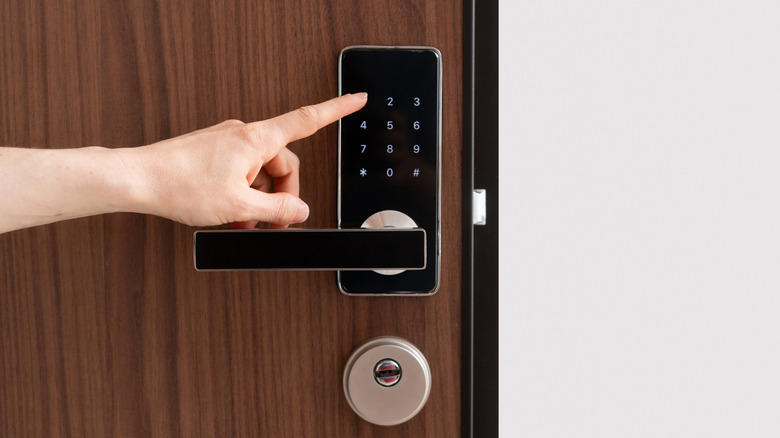
Home security isn't limited to security cameras and motion-activated floodlights. As a matter of fact, one of the best "peace of mind" investments you can make for your home is a smart lock. Many of these devices take only minutes to set up, and once it's online, you'll probably wonder why it took you so long to buy one in the first place. Many of the best smart locks allow you to lock and unlock your doors remotely and can even be integrated with smart ecosystems like Alexa and Google Home for automated controls.
Not all smart locks are created equal, though, and Consumer Reports (CR) is just as good at calling out the cons as it is at praising the pros. Unfortunately, lackluster smart locks are very real, and short of saying "don't buy it," CR does everything in its power to shed light on the drawbacks of this lesser tech. Today, we'll be joining forces with the publication to spread the not-so-good word about smart locks that should be avoided.
Generally speaking, smart locks are designed to be foolproof in many ways, but a unit prone to failure could seriously endanger you, your property, and your valuables. That isn't acceptable, and we've handpicked four CR-tested smart locks that don't make the cut to prevent you from thinking "that one looks nice" and clicking the buy button.
Defiant Round Matte Black Wi-Fi Deadbolt
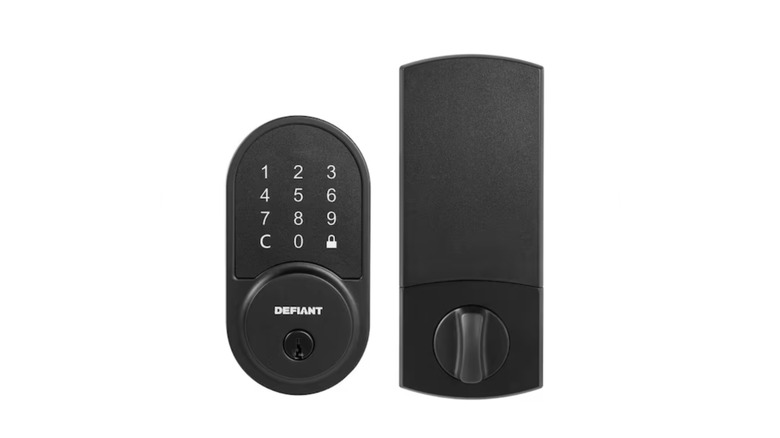
At first glance, the Defiant Round Matte Black Wi-Fi Deadbolt seems like a perfectly fine, budget-friendly smart lock. Designed for entry doors that measure between 1-3/8 and 1-3/4-inches thick, this Defiant lock can be controlled via Wi-Fi or Bluetooth, and even comes with a manual key should the lock run out of batteries. And with the free Hubspace app, you'll be able to see who's coming and going with the event log dashboard. The device even scored 4 out of 5 stars at Home Depot, so what could be so bad?
Well, how about the fact that a solid kick to your front door is probably all it takes to destroy the deadbolt mechanism? In CR's lab tests, this Defiant lock drew criticism for how easy it is to break and remove, with the latter tested using both a cordless drill and a picking device. We also read a user review that made us uneasy; apparently, the battery compartment does little to hold the actual batteries in place. This even resulted in the user being locked out of their home multiple times. Considering it's not very protective when it's locked and may leave you stranded outside, it's probably best to avoid the Defiant Round Matte Black Wi-Fi Deadbolt.
Level Lock+ Connect Wi-Fi
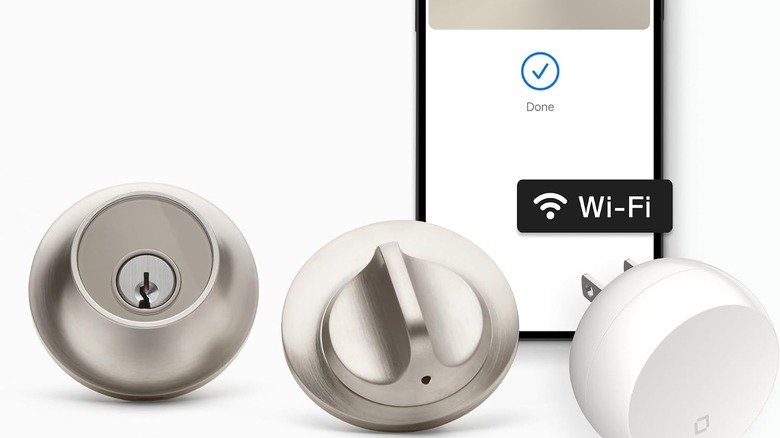
The Level Lock+ Connect Wi-Fi is next on our list of locks you absolutely want to steer clear of. As to the reasons why, it's a similar situation to the Defiant lock discussed above: it's super-easy to render the Level Lock+ useless. CR's lab testing revealed that the lock didn't hold up well to a door kick-in, and that it's also a breeze to remove with a cordless drill or a lock-picking device.
Unfortunately, testing also revealed that the lock isn't as advanced or expandable as other smart locks on the market (it scored low for "security add-ons"). The lock software isn't all that reliable, either. We read a handful of user reviews that touched on this, including one Amazon shopper who reported that their lock completely disappeared from the Level Lock+ app. The lock also doesn't seem to have a low-battery alert feature, which led to one homeowner being locked out more than once.
Considering the $346 price, it's a letdown that the Level Lock+ is inadequate in more ways than one. Plus, it's already difficult to find smart locks with Apple HomeKit support, so the fact that the Level Lock+ is Apple-friendly but not friendly in any other way is just pouring salt on the wound.
Aqara Smart Lock U100
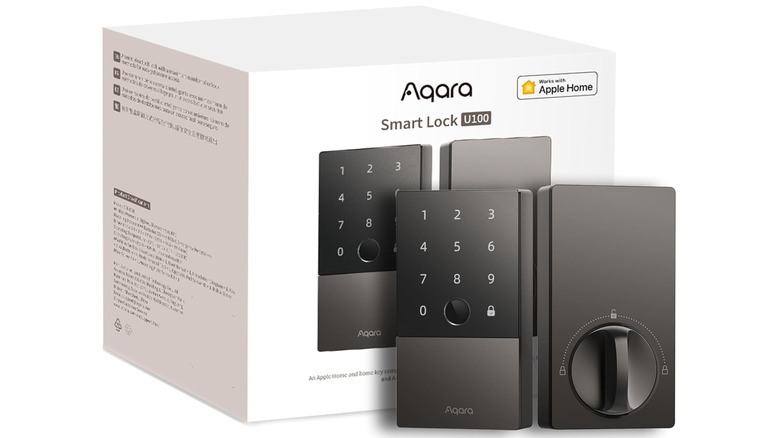
If you were shopping for the Aqara Smart Lock U100 on Amazon, you'd see it has a 4.1 out of 5 stars, based on over 2,500 user reviews. That alone may be enough to convince most folks that the lock is worth it, but CR brought forward some additional findings you should know about: mainly, that it doesn't take much force or ingenuity to break or pry the U100 free.
If you plan to control your U100 via Wi-Fi, you'll also need to purchase an Aqara smart hub separately. This means that Alexa and Google Home integrations are off the table until this accessory is connected to your lock. According to this Amazon review, you'll also need to create an Aqara account during setup, which requires an email address and a phone number. That may not be a big deal for some, but features like fingerprint scanning and PIN generation won't work until you've signed up. We've also read user feedback claiming the lock tends to unpair from whichever Aqara base station you use, and that the battery life is pretty terrible.
Lockly Secure Pro
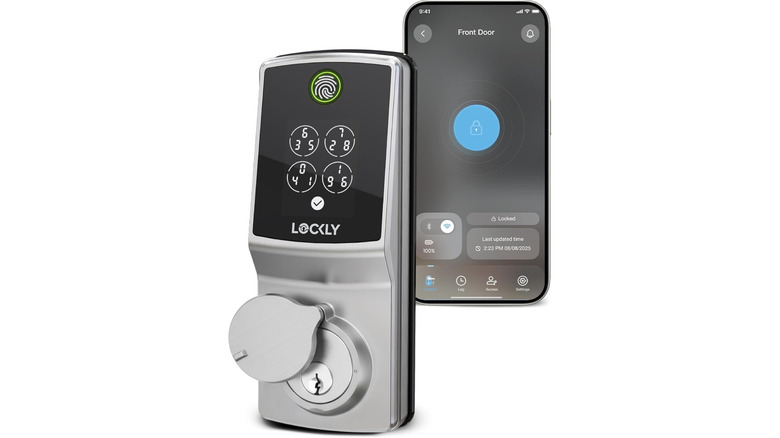
In CR's lab testing, the Lockly Secure Pro was a bit more of a mixed bag than the previous locks we discussed. Most notably, it offers decent protection against lock-picking. That said, it shouldn't be trusted to withstand a good kick to your front door or withstand cordless drill attacks. And that was just the dirt CR unearthed while testing the product; things are even less cheery over at Amazon.
One particular user could never get the Secure Pro to connect to their 2.4 GHz Wi-Fi network. Another user had a similar issue, and also reported that the lock's Bluetooth connectivity left much to be desired. It also appears that the fingerprint scanner can be finicky, and it's one of the lock's main selling points. Adding insult to injury, the Flex Touch is $300 when it's not on sale, and at the time of writing, it was only marked down to $270. Hopefully Lockly will be able to address some of the Wi-Fi connectivity issues, because remote access is unavailable when the lock isn't connected to the internet, and you still have to be nearby to unlock via Bluetooth.