

Why Do Roku Remotes Have Different Shortcut Buttons?
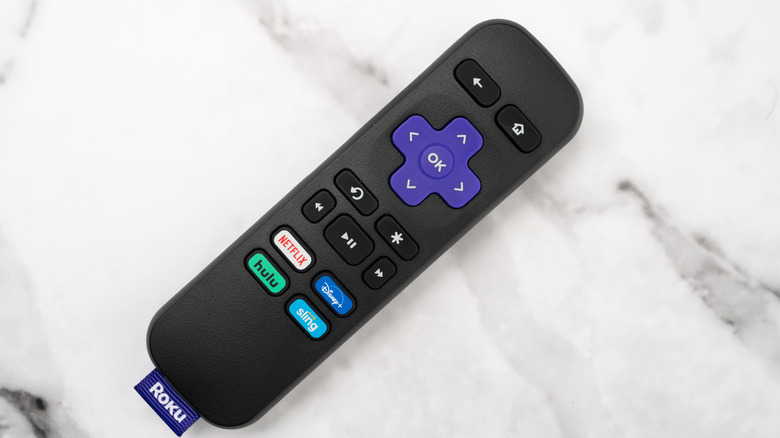
It may be difficult to not notice the individual shortcut buttons on your Roku remote. These buttons give you direct access to popular streaming apps such as Netflix, Disney+, and Hulu, among many others. Instead of having to search through your TV's various apps to find your streaming platform of choice, you can simply press the desired button to quickly bring up the app.
As to why there are different buttons for streaming platforms, it all comes down to one key thing: Money. The channels listed on your specific remote paid a large sum of cash to appear as buttons on remotes. Your specific remote may feature different dedicated buttons, as the channel shortcuts may vary across remotes. Your remote may have shortcuts to Amazon Prime, Hulu, Disney+, and Netflix, while another may replace one, two, or all four with others. There are so many Roku remotes you can buy, and you'll find different shortcuts depending on the model you purchase.
The buttons cannot be changed, updated, or disabled, so you will be stuck with the buttons you have even if you don't subscribe to the shortcut indicated on the button. It's not just streaming platforms, however, as many other remotes can have buttons to other apps or channels.
Streaming platforms pay for button real estate
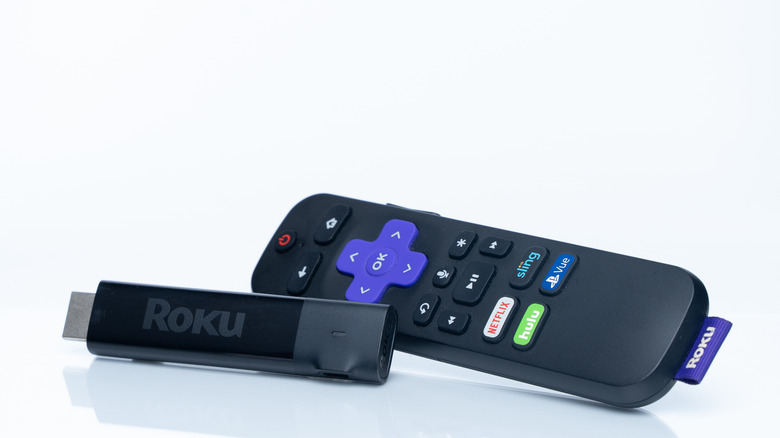
Companies like Roku earn money through advertisements. These are typically seen when your binge-watching experience is interrupted by commercials. Roku and similar streaming platforms also earn cash by having branded channel buttons on its individual remote controls. The companies featured on the remote pay a hefty fee to put their logo and name on the buttons so users may be more enticed to use them.
Streaming platforms pay different amounts to have their names branded onto remotes. Netflix reportedly spends $1 per customer for having its name plastered on a Roku remote. This means for every ten customers, Roku makes an extra $10 per sale. It isn't just Roku remotes that have giant buttons with other streaming platforms on them. Netflix made deals with other brands to have a button featured on Samsung, LG, and Sony remotes that takes users to its platform as well.
Samsung's SolarCell Remote is one such controller that features dedicated streaming platform buttons. With options for Netflix, Samsung TV Plus, and Prime Video, the remote is meant to make it more simple to navigate to your favorite service. However, users, especially those on Reddit, find the buttons to be rather frustrating. The buttons serve a purpose, like Roku remotes with tags, but you may be able to do something about the buttons if you don't want to use them.
You can still have some button control

You are unable to switch, disable, or change any of the dedicated streaming platform buttons on a standard Roku remote. It's something that Reddit users say is quite annoying and a feature they wish would be implemented into the design of the remote. One main reason a user may wish to change out the buttons is to opt for ones that they actually are subscribed to. It's no use in having a remote with a Netflix button if you aren't subscribed to the platform.
If you need a new Roku remote with buttons more to your liking, the Roku Voice Remote Pro (2nd Edition) has a dedicated quick launch button. You can customize the button to bring up any app, turn on a feature, or bring up the search option just by clicking it. You will need to set it up and can change it out as you please.
The 2nd Edition of the Roku remote is available for around $30, however, it only comes with a single button. But if you just need it for one streaming platform that isn't featured as a dedicated shortcut button, it's a nice option to have.