

How Accurate Are Google Maps' Walking Time Estimates?
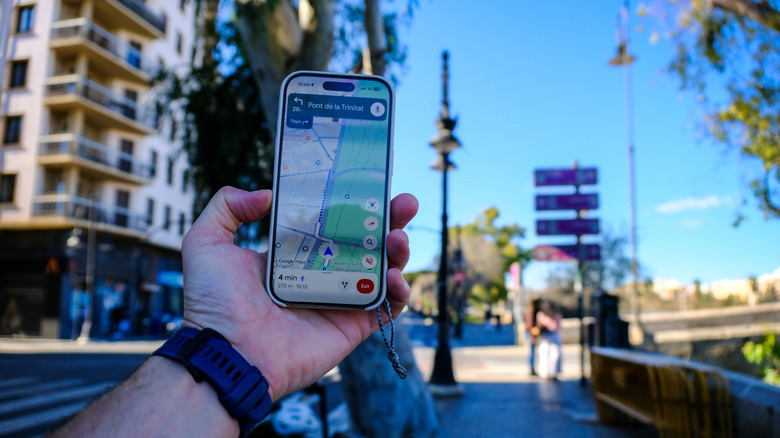
I am "directionally challenged," so I rely on Waze navigation in the car when I'm driving and Google Maps walking directions any time I'm walking somewhere unfamiliar. I also use it to determine how long it will take to walk from one destination to another and to look up custom routes. Recently, my 14-year-old son wanted to walk home from summer camp, and I checked to see that it was a 40-minute walk. Well, that's what Google Maps says. But how accurate are the time estimates?
Based on my experience, they're very accurate, often down to the minute. But that's because I usually walk at an average pace. Not everyone does. If I were to calculate based on my best friend, for example, who always walks like she's rushing for a meeting, she would arrive long before the estimated time. My 14-year-old son, meanwhile, walks like he has all day to get to where he's going, which means tacking a few extra minutes onto the estimate.
So pacing plays an important factor, and there's no way to adjust the assumed walking speed if you happen to be a faster or slower walker. Perhaps this is something Google would consider adding in the future, but for now, it provides numbers based on average pacing that will be accurate for the largest number of people. From there, you'll have to adjust the time in your head, based on your average pace.
How Google Maps walking time estimates work

When you enter a destination into Google Maps and choose walking directions, it will show you a preview of the route along with the estimated arrival time, the distance, and if it's mostly flat or hilly. And you will see an estimated time it will take to arrive there. This is only an estimate and can vary from person to person based on your speed and pace of walking. Google estimates the time based on an average pace of about 3 miles per hour. This does not change based on the journey's distance nor the conditions of the path you're walking, like if it's a paved road versus grass.
You may, however, see slight adjustments if you're walking on an upward or downward slope. For the former, it might increase time since the elevation could slow you down. Conversely, it would decrease time for the latter since you'll logically walk faster as the slope gives your body momentum you wouldn't otherwise have on a flat trail or an incline. Thus, a two-fifths-of-a-mile walk downhill might show an estimate of just nine minutes while the same distance going uphill might show 13 minutes.
My tests for accuracy
Because I find Google Maps the most accurate navigation app for walking directions, I always use it while walking to a location I don't know. During a recent walk in downtown Toronto, a group of friends and I strolled about 45 minutes from an event to a restaurant where we were meeting others for dinner. The estimated walking time was on point, and we arrived in time for our reservation. The trip included both slight hills and downward slopes but was mostly flat. My fast-walking friend kept her usual fast pace, but having to stop and wait for the rest of us to catch up evened things out.
I ran additional tests for a short walk from my home to the local elementary school. Google Maps said it should take 11 minutes, and I arrived at the exact estimated time of arrival. My pace, according to my fitness tracker, was logged at about 2.3 mph, and my average moving speed about 2.8 mph, which falls in line with Google's average pacing of about 3 mph to determine an estimated time.
Over the years, I have always been impressed with the Google Maps walking time estimates. Unless I stop for an unexpected reason — like to use Gemini, now available in Google Maps, to look up details about a point of interest — or I'm walking a busy city street and get caught at every streetlight, it's almost to-the-minute accurate.