

What That Blinking Light On Your Anker Charger Means

Chinese company Anker makes some of the most popular accessories for iPhone and Android devices, including power adapters, USB-C cables, wireless chargers, and power banks. These products generally charge batteries and are compatible with most smartphones that support wired charging via USB-C and wireless charging. When they malfunction, they'll alert users to the issue through blinking lights, so users can address the problem and resume charging. Anker wireless chargers typically blink in a specific color, depending on the model, to warn that a particular problem is disrupting normal operation. For example, a foreign object may be present between the charging surface and the handset. An Anker charger may also blink when electrical issues prevent charging.
Not all Anker chargers use the same colors to indicate a problem. Depending on the Anker charger you own, you may see a light blinking in a different color, including blue, white, orange, and green. But there are patterns that Anker uses to identify issues. The blinking may be slow (once every second), which may suggest a problem with the power adapter. You should ensure that your Anker product uses a wall charger that can deliver the required power. A fast-blinking behavior (once every 0.25 seconds) can indicate that foreign (metal) objects may be found between the wireless charger and the handset. Clean the charger before resuming charging.
There's another blinking pattern that may occur with some wired Anker chargers. You may see a white light flashing twice when a device is plugged into a USB-C port. That is normal behavior for the charger. The blinking white light will turn to solid white after those two flashes.
The color of blinking lights on Anker chargers explained
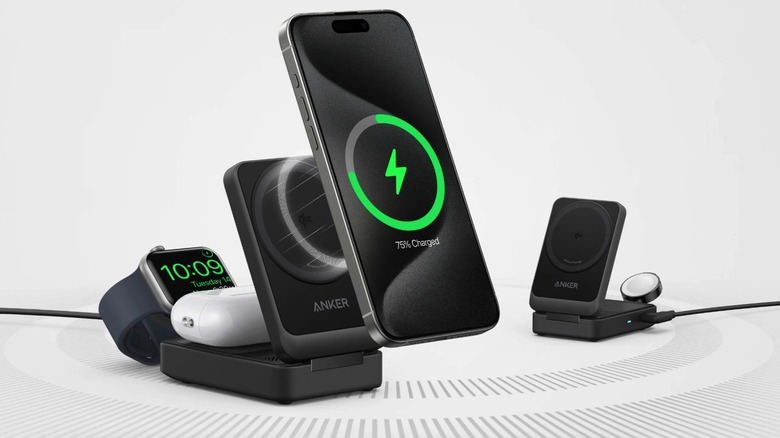
Other wireless chargers may show blinking lights for other reasons. For example, a charger may also blink if the phone and charging surface aren't aligned correctly, if the wireless charger is overheating, and if the cable between the power adapter and the charger is damaged. Software issues can also lead to charging problems. But the main reasons for blinking lights on Anker products are foreign objects (fast flashing) and power adapter issues (slow flashing), regardless of color.
The blinking pattern can help identify the appropriate course of action to fix the problem. If you see a light that's blinking fast, you can inspect the wireless charger and ensure there's no unexpected object blocking the charging process. A slow blinking pattern should prompt you to inspect the charging equipment. Ensure that the power adapter is suitable for the Anker charger, and that the USB-C cable connecting them isn't damaged. That said, here are the colors you'll see on some Anker wireless chargers:
- Fast blue: MagGo Foldable 3-in-1 (A2557), MagGo 3-in-1 Pad (A25M1), Anker 313 Wireless Charger (A2524), Anker Prime Wireless Car Charger (A2933), MagGo Magnetic Charging Station (A91C5)
- Slow blue: MagGo Foldable 3-in-1 (A2557), MagGo 3-in-1 Pad (A25M1), MagGo 3-in-1 Stand (A25M3), Anker Prime Wireless Car Charger (A2933)
- Fast white: MagGo 2-in-1 Stand (A2544), MagGo Foldable 3-in-1 Pad (A25M8), MagGo 3-in-1 Stand (A25M3)
- Slow white: MagGo 2-in-1 Stand (A2544), MagGo Foldable 3-in-1 Pad (A25M8)
- Fast orange: Anker 3-in-1 Cube with Qi2 (Y1812) — only for electrical current issues
- Green: Anker 313 Wireless Charger (A2524) — only for electrical current issues
A few pattern inconsistencies
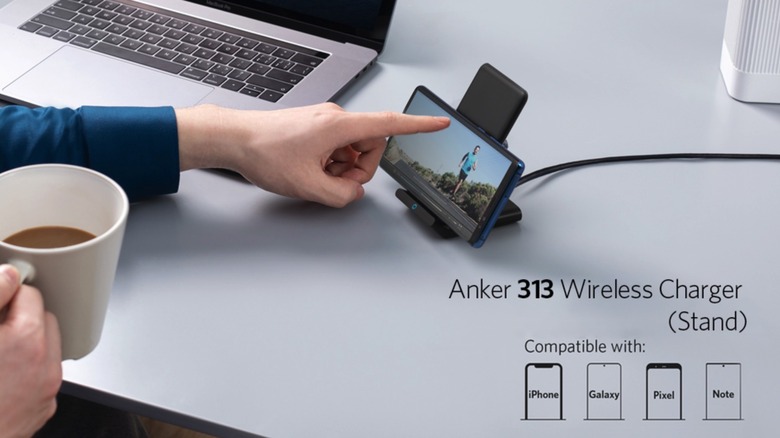
As you can see in the list of products above, Anker has used a somewhat predictable blinking-light pattern to signal charging issues, regardless of which light color is used. Fast blinking lights, or about four flashes per second, indicate a foreign object is present on the charging mat. Slow blinking lights (once per second) suggest there's an issue with the power adapter. In most cases, the same color is used, but there are some exceptions that may confuse longtime Anker customers who own multiple products from the smartphone accessory vendor.
For example, the Anker 313 Wireless Charger (seen in the image above) will use two different colors to indicate these issues. Blue indicates a foreign object, while green means the power adapter is providing incompatible input voltage. Anker's support document does not mention the speed of blinking for this model, which uses two distinct colors. We included the product under the "fast blue" category in the list above, because that category represents foreign object warnings. The other potentially confusing blinking pattern involves the Anker 3-in-1 Cube with Qi2 charging station, which flashes "fast orange." However, the fast blinking doesn't indicate a foreign object is interfering with wireless charging. Instead, the flashing orange light appears when electrical current issues are detected (overvoltage, undervoltage, and incompatible AC adapters).
Buyers who still see blinking lights after cleaning the charger surface and changing the power adapter or cable should consult the included product manual that comes in the box, or look for it online. They should also look for support documents for Anker products that aren't listed above, or that were launched after July 2026.