

Is Your LG TV Listening To Conversations?
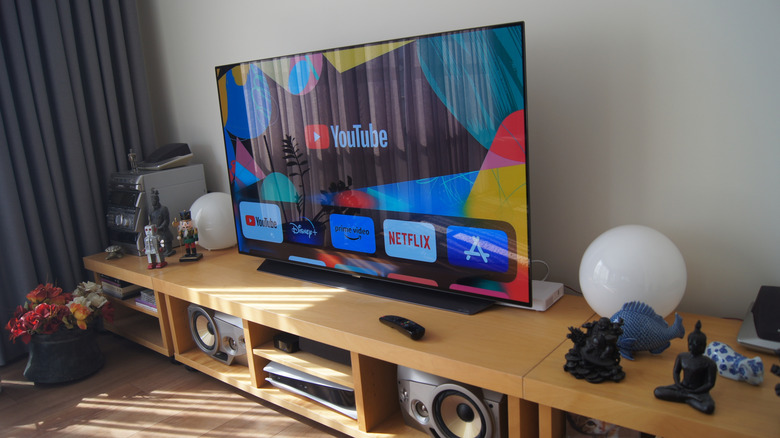
LG's TVs are considered among the best on the market, and the company frequently releases upgrades, such as new picture modes that enhance the OLED experience. However, LG has a dark side that some say could get the company in hot legal water. The manufacturer claims it isn't doing anything illegal, but is allegedly passing responsibility a good argument?
Lately, customers have been accusing LG of some real shady actions, including listening in and spying on people who own LG TVs. These accusations came to a head when Ken Paxton, Attorney General of Texas, filed a lawsuit against LG (and several other companies), claiming that their TVs displayed screenshots without user consent. Shortly after Paxton sued LG, the company updated its terms of service, but this only made things worse. The new document not only confirmed that LG TVs used AI voice recognition services to record nearby people, but it also claimed that by merely owning the device, it is your responsibility to make sure everyone who visits your house knows and consents to this, as outlined in "applicable wiretapping, eavesdropping, and privacy laws." We're not violating any laws; you are. At least that's how customers are interpreting the TOS.
LG has responded to the situation by releasing statements to outlets that reported on the predicament and its fallout, including TechRadar. In these statements, LG claimed that "LG TVs do not collect, record, or store ambient conversations" and that any features that could do so are optional. However, this assertion seems at odds with the document LG previously released, which states that LG TVs can and do collect, record, and store ambient conversations.
LG has a habit of doing this

LG doesn't produce just TV sets; the company also offers a wide variety of electronics, including one of the best gaming monitors you can buy. Unfortunately, you know what they say: Old (or bad) habits die hard.
While LG computer monitors don't listen in to your conversations, they exhibit another, equally shady problem: adware and spyware. Many users claim that these devices silently install software that makes massive pop-up ads — mostly for McAfee — appear on the screen after every boot sequence. The software also allegedly gains permission to track your computer through geolocation and user credentials. All without asking your permission, of course. The list of affected models includes the 34GX900A-B, 39GX950B, and LG 32GS95UE-B.
The worst part about this situation is that it isn't the first time people have accused LG of performing this exact ploy. In 2013, LG was accused of spying on its customers through smart TVs. The devices didn't record conversations, but they did jot down the channels and TV programs users watched. The public outcry was so bad, LG rolled out a firmware update to "correct this problem." However, as some people noted, when LG responded to the debacle, the company didn't really apologize. In LG's latest statement, the company promised McAfee isn't installed automatically without asking owners. This statement sidesteps the fact that the monitors display pop-ups advertising the antivirus suite. Plus, people have linked the adware to a built-in app that, yes, they can opt out of, but anyone who does loses out on crucial security updates.
How to protect yourself
This debacle surrounding allegations of LG spyware and adware has put a sour taste in the mouths of almost everyone who owns or is considering purchasing an LG smart TV or monitor. Yes, we've known about ads on these devices for a while, and we know how to deactivate ads on LG TVs, too. But how do you make sure the TV doesn't spy on you? Good question.
As shady as the wording in LG's new terms of service reads, the document actually provides some good advice. If you don't want the TV to listen in on you, go into the device's Settings menu and disable all microphone and voice features. However, disabling adware and spyware on LG computer monitors is much more complicated. You have to go into your computer's settings and edit the local Group Policy settings. You can follow the instructions on the r/pcmasterrace subreddit.
Of course, opinions vary on how to approach the situation. Some people believe that you should avoid purchasing all LG products for the time being. The logic is that LG TVs can't listen in on your conversations if you don't own one, and boycotting the company will hopefully force their hand and convince them to patch spyware and adware capabilities out of their monitors. In fact, if you already own an LG TV, you might want to throw it out and replace it with a model from a rival company, as apparently even older devices are not safe from updates that patch in spyware and adware.