

Your Android Phone Can Now Automatically Back Up Documents - Here's How
Earlier this year, Google said that it was making big changes to how backups work, specifically by automatically copying files from your Android devices to Google Drive after a quick setup and approval. The company began adding the feature to test versions of Android back in February 2026, according to a report from Android Authority. Several months later, 9to5Google reports that the feature is rolling out as part of the latest stable release, version 26.26 of Google Play Services, which is in addition to the list of cool new features added in Android's June 2026 update.
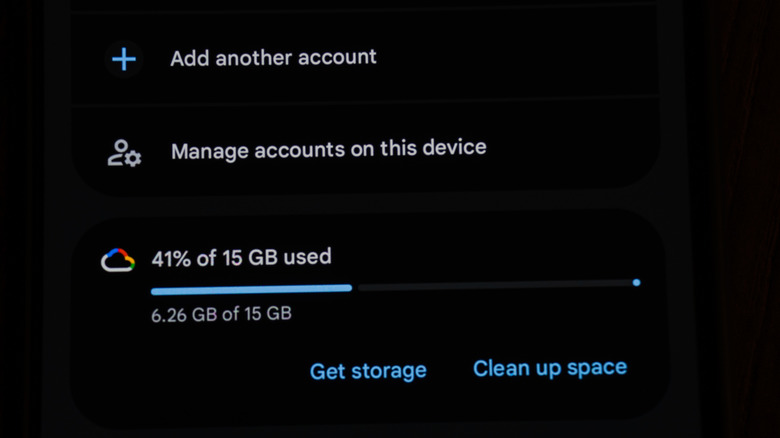
This update means your Android phone can finally take advantage of a proper backup solution for documents you create, download, and edit on your device. Once you've turned the feature on, 9to5Google says any .DOC, .PPT, .XLS, .PDF, and other document formats will be backed up from the device. This is great if you download a lot of files onto your device and never think about them again. However, because it utilizes your cloud storage, there's also a risk you might end up using all of that free storage that you get with your Google account when you originally signed up for it.
Set it and forget it
Like most Google updates, the roll out for this new feature could vary depending on what type of device you're using. Fortunately, you can check if the feature's been added by navigating to the device Settings > Accounts and backup > Google Backup settings on your Pixel phone. If you have the update, you'll see a new Documents category between Photos & videos and Other device data, which you can toggle on to begin backing up content from your downloads folder.
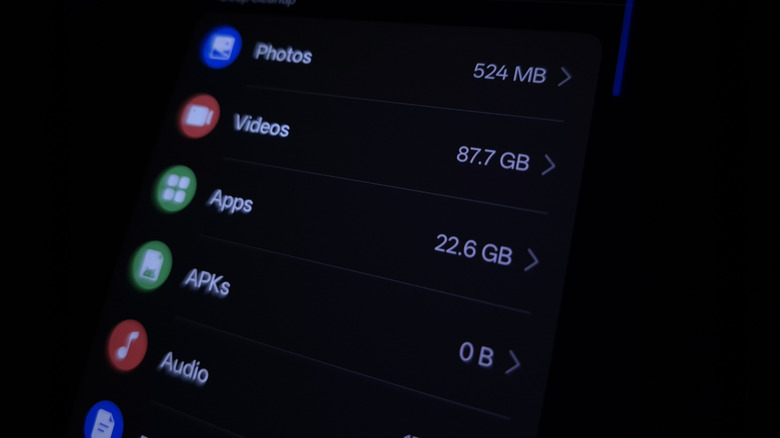
If the new backup feature is there, all you need to do is switch it on, and your phone will do the rest. Everything will be stored in a folder called Android backups in your Google Drive. Simply find the folder with the same name as your device, and you should see everything nested inside. Google is finally giving Android users the backup settings they should have always had, but that means any documents, images, videos, and even APKs (application files) will be backed up to — and quickly fill up — your Google Drive. If you need storage space in your drive, that could be a problem.
Google isn't the only option for backing up your Android phone
If you don't like the idea of using your Google Drive storage for backing up your phone's data, then you can always turn to other popular backup methods. Some Android devices, such as Samsung smartphones, come with a built-in feature that stores important device information in an account you create with the company. If you want to look further, another popular app with the Android community is called Syncthing — a free and open-source app designed to synchronize certain folders directly to a computer or home server, typically over Wi-Fi. Like most third-party apps, managing this service does require a bit more setup than simply toggling the functionality on, though fortunately enthusiastic users have created many helpful guides online.
Of course, you can also manually backup your files and folders to other cloud services like OneDrive. But, if you want truly seamless, then utilizing something like Syncthing or Google's built-in option are going to be your best bets. Just be mindful of how much space is left in your Google Drive, as even the Android system files take up your cloud storage space.