

5 Cool New Features Added In Android's June 2026 Update
Google announced a ton of new things coming to Android 17 during Google I/O 2026. While Android users will need to wait for some of those features to drop, Google has already given them a taste of what's to come for the platform with the June 2026 Android update. This new update brings refinements to some of Google's already existing features — like the extremely useful AI-powered Circle to Search — while introducing new features altogether that will help increase the security of your device and how you use it.
There are seven total big changes set to release with the latest Android update, and while some are already available at the time of this article's posting, others are scheduled to release in the coming weeks. Of course, you may also need to wait for the manufacturer of your phone to adapt these features to its custom operating systems, which means Galaxy S26 users and those sporting a non-Pixel device may not find these available to them immediately.
Detect scam calls more easily
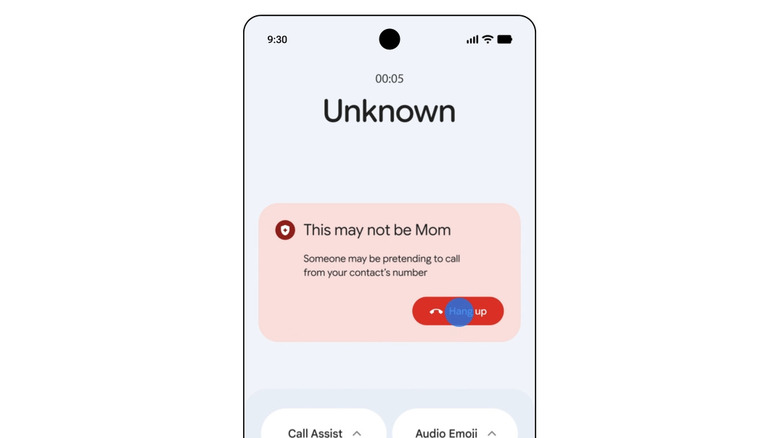
One of the first big features that Google highlighted as part of the June 2026 Android update is a big improvement to how Phone by Google will now verify that an incoming call is actually from one of your contacts. This should, hopefully, help cut down on the potential for bad actors to spoof a contact's phone number and then pretend to call from that number. If Phone by Google detects that the call is a scammer, then you'll receive a notification on your device, basically saying that the caller might not be who they say they are.
The notification also appears to have a hang-up button, which you can press to end the call. This particular feature builds on some other fantastic security functionality that Google has added to Android in the past, like Advanced Protection, which you can find in Settings. Unlike Advanced Protection, though, which you need to enable manually to start using, Google's new fake call detection functionality will be turned on by default when you download and install Phone by Google on an Android device that supports it (or out of the box if you have a Pixel device).
Google says the system works by pinging the device of the contact, and if it displays that it isn't in a call at that moment, then the warning will pop up. It's a nice addition, but the downside is that it requires the other user to be using Phone by Google as well, though, like Google Messages, the app is becoming more and more commonplace across Android devices.
AirDrop support across even more devices
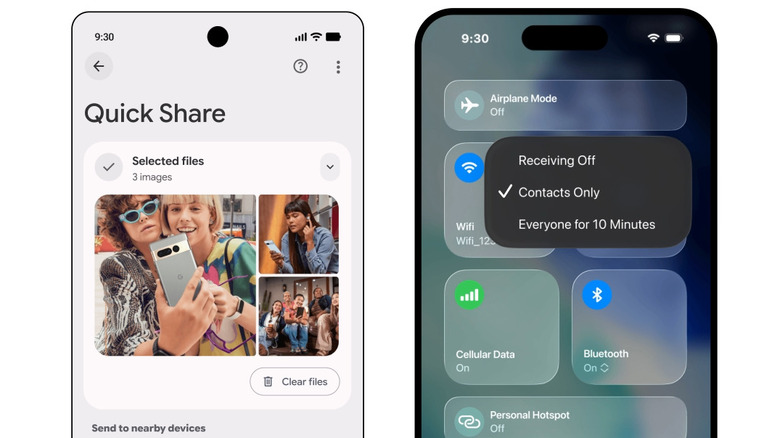
Earlier this year, Google announced that it would be upgrading Quick Share to work more nicely with Apple's AirDrop. The functionality first dropped for Pixel devices, though Google has expanded the lineup consistently over the months, allowing even more Android devices to take advantage of being able to AirDrop files to iPhone, iPad, and Mac. Now, the feature will expand to even more Android devices. It continues to be available on the latest Samsung Galaxy devices, as well as devices like the OnePlus 15, certain OPPO devices, and coming support for the Motorola Razr Fold 2026 model, Honor Magic8 Pro, and more.
It's important to note that this is not the same as AirDrop. AirDrop remains an Apple-device-only functionality; however, Google says that it has updated Quick Share to work more seamlessly with AirDrop. So, while it isn't exactly the same, those who have a phone that supports the updated version should be able to seamlessly "drop" photos and videos to their friends, even if they have an iPhone. All you need to do is be in Bluetooth range, then have the person with the iPhone set AirDrop visibility to Everyone for 10 minutes. Next, you can share like you normally would using Quick Share.
Combine emojis in Emoji Kitchen
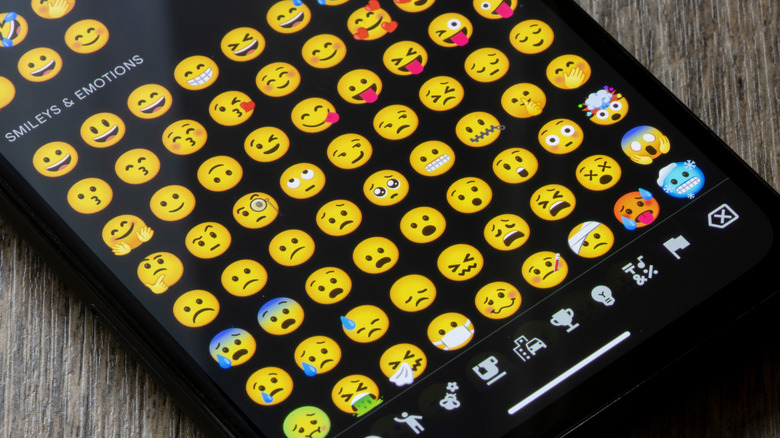
Continuing the trend of mixing AI with the rest of the Android operating system, Google has also expanded on what Emoji Kitchen can do. Google first launched this feature for Gboard in 2020, allowing users to add emojis together to create a unique sticker-like one instead. Now it appears Google is adding even more emojis to the mix, though it hasn't said exactly which ones.
Emoji Kitchen is already available on any Android phone with Gboard support, and you can access the feature by opening the keyboard, selecting the emoji button, and then finding the large emoji situated at the top of the keyboard window. You can select the arrow to pull up even more combinations and then select the Pick emoji button to actually select your own emoji to cook into something unique. The entire point of this feature is to let users "remix" their own emoji to find something that perfectly fits the mood — like a mouse holding a heart, or a face with sunglasses that is crying.
Catch me up and other Book Insights in Google Books
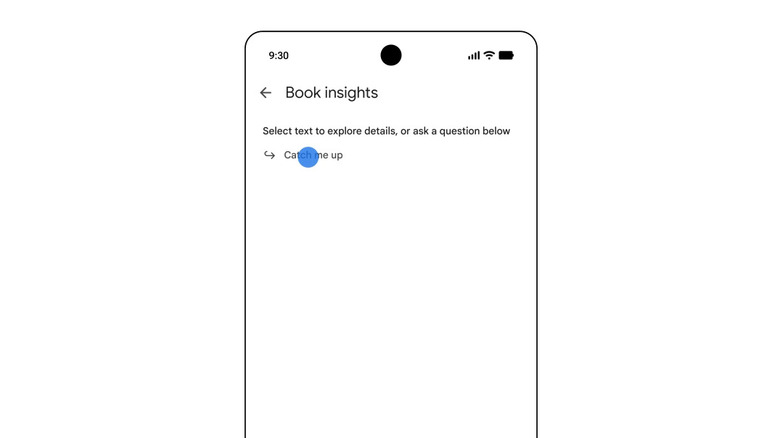
Google Books is also getting some of the Google AI treatment, though in the form of a helpful recap feature that the company says is already rolling out to users across Android devices. If you read using Google Books, you'll now be given the option to use the Catch me up feature, which will create an AI-powered recap for you about the latest books that you've been reading. It appears to be available directly in the book itself and can be used to recap everything that has happened up to the point that you are reading.
The feature appears to be mostly aimed at anyone who likes to get refreshers about their ongoing reads, though there could definitely be some appeal for readers picking up the next book in a series they've taken a break from. Catch me up is just one part of the new Book insights function, which brings the ability to chat directly with Gemini in relation to the story that you're reading through Ask books. You can ask a variety of questions to the AI, similar to how you might use YouTube's Ask Music functionality, to dig deeper into your digital library.
Google Photos Wardrobe
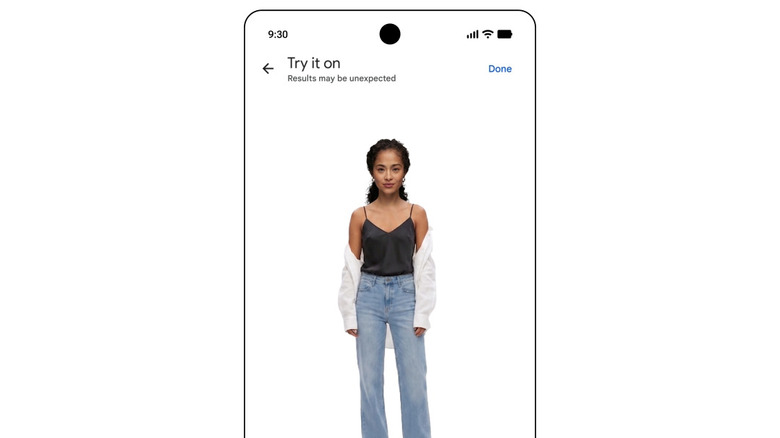
Also coming to Android with the June 2026 update is a new Gemini-powered Google Photos feature called Wardrobe. This feature will take the photos of different clothing items in your Google Photos library and use them to create a digital wardrobe of your various clothing items. This, Google says, will let you try out different combinations more easily, without the hassle of having to actually put them on.
It genuinely looks like a cool way to let AI help with the "I don't know what to wear" problem some of us might run into when we're trying to mix things up. Rollout for this particular feature isn't expected to begin until mid-June 2026, which means it could take a few weeks after the initial release for it to be available on all Android devices. On top of Wardrobe, Google has also updated Circle to Search to make it even easier to find the styles that you see online, so you can add them to your wardrobe, too.