

3 Apps You Can Sideload On Android Auto
Android Auto apps help users stay focused on driving, but some still wish Google's platform for vehicles offered more. Google intentionally limits things to the basics, like navigation, messaging, and music apps, for the sake of safety. And while this strict approach is great for that, it locks out all kinds of other apps you could use in your car when you're safely parked. However, if you're willing to spend a few minutes tinkering with settings, you can easily sideload other apps onto your vehicle's display (say, for watching YouTube, enjoying your media library, or mirroring your screen) to make it more functional. They'll work even if you're converting an old tablet into an Android Auto head unit.
Since your phone provides the apps you see on your dashboard, sideloading an Android Auto app simply means sideloading the app on your phone. But Android Auto doesn't typically show the apps you've sideloaded onto your phone, so you'll need to activate developer mode within the Android Auto app, then enable the "Unknown Sources" setting to see them. Alternatively, you can utilize a third-party tool like Android Auto Apps Downloader (AAAD), which acts as an unofficial app storefront, letting you bypass Android Auto's restrictions and put third-party software right onto your car's dashboard.
Before you dive in, know there are a few risks of sideloading. Since these programs aren't officially vetted or supported by Google's app store, they can behave unpredictably or stop working after a system update. Sideloading apps on Android Auto is done entirely at your own risk, and to stay safe, you shouldn't use them while driving. But if those caveats are fine with you, here are three beloved apps you can load up to help max out your dashboard's potential for your next road trip.
CarStream
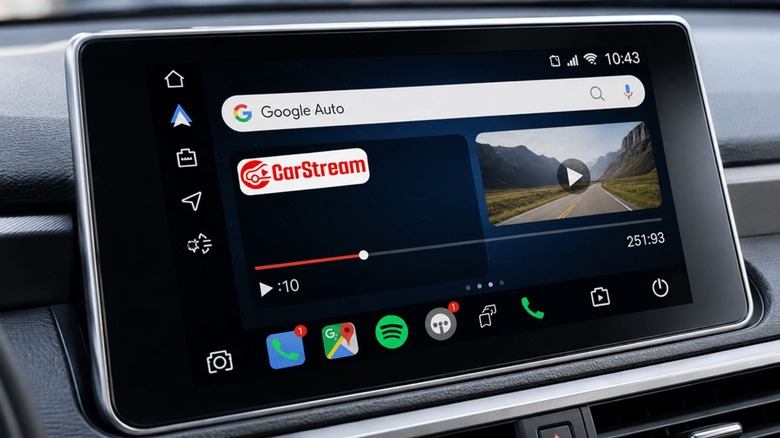
As you start exploring the arena of unofficial car infotainment apps, you'll see that CarStream is arguably one of the biggest reasons why users decide to bypass Android Auto's restrictions to begin with. Originally known to the enthusiast community as YouTube Auto, this free beloved app puts the entire YouTube experience right on your car's display so it's easy for you to use and enjoy. And don't worry: The app doesn't require you to root your phone. Rather, CarStream simply offers a custom web wrapper that perfectly scales YouTube videos to fit your car's unique screen size.
Being able to watch YouTube videos via CarStream is a lifesaver during lengthy EV charging sessions, slow ferry rides, when you're just parked and waiting to pick someone up — especially for the kids. The app's interface is designed with ease of use in mind, and makes navigating through your subscriptions and recommended videos straightforward and easy. You can even sign into your Google account to access your premium features, personal playlists, and watching history without any noticeable lag, just like you would on your laptop or smartphone.
It's important to reiterate that you should only use CarStream while your car is safely parked. Google strictly prohibits this kind of app from being on your dashboard for (hopefully) obvious safety reasons; for those in the back, however, distracted driving isn't just dangerous — it's stupid. But for those quiet moments when you're stuck in a parking lot, CarStream is an essential sideloaded app.
Fermata Auto
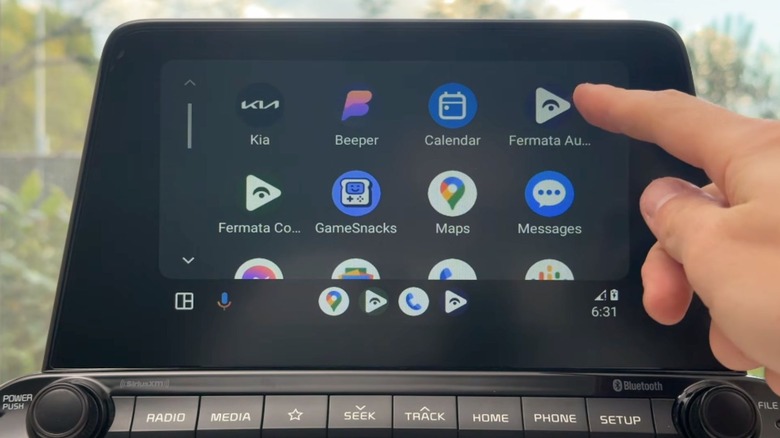
While CarStream is great for streaming content directly from the web, Fermata Auto serves an entirely different (and arguably more robust) purpose for in-car entertainment lovers. Fermata is an open-source media player designed to play local media files directly from your phone's internal storage or an attached hard drive. So if you have strict data caps or frequently drive through rural areas with crappy cell reception, relying entirely on cloud-based streaming services to play your tunes just ain't gonna cut it. That's where Fermata Auto steps in.
The benefit of installing Fermata Auto is that your entire media collection stays available to play, even when you're offline, since it's based on local files. The app supports a huge variety of video and audio formats, so that your downloaded TV shows, movies, podcasts, and high-fidelity audio tracks are able to play seamlessly through your vehicle's display and stereo system. Beyond local playback, Fermata Auto also includes built-in support for additional things like IPTV playlists, making it a convenient and powerful all-in-one media center for your car.
The free app offers up customizable settings and folders as well as clean directory navigation, making it easy to find the specific file you're looking for without making you scroll forever. And naturally, as with any video playback software, it should only be used while your car is in park. Fermata Auto's offline media file flexibility is nice to have for cross-country road trips, camping adventures, or any other scenario where you just aren't going to have a consistent, stable internet connection.
Screen2Auto
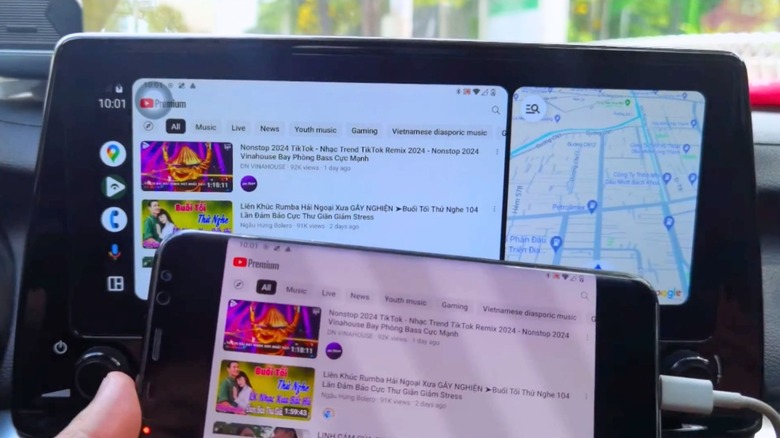
Sometimes, you're just not going to find the specific app or feature you want to use on your vehicle's display. This is exactly what makes Screen2Auto so valuable. This clever, free tool essentially lets you put whatever you can see on your phone screen on your car's screen; it's a screen mirroring utility. With it, you effectively jump Google's restrictive safety barriers so you can use almost any phone app in your car. Though Android Auto offers up a limited list of apps you can actually use in the car, Screen2Auto's website lists it working with even more, ranging from Discord and Waze to TikTok and Spotify.
The utility is simple yet surprisingly refined, and it supports both wireless and wired setups for Android Auto. It lets you select your most heavily used phone apps for faster access. Plus, Screen2Auto offers up plenty of other settings to tweak to your liking, such as screen and layout configurations, along with even managing touch event forwarding to make sure dashboard inputs register perfectly on your connected device.
Because all you're really doing here is mirroring your phone, the possibilities for what you do with Screen2Auto are pretty much limitless. However, using it while driving should only be done with the utmost caution — either by someone other than the driver, or only when parked. The app itself lacks simplified menus, which might make it distracting and hard to use while driving. Still, Screen2Auto essentially turns a boring car display into a tablet interface, giving you full control over your digital life when you're away from home.