

Can't Log Into Your Linksys Router? This Could Be The Fix
If you're adding a router to your network, it's extremely important to lock down the administrative side of the device. Per a Broadband Genie report, 81% of people have never changed their router's default admin password and 47% have never adjusted any factory settings. Furthermore, the report shows that 69% of users have never even changed their Wi-Fi password. All of these inactions put their network, devices connected to it, and their families at risk. Getting into that administrative dashboard should always be priority one with a new router, and changing the admin and Wi-Fi passwords should be the first action taken.
On a new device, that's pretty straightforward, but if it's a used device — such as a secondhand router acquired from family or friends — and can't login, that can be a little more challenging. With Linksys routers, specifically, you may run into additional errors trying to log in, like a "bad gateway error." Don't fret. There are some things you can do here. The ultimate answer is almost always to factory reset the router, which will completely wipe existing settings. In that case, you'll need to set up your entire network again, including choosing the SSID (or the name of your Wi-Fi network), choosing a new password, and reconnecting your devices. Being locked out is not ideal, so it helps to know some ways you can get back in.
How to access your Linksys router's administrative dashboard
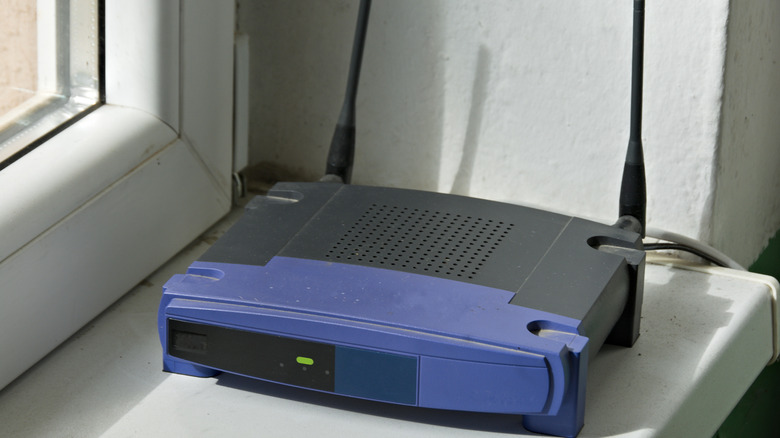
Routers always have a direct login portal for the administrative dashboard, which you can access by visiting its default IP address. For Linksys models, that's either 192.168.0.1, 192.168.1.1, or myrouter.local. While connected to the router's broadcast network, type one of those addresses into a web browser's search bar and you'll see a login. The router should include a card or sticker that lists this information, but most likely, the default password is "admin" or a variation of it. If no one has ever accessed the admin dashboard before, the defaults should work.
To factory reset your Linksys router with admin access, you should navigate to Configuration > Administration > Device Reset. You might also find the option under Troubleshooting > Diagnostics > Reset on some models. If you don't know the admin name and password, you'll have to use the physical reset button for your specific model. Again, you'll have to set up your network again and reconnect all your devices, but if you have left the default admin password untouched for a long time, it is a good idea to reset everything anyway. You never know who had access or what they've changed.
If you're not already in the habit of doing so, routers are one of many daily gadgets you should restart more often. It's been shown that routers can be used to track your family's movements through walls with malware under specific conditions.
Fixing Bad Gateway Error and similar troubleshooting
In some cases, you may encounter an error when trying to login to the administrative dashboard even with the right account name and password. Linksys support commonly links this to smart Wi-Fi (EA) routers. You can also encounter an error when your browser is looking for a secure connection via HTTPS.
If that doesn't work, try logging on with the default admin password, and refreshing your browser. If you're still having issues, you can try performing a manual firmware upgrade to renew the system software on the device instead of doing a complete factory wipe. Do note that Linksys recommends performing a factory wipe after installing the firmware, so either way you might be looking at a fresh network.
According to Linksys, you'll want to download the firmware package to a local directory on your computer for you to remember, and then reset the router, login with the defaults, and perform the manual upgrade. This excellent support is precisely why Linksys is an underrated router brand that competes with some bigger names. Keeping your router up to date with the latest firmware releases is important for your network's security.