

Sick Of Roku's Sponsored Wallpapers? There's An Easy Way To Turn Them Off
Streaming is the main way the TV-watching world consumes movies and shows these days. With just an internet connection, streaming devices and smart TVs can give you access to popular apps like Netflix, Prime Video, and HBO Max. Numerous smart TV brands are vying for your attention, and one of the most user-friendly experiences is offered by Roku. The company has been making streaming devices and TVs for many years, all of which are powered by Roku OS, a Linux-based operating system.
Navigating screens and menus feels fairly intuitive on a Roku device, and downloading apps couldn't be simpler; launch the Streaming Store, search or select what you want to download, and let it install. It's also easy to customize your home dashboard. However, one thing users aren't thrilled with is the sponsored wallpapers that Roku implements on the home screen. Technically, the company refers to these UI overlays as Themes. Fortunately, disabling sponsored wallpapers doesn't take more than a few seconds. All you have to do is press the Home button on your Roku remote, then press Settings > Theme > Sponsored wallpapers > Off.
These steps should apply to any Roku streaming device, first-party Roku TVs, as well as any smart TVs that license Roku OS, such as Hisense or TCL. You can also disable seasonal themes by selecting Themes > Custom settings, then unchecking the Enable featured themes box. No Halloween or Christmas imagery shall darken your day now.
After disabling sponsored wallpapers, you can personalize other parts of Roku OS
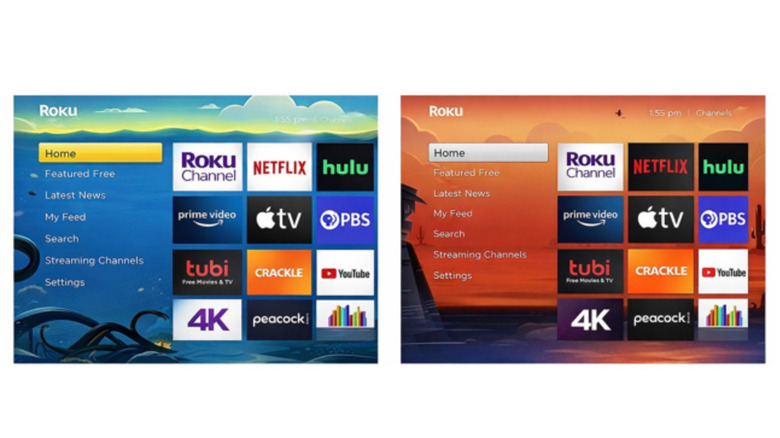
The default Roku OS theme is iconic — plenty of purple, with little in the way of frills. You're not tied to the default preset, though, and Roku OS offers many alternative theme packs for download. To see what options are available, press the Home button, followed by Settings > Theme > Change theme. To download a new theme, select one that isn't saved to your Roku device, then choose Add channel. Once the install is complete, select Set as theme to switch everything over.
Roku OS is solid software that more than gets the job done for movie night. Many Roku streamers and TVs can even be controlled with voice commands. Features like AirPlay 2 make it easy for Apple devotees to cast audio and video. Unfortunately, yes, there are ads, which can't be turned off, but you can prevent Roku from selling your info to third parties (Settings > Privacy > Privacy Choices, then put a check in the Do not share/sell my personal information" box.
Personalizing smart TV tech is one of the best ways to ensure that you only see what you want to see when you boot up your A/V gear. Roku OS may not be perfect, but it's one of the longest-operating smart TV platforms. That means developers have had almost two decades (the first Roku device hit the market in 2008) to optimize and enhance the software.