

5 Powerful Productivity Apps Every Windows User Should Start Using

Windows does a lot out of the box, but most everyday users go the long way around in their day-to-day. The apps that make the biggest difference are the ones that turn chaos into organized chaos, so we're looking for capable, feature-rich software. A powerful productivity app handles many different tasks while serving multiple purposes, with several built-in functions, rather than handling just one task. The best ones adapt to the way a person actually works, quietly removing the busywork that eats up a typical day. Remembering a recurring task, keeping notes organized, or showing where the time actually went. The right apps turn an ordinary PC into something that works for the user instead of becoming a time sink.
There are two useful ways to build up a good set of productivity apps. One is to pick apps that cover the essentials of everyday life, and the other is to treat productivity as a connected stack, where a handful of focused tools are linked together so information flows between them. Both approaches work, with the five apps below picked, each powerful in its own right and handling specific everyday roles. They all offer something the vanilla Windows experience doesn't, though there are handy, free third-party apps that improve it.
Todoist keeps everyday task management fast and simple
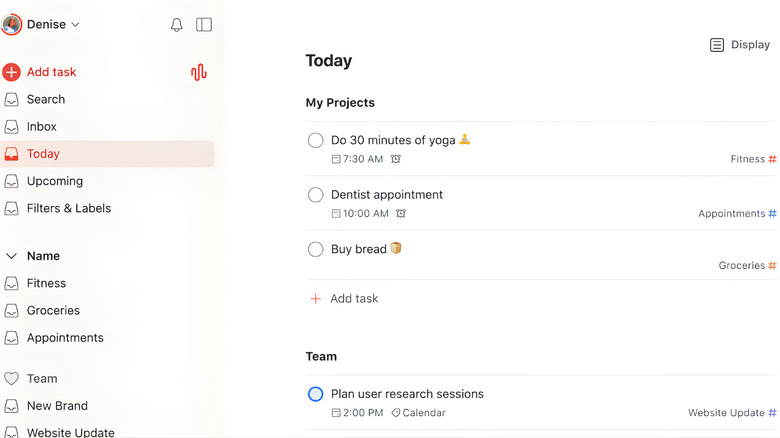
Todoist is the cleanest option for people who just want to keep their tasks organized, and it strikes a strong balance of simplicity and power. Its natural-language input is one of its best features. Typing a phrase like "submit invoice every first Monday" creates a recurring task on the spot without touching a menu, which makes capturing a thought nearly instant. That low-friction capture is what separates a task manager people actually use from one that they abandon, because the faster it is to log a task, the more likely it is to be recorded.
A daily or weekly overview shows what needs doing at a glance, and tasks can be delegated to others when a workload gets heavy, which is handy for shared households and family to-do lists. The free tier covers five active projects, which is enough for most everyday users to try it properly, and Todoist Pro adds reminders, a calendar view, and up to 300 projects.
Pro costs about $5 per month when billed annually, or $7 month-to-month. The service integrates with dozens of other apps, so it fits into existing workflows rather than demanding a fresh setup. It works on Windows alongside macOS, Android, and iOS, so a task list stays in sync no matter which device is closest. For anyone who wants a dependable place to track the day's errands and obligations, Todolist is a powerful and refreshingly uncomplicated choice that pairs well with other essential Windows apps worth installing.
Trello turns to-do lists into easy visual boards
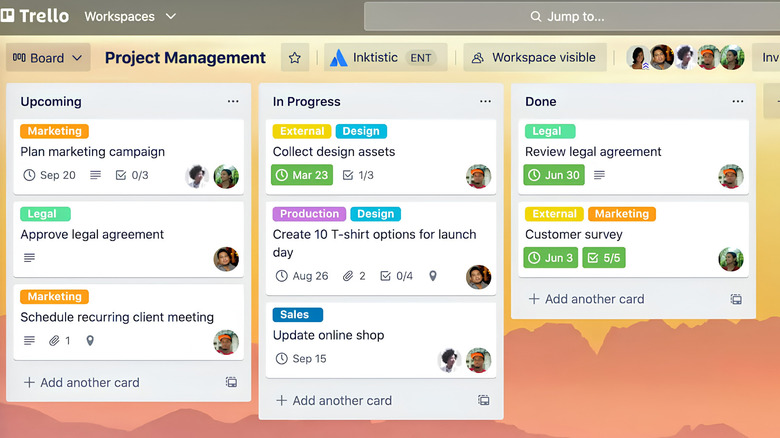
Trello is a smartly designed service for managing and organizing everything from simple to-dos to bigger personal projects, and its biggest strength is how easy it is to get started. Getting going is as simple as dragging cards onto a board, which makes it approachable for people who find traditional task managers too rigid.
A card can represent a single task with a priority and deadline attached, or it can grow into a more substantial checklist with attached files, pictures, and links pointing somewhere else. That flexibility lets users track everything from a grocery list and a home renovation to a job search or holiday plan in the same familiar, visual way. The integration options are what give it real depth.
A whole library of Power-Ups lets users connect third-party services like Evernote, GitHub, Slack, and OneDrive directly into their boards, and tools like Cloud Aging quietly fade out cards that haven't been touched in a while. It runs on Windows through a dedicated desktop program or via an internet browser, and the free tier covers personal use. For everyday users who want a low-pressure, visual way to keep life organized, Trello is a powerful, frictionless option.
Obsidian keeps personal notes local and fully owned
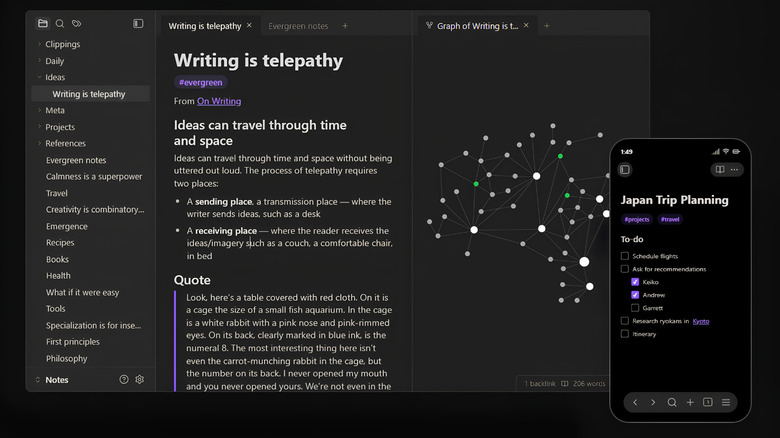
Obsidian stores notes as plain Markdown files on the user's machine, setting it apart from most cloud-first note apps. There's no account required and no feature gating on the core app, which is genuinely free for personal use. That local-first model means users own their files outright, a real advantage for anyone who worries about a service shutting down, changing its terms, or losing data. Because the notes are just Markdown files, they remain readable and portable even if the app is uninstalled, and the flexibility extends to a large plugin ecosystem that lets everyday users shape the app around their own habits.
The paid extras are optional services rather than gated features. Sync keeps notes encrypted across devices for about $4 per month billed annually, and Publish turns a vault into a hosted site for $8 per month on an annual plan, with students, faculty, and nonprofit staff getting a 40% discount on both. For people who like to keep a personal journal, a recipe collection, or a life admin notebook, keeping everything on the local drive sidesteps questions about where data lives and who can see it. For anyone who values ownership and privacy over convenience, Obsidian is a powerful note-taking tool that puts the user in control.
RescueTime shows where the day actually goes
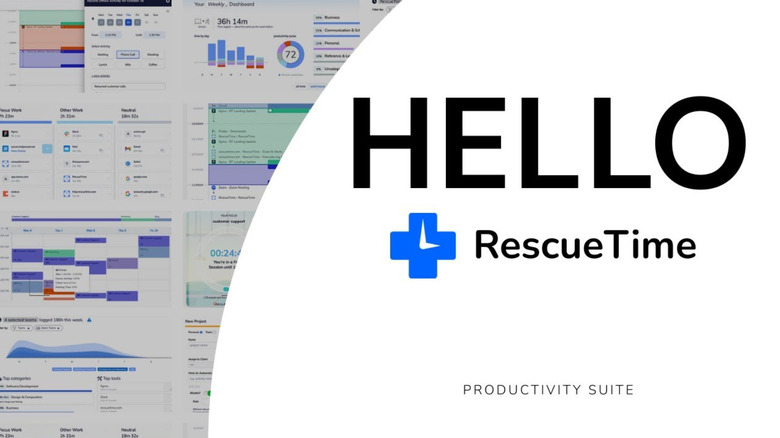
RescueTime takes a different approach to productivity by automatically tracking how time is actually spent. Running quietly in the background, it logs the websites visited and the apps used without requiring any input, so it never becomes a distraction or another thing to remember to update. The result is an honest picture of where the day went, which is often surprising. Most people have a rough idea of how much time they spend on email, social media, or streaming, but seeing the real numbers laid out is what makes it possible to change the habits behind them. That awareness alone is a powerful productivity tool.
It's also flexible about how it helps. Users can set targets and alerts to build better working habits, with the goal of nudging behavior over time rather than nagging in the moment. The free version lets users look back at three months of data, which is enough for most people, while plans start at $6 per month and remove the limits while adding extra features. It works on Windows alongside macOS, Linux, iOS, and Android, so it can track time across multiple devices. For everyday users who want to understand their digital habits and get more out of each day, RescueTime is a powerful, hands-off way to do it.
Notion turns notes into a flexible everyday workspace
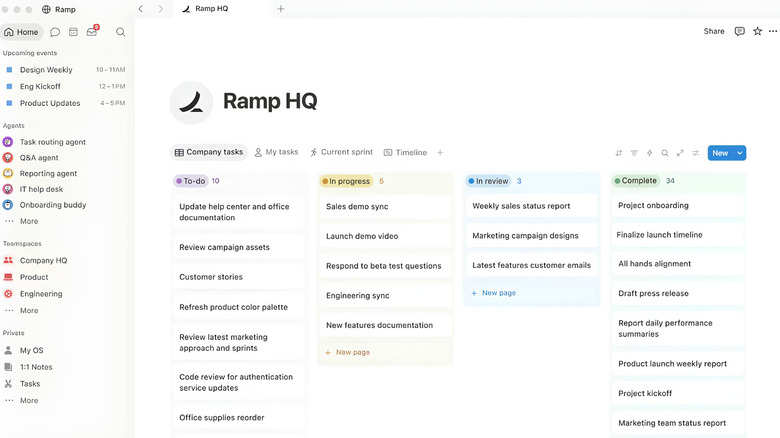
Notion is more than a note-taking app; it's a workspace that turns notes into databases, wikis, and lightweight project trackers all in one place. This makes it a strong fit for everyday users who want a single home for many different things. A simple page can grow into a meal-planning hub, a reading list, a budget tracker, or a small project dashboard without switching tools.
That flexibility is the main selling point, though it can also be the trap, because a blank page offers so many possibilities that it's easy to spend more time building the setup than using it. The trick is to start small and let the workspace grow with the user. The free plan suits individuals well, while paid tiers unlock more collaboration and storage. Plus runs about $10 per month when billed annually, and Business, which bundles the full AI suite, sits around $15 per member per month on an annual plan.
Pricing shifted in 2026, with AI features folded into Business and Enterprise for new users rather than sold as a separate add-on, which makes the Business tier the cheapest route to tools like AI meeting notes and enterprise search. Notion runs on Windows through the desktop app and syncs across devices. For everyday users who want notes that do more than just sit there, Notion is a flexible, feature-rich option that scales from a simple notebook to a full workspace.
Methodology

The five apps on the list were chosen to cover the everyday needs of a typical Windows user rather than to rank similar tools against one another. The goal was to answer which productivity apps are actually worth installing by showing a strong, capable option for each common role: fast task capture, visual project boards, local notes, automatic time tracking, and a flexible all-in-one workspace.
Todoist, Trello, Obsidian, RescueTime, and Notion were each selected because they are feature-rich, serve distinct purposes, and can replace or improve several functions at once, which is what makes a productivity app genuinely powerful. Every productivity app chosen is also made by a company other than Microsoft, so each one adds something the default Windows experience doesn't.
Pricing and capabilities were checked against each app's current documentation and online recommendations, so the numbers and features described are accurate as of mid-2026. Prices do shift, and annual billing usually saves money across most tools, so users should confirm current plans before committing to a purchase. The picks also show that productivity software is available on every platform, and that Android users have their own set of essential apps worth trying. Whether someone prefers a single flexible workspace or a handful of focused tools working together, this set covers the essentials, and every app earns its place by doing a lot with minimal effort from users.