

Here's How To Deal With Electronics When They're No Longer Safe To Use
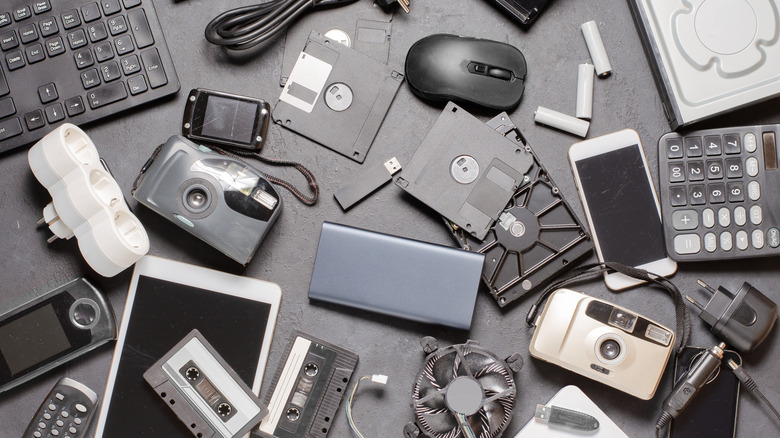
Every gadget will eventually reach its end of life, whether because you've upgraded to a better device or the components are faulty. Swollen or leaking batteries are an excellent example of components failing over time. But in most cases, you cannot simply throw your electronics away in the trash. Depending on what's happening, you may need to handle them carefully or dispose of them in a specific way. It's also generally smarter to recycle them whenever possible, since e-waste contains many toxic materials that shouldn't end up in a landfill. Of course, if the device is unsafe and you know it's unsafe, those disposal options are severely limited.
The Battery Network is a great database to find active lithium-battery drop-offs near you. Visit or recycle your gear at those locations if they have internal batteries, removable or not, and if there are potential safety issues. Beyond battery concerns, recycling the devices ensures they're processed appropriately, as the recycling process includes assessing the electronics to see what can be reused safely and what must be disposed of, including any hazardous waste.
It's always going to differ from device to device, but generally, anything electrical, especially to do with a failing battery, burnt casing or plastic, discolored components, frayed electrical cords, odd noises, and even strange smells, is a sign the device in question is damaged and potentially unsafe. Even if it isn't damaged or broken, every homeowner should get rid of dusty old tech as soon as possible, especially gear that's been lying around unused.
Other ways to dispose of your old tech properly

If the device still works and any defects or damage are minor, you might consider gifting or giving it away to someone else. If you don't know anyone personally, you can donate it to charities, local schools, or communities in need. Always wipe the device's storage completely before doing so; a factory reset will ensure personal data and information are scrubbed. For computer drives, you can format them or use advanced tools to wipe them. You can also find interesting uses for old electronics lying around and repurpose them around the house instead of throwing them out.
Alternatively, you could trade in the device if you're getting a new replacement anyway. Many retailers, like Best Buy, and brands like Samsung, as well as service providers like Verizon and T-Mobile, offer trade-in programs where you can earn credit for your old phones and eligible devices. Others, like Costco, will trade in your old electronics and allow you to earn some money back.
If you know the device isn't safe or doesn't work, disposal is your best bet. But again, you cannot just throw gadgets in the trash, since the components and batteries usually need to be handled properly. Local electronics stores often offer recycling drop-offs for old laptops and phones, as do municipal dumps and collection sites. You can also find a certified e-waste recycler in your area, which is easy enough to search on Google. The Computer Technology Association's recycle locator tool and Earth911's recycling database are also good resources. Some providers let you mail in old electronics; however, never mail batteries or anything you suspect is a fire hazard.