

How To Pick The Perfect Mechanical Keyboard For Your Office

When it comes to mechanical keyboards, the switches make the board and the experience. Two common switch types, for example, are clicky and linear, and the distinctions between them make all the difference when you're tapping away. There are other types of switches beyond those two, though, and they all have their own attributes that can change how you interact with a keyboard. Why does that matter? Well, it depends on what you're using the keyboard for and what you're hoping to achieve. The environment can also play a role. For instance, if you're picking out a keyboard for your office, choosing the right type of switch is hugely important, maybe even for reasons you won't expect.
To choose the perfect mechanical keyboard, first consider the type of experience you want. Do you like tactile or clicky feedback, or none at all? Then, think about when and where you'll be using your keyboard most, like at a desk at home versus at work or on-the-go at a library or cafe. For work, you'll probably want to go with linear (no feedback), tactile (minimal audible feedback), or optical, with a linear or tactile feel. They're still satisfying and feel good, but they aren't as loud and distracting for others around you.
All mechanical keyboards feature a per-key switch that adjusts how the board reacts to your typing. It's different than the full-keyboard membrane used on traditional boards. As a result, mechanical keyboards tend to be more precise, and they're customizable and often more durable than traditional formats. If you want one, you'll need to decide between the various types of under-key switches, including linear, tactile, clicky, optical, or Hall Effect-based varieties. Here's a quick breakdown on how to make that choice.
Why the switches you choose matter
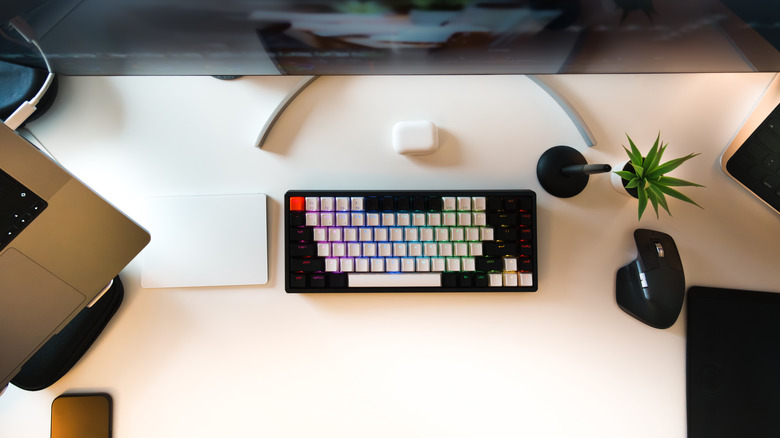
Clicky switches are the epitome of mechanical keyboards and what most people imagine when they hear "mechanical" in this context. These switches feel springy, produce loud, audible clicks, and have a very tactile response when pressed. In sound and feel, clicky switches are similar to what you'd find on a typewriter. That tactile feedback is also a huge reason why enthusiasts choose mechanical keyboards over other options in the first place.
If you're in a small office or professional setting where it needs to be quiet, though, loud clacks are probably not the best option, no matter how satisfying. Or maybe you have roommates who can't stand noise? Linear switches are an alternative in those cases. They're quieter and less resistant, and have virtually no feedback, while still being versatile.
But what if you still want physical feedback with a lower volume? Now you understand why there are so many options. Each type of switch has a specific feel, purpose, and custom traits. Tactile switches have a smooth action, yet provide enough subtle feedback for precise, satisfying strikes. They also make less noise than clicky switches. Optical switches, on the other hand, rely on a small laser or light, and when the beam is broken, as detected by an optical sensor, it triggers a key-press action. They have fewer mechanical parts, are a relatively newer type of switch, and should last longer than other options thanks to fewer failure points. Hall Effect switches have similar benefits, but they utilize magnets in place of mechanical switches. They also have fewer mechanical parts and failure points. Hall Effect and optical switches can mimic the feel of the other switch formats in that they can be linear, tactile, or clicky.
Choose based on feel and where you'll be using the keyboard
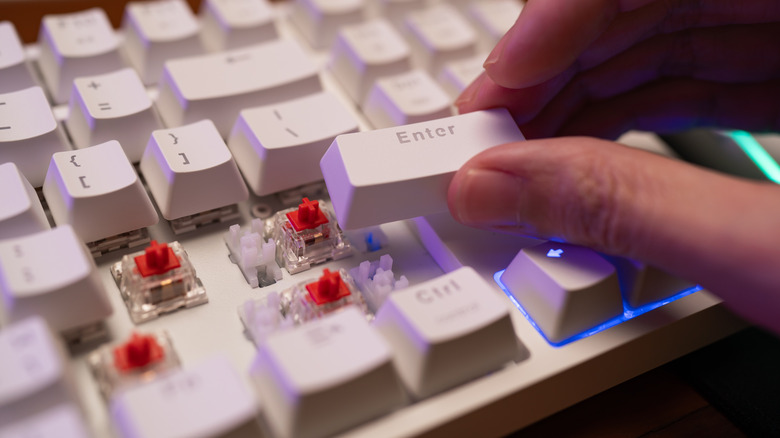
To choose an optimal mechanical keyboard for any situation, whether gaming, in your home office, or even at work, consider the feel of each switch type, then factor in the environment and situation in which you'll be using the board. If you're at home and won't be annoying or distracting anyone, and noise doesn't matter, you can use any of the available options — including the loudest and most satisfying. But if you're in an environment where noise must be limited, then linear, tactile, and optical switches are probably better options. Also consider your applications. Tactile switches can be helpful in situations where precision and error-reduction are key. That's not to say you cannot be precise with the other formats, but the tactile design better lends itself to quick, consistent strokes, like when you're typing up lengthy documents, handling transcription tasks, or even gaming.
You'll also have to choose between compact and full-size keyboards. Factor in how much space you have at your work area and what you need functionally. Compact keyboards usually drop the extra number pad and reduce available keys by including macros, which incorporate a function key and combo presses. If you need that numpad or hate using macros, full-size is ideal. In addition, the best size keyboards for gaming will usually differ from the best size keyboards for writing, office work, and casual browsing.
Of course, the definitive way to know which type of mechanical switch you prefer is to test them out individually. You could head to a nearby store to test drive them or find someone you know who has a mechanical keyboard. Whichever model you choose, the good news is that owners say their mechanical keyboards last for many years.