

Google Home Speaker Review: Solid, Dependable, And Slow
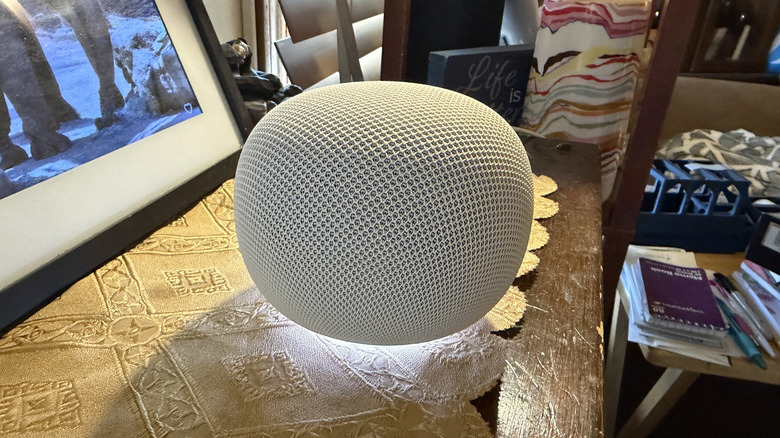
I have a sort of love-hate relationship with Google speakers. When they first came out, their primary competition came from Amazon and its Echo devices. At the time, Echo speakers were pretty good for asking about the weather and ordering from Amazon — and that was about it. So, I went the other direction and got in with the more complete assistant (at the time) — Google. I peppered Google speakers all over my house and used them primarily to set timers, control my smart home, and ask about the weather.
Fast forward about ten years or so, and the landscape has changed quite a bit. Most notably, AI has shown up and turned this particular industry on its head. Amazon has Alexa Plus, Google has Gemini, and even OpenAI is gearing up to release its own hardware. Meanwhile, Google, the established player, has added a new $99.99 smart speaker to its arsenal, and I've been testing the Home Speaker out for the past couple of weeks to see how it stacks up to the competition.
Fine woven hardware
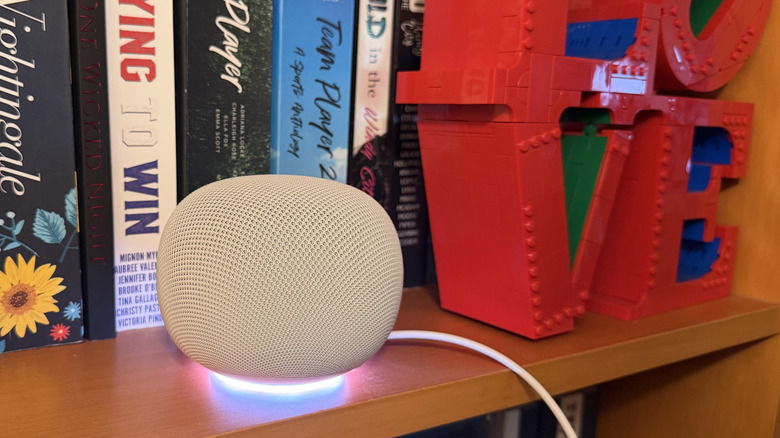
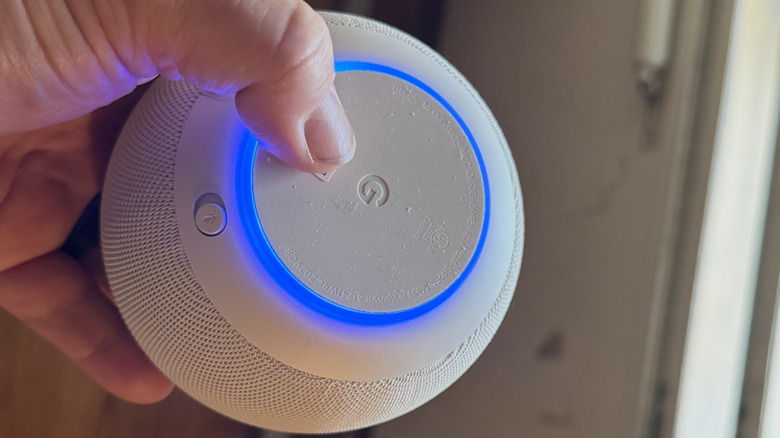
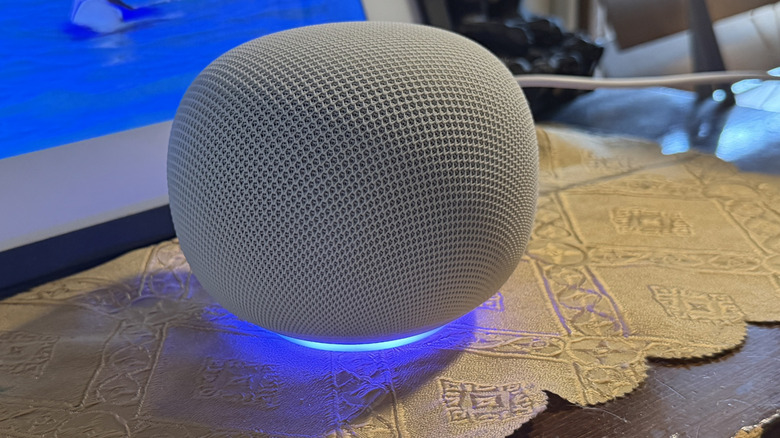
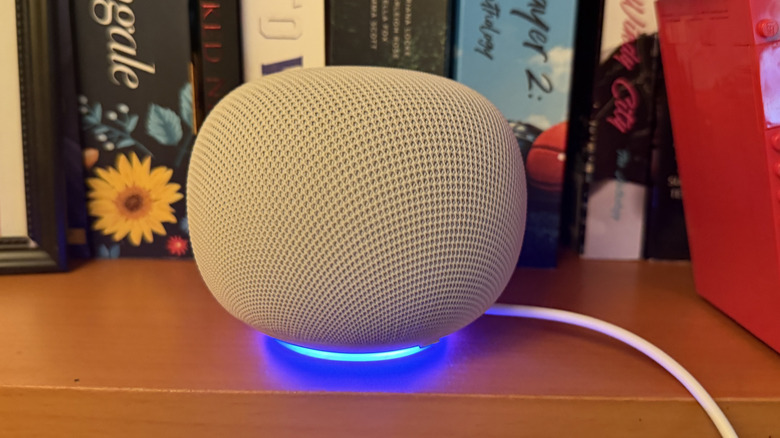
Google speakers have always had a pretty consistent design language — the round body with the woven covering — going back to the Google Home Mini almost a decade ago. The Google Home Speaker has a similar design principle. It is round with a silicone disc on the bottom for grip and has a mute button near the bottom of the speaker as well.
The Home speaker has a new light ring around the bottom that is dynamic — changing in color and patterns depending on if the speaker is listening, thinking, or responding. It's pretty, and I think it's a lovely addition; perhaps a preview of the HiLight feature coming to Pixel Pro phones. The rest of the speaker is covered in that mesh fabric for a consistent look.
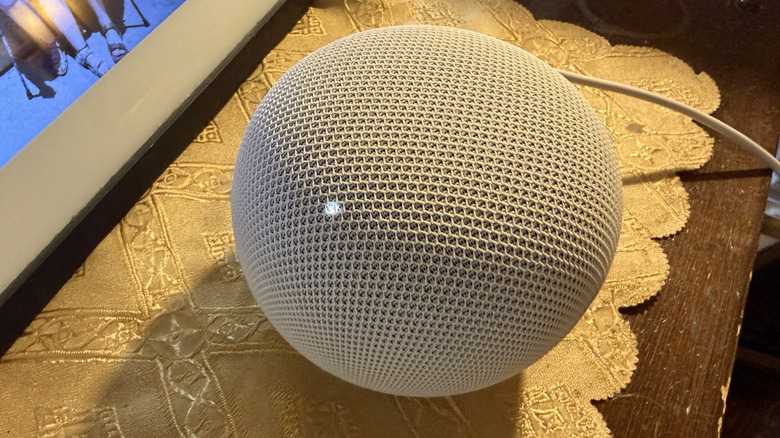
The top of the speaker is touch sensitive. When you tap it, two LED dots appear that let you increase or decrease the volume. I'm still a bit curmudgeonly in that I don't like the fact that I have to first tap the top of the speaker to get those dots to appear before I can actually adjust the volume. I find it to be a tad annoying, but I understand the argument. LEDs that were always on or some other cue may have been detrimental to the overall design. Perhaps this is simply the least bad option.
Setting it up is pretty easy
Inside the box is the Google Home Speaker with an attached cable that ends in a USB-C plug. There's also a power adapter/wall wart in the box for plugging in. The cable is around three feet long, so you shouldn't have trouble reaching an outlet.
Once you plug it in and start it up, you set it up through the Google Home app. It walks you through the setup process and is fairly straightforward. You can assign it to a specific room to keep things straight from a household management perspective.
Once the device is set up, it simply waits for your command. You activate it with the typical "Okay, Google" or "Hey, Google" command, followed by whatever you want the speaker to do. When you activate it, the ring lights up at the bottom to indicate that it's listening. It switches to a multicolored circle when it's thinking and responding.
The nice thing about the design is that it goes with anything. My review sample is the Porcelain (read: white) colorway, which is about as understated as it gets. For the bolder among you, the Berry (red) or Jade (green) colors might be preferable, but I'm definitely more in the conservative camp when it comes to home decor.
Hey, Google
Interaction is similar to previous Google smart speakers. You still get the same two activation phrases — "Hey, Google" or "Okay, Google" and from there, you can converse with the speaker. Two things are relatively new to this device. The first is official Gemini support. Google Assistant is, for all intents and purposes, dead, having been replaced by Gemini.
Overall, this is a good thing, because it gives the speaker more abilities and more personality. You can have a back-and-forth conversation with the speaker now, which wasn't possible before. You can ask the speaker a question and then add on a follow-up without activating the trigger phrase a second, third, or fourth time.
That can also be a double-edged sword. You may ask the speaker a question, get the answer, and then go back to your other conversation with your friends, only to have Google overhear and even respond to a question or statement you didn't ask it. This is a similar problem to what happens with Meta's AI assistant on the glasses. It waits around and seems unable to detect who you are talking to.
But the speaker offers one key advantage: access to Google services. You can ask Google when your next appointment on your Google Calendar is, but strangely, you can't grant it access to your email. I mean; I guess it's not strange from a security standpoint, but if you want your speaker to access your email, who am I to tell you you're wrong?
Latency is the issue
The biggest issue with the speaker is the time it takes to actually complete those commands you ask it to perform. Comparing smart home controls side by side between Gemini and Alexa+ (which I tested with my Echo Show 11 and Echo Dot), Google commands feel absolutely glacial by comparison. Google takes a very long time to actually do what you ask it to do.
Of course, to put into perspective when I say it takes a very long time, I mean somewhere in the neighborhood of five to ten seconds from the time I ask Google to turn on my light to the time it actually does it. By comparison, Alexa is typically closer to half a second. So, we're not talking minutes here, but it's still a night and day difference between the two. I'm not sure where the breakdown is, or why, but I find it irritating every time, especially when Alexa is just a command away.
Great sound, but not good enough
You can, in theory, set up pairs of speakers together in the same room to connect to a Google TV and use them as speakers if you want to. Google only sent over one speaker, and I don't have a TV set up with a Google TV dongle anymore, so I couldn't test this functionality.
Of course, this is a speaker, so we need to talk about how it sounds, and considering its size, it sounds excellent and it fills a room very well. That being said, these speakers are not very big, and physics still plays a big role in sound, so you're not going to get the bass you would want from a TV sound system anyway. I'm not even sure why Google built in this functionality — the sound simply isn't good enough to watch movies with.
But, if you just want to jam out on some tunes while you work or clean, the Google Home Speaker will do the job. The sound is very clear across the spectrum — the midrange doesn't get muddy, as can happen with less expensive speakers (or even other speakers in this price range). This is a nice, well-rounded speaker — no pun intended — that can also answer some questions for you and quickly add tasks to your lists and calendars.
Conclusion
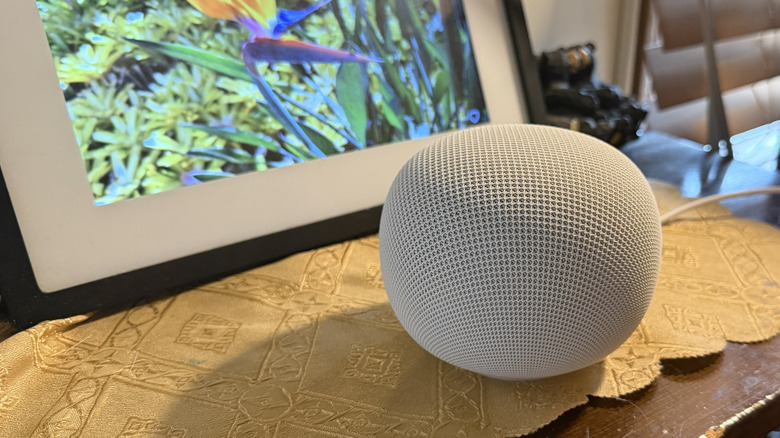
Overall, this is a great speaker to pick up at a decent price point. The sound quality is quite good, considering its size. You get a free trial of Google Home Premium, which is nice, but it's also a way to lock you into another subscription. The speakers don't get as bassy as some people might want, that's for sure, but if you're looking for a nice little speaker to sit on your bookshelf, you can do worse.
In the meantime, Amazon offers speakers at half the price that perform commands five times faster. In a vacuum, you won't notice the lag from the Google Home Speaker, but if you use both, you will quickly find Google is the more annoying of the two. But it's also arguable the Google's method of connecting with other ecosystems is a bit smoother — you don't have to search for skills, you just connect the app.
Is that enough to stand out? That's up to you to decide, but one other thing to consider is the $99.99 price point. While Amazon's $49.99 Echo Dot isn't as robust of a speaker, it's much cheaper and, in some ways, more capable. I'm not sure Google has the juice to justify that price gulf anymore.