

What Does The Battery Symbol Next To A USB Port Mean?
We may receive a commission on purchases made from links.
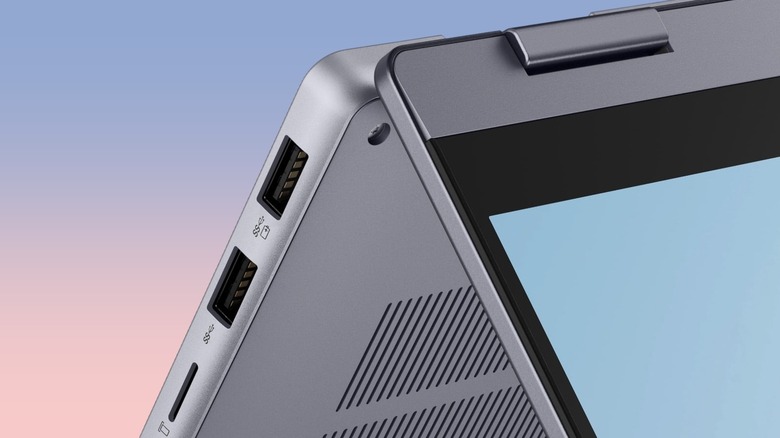
Universal Serial Bus, better known as USB, is a common interface used by a wide range of devices, including computing products. Depending on the device and how old or new it is, you can come across different USB port types; however, the USB Type-A and USB Type-C connectors remain the most common. While USB port colors can often tell you a lot about a particular port, you'll sometimes come across symbols next to the ports that aren't easy for everyone to decipher. For example, the D symbol next to USB ports means they support DisplayPort Alt mode, a technology that allows sending video data over the USB interface.
Another symbol that you'll sometimes encounter next to a USB port is the battery symbol. It's typically included in laptops to indicate which USB ports can supply power to charge connected devices during sleep or shutdown. However, you can also find it on monitors, docking stations, and other devices. Besides the battery symbol, some manufacturers also include a lightning symbol to highlight the same features.
What to expect from a USB port with a battery symbol on a laptop
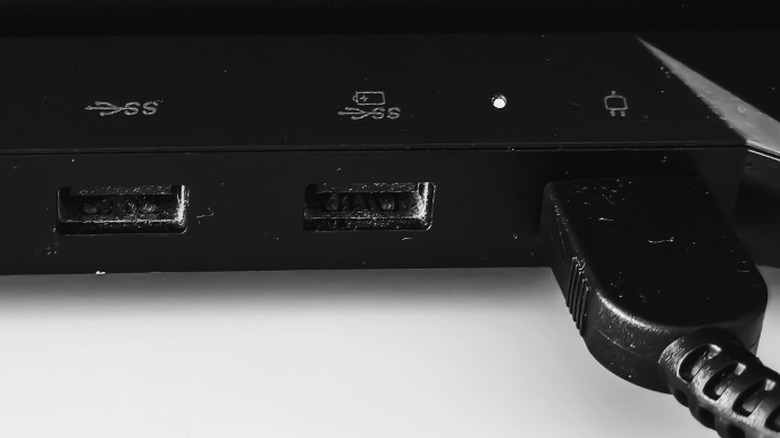
As mentioned, when a USB port is accompanied by a battery symbol, it typically means that the port supports the "Always On" feature, which means that the port will continue to deliver power to the connected device for charging even when you close the lid, put the laptop to sleep, or power it off. Even if the laptop is not connected to a wall outlet, the USB port will keep on charging the connected device. As this can result in the laptop battery getting completely discharged, laptop manufacturers typically include an option in the BIOS or system settings to set the level at which you want the connected device to stop charging. You can also completely disable the feature.
The USB port's power delivery depends on the port type and generation. A USB Type-A port's power output can typically range from 2.5W to 7.5W, whereas a USB-C port can go up to 15W. Although USB Power Delivery allows certain USB-C connectors to push as much as 240W power using USB PD 3.2, laptop makers typically reserve the higher wattage for charging the laptop, and not the connected device, likely in an effort to avoid stressing or discharging the battery.
Besides laptops, monitors, and docking stations, a few other devices sometimes include a battery symbol next to select USB ports. This battery symbol simply indicates that the USB port supports charging and can deliver power to the connected device. The power output varies by device, and it's best to consult the device manual or the manufacturer for the exact output.