

Alienware 16X Aurora Gaming Laptop Review: A Middle-Ground With No Expense Spared
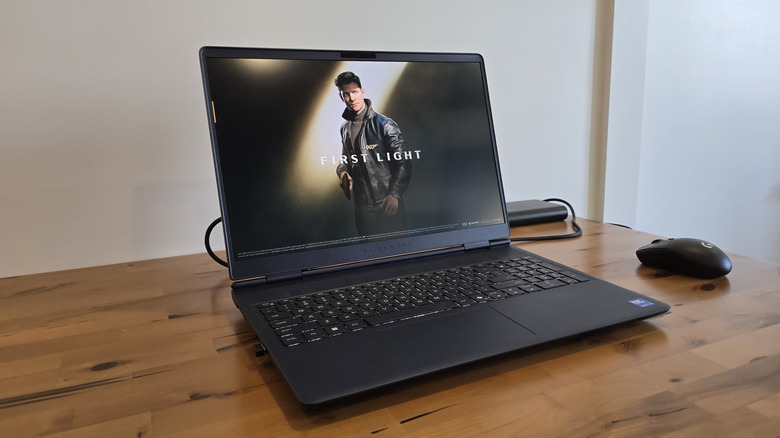
Modern gaming laptops are characterized by their enduring effort in eschewing the reputation of being brick-laden, gaming-first workhorses. As more practical devices have continued to shrink and conform to more convenient form factors, gaming laptops have also made great strides in condensing size without reducing their capabilities. The Alienware 16X Aurora gaming laptop was designed with a similar philosophy in mind, and while it excels at its primary directive of compact gaming prowess, it steers closer to being the best of both worlds.
Alienware as a brand has garnered a reputation for more outlandish design language to pair alongside its powerhouse specs, and the 16X is still no different. It's a more-than-competent performer in higher-quality, 1600p gaming with the refreshed OLED display that produces vibrant visuals in an impressively streamlined form factor. That said, despite its more subtle, slimmed-as-much-as-possible design, it doesn't deftly bridge the gap between power and productivity.
The 16X Aurora is still a bulky, full-size laptop with plenty of heft, but that's not a holistic view of this unit's quality. It's arguably the more practical gaming laptop to come from the Dell subsidiary's extraterrestrial laboratory, but it's not the most practical gaming laptop on sale today. That said, the right buyer willing to ignore its downsides will love this laptop. The Alienware 16X Aurora is not an everyman's device, but a gaming-first and productivity-second lifestyle suits this hardware really well.
Specs and configuration
Occupying a somewhat unusual "versatile" spot in its gaming laptop lineup, the Alienware 16X Aurora attempts to skirt the mid-to-high tier line for the brand over the non-X 16-inch model. Price-wise, though, the skewing configurations and components costs are anything but mid-tier. Not including any customizations made beyond the standard three configurations, the 16X Aurora starts at $2,479.99 MSRP for the base model, $3,229.99 for the middle model, and $3,379.99 for the high-end unit. Price differences stem from how much RAM you get (16GB for the base configuration, 32GB for every other model), as well as which Nvidia GPU you want (RTX 5060, 5070, or 5070 Ti). Not for the faint of heart, but the prices certainly track for those demanding potent mobile graphics performance.
No matter the configuration you choose, each unit sports the updated 16-inch OLED monitor, boasting 2560 x 1600 resolution and a 240Hz refresh rate with G-Sync compatibility. For processing power, each configuration sports an Intel Ultra 9 290HX Plus processor, with 24 cores and up to 5.5GHz clock speed. Together, these components are perfectly suited for demanding games in the mobile form factor; they're also a solid refresh from the previous-generation 16X, which lacked an OLED display and had a (albeit slightly) lesser Intel processor.
Should you choose to customize beyond those three base configurations, you can select either 16GB, 32GB, or 64GB of RAM, split between two DDR5 sticks offering 5600 MT/s speeds. It's also worth noting that RAM and storage is user-replaceable as well. Each laptop includes a 1TB M.2 SSD (Gen 4) as the main drive but can be upgraded to a 2TB or 4TB Gen 5 M.2 SSD. Interestingly, customization also allows you to downgrade the CPU (-$200) to an Ultra 7 270HX Plus, which has a slightly lower 5.3GHz clock speed and four fewer cores.
Design
When all these components are combined together is where Alienware truly shines. Love it or hate it, Alienware's consistent and outlandish design language still remains unique to this day. The same can be said for the Alienware 16X Aurora, although it is worth commending the tastefully restrained take on this model compared to Alienware's usual fare.
The Alienware 16X Aurora eschews the massive, rounded rear exhaust and port array that's characteristic of the Area 51 line of laptops. Instead, there's a less bulky and more conventional rear heatsink and exhaust that's more function than fashion. This helps accommodate the fans and massive GPU heatsink on the underside, which does jut out awkwardly in appearance, but in practice, serves as the rear feet and the laptop's natural ergonomic lean.
 Rob Dolen/BGR
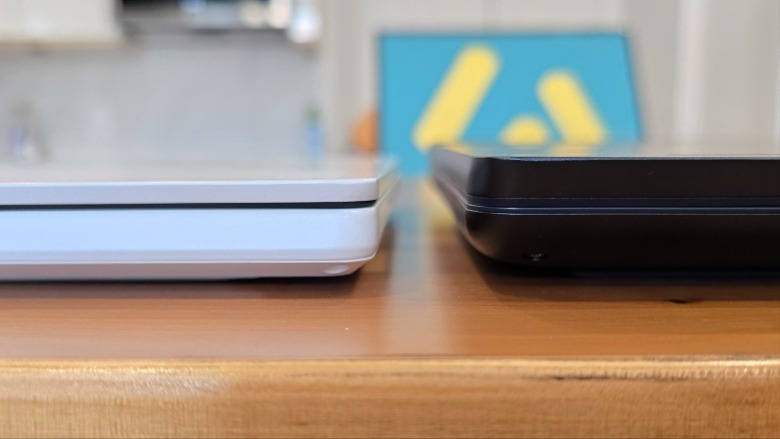
In fact, it's very impressive that in terms of thickness, it matches the oft-discounted and highly-rated ROG Zephyrus G14 laptop at nearly 3/4 of an inch in the front (and is only slightly taller in the rear); despite utilizing a much larger 16-inch screen, much thicker heatsink, more powerful components, and weighing in at a heavier 5.5 pounds.
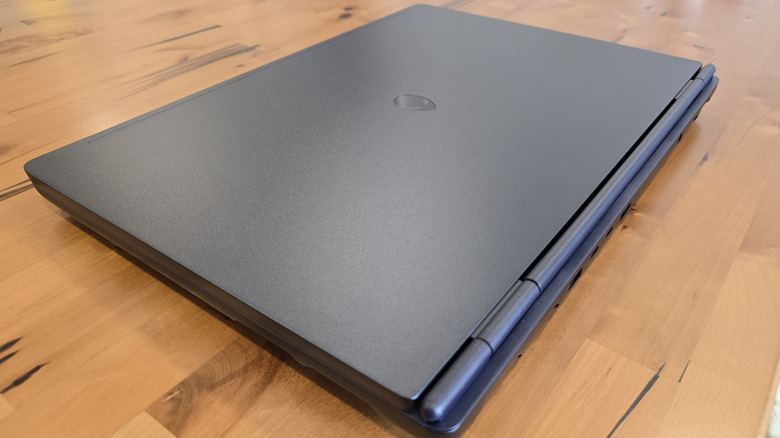
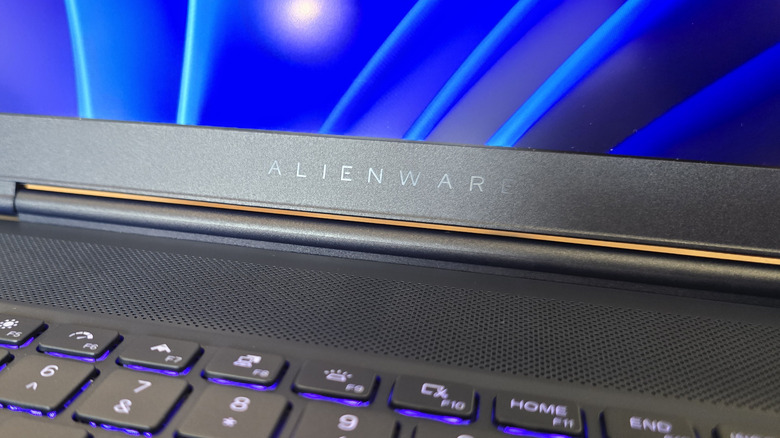
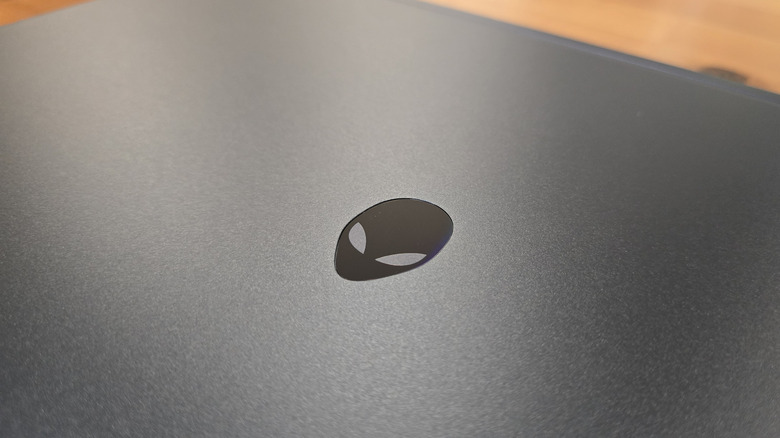
Otherwise, the exterior design of the 16X Aurora is tame, but still stylish. It's not quite in-your-face "Gamer" aesthetic, but it's not incognito either with its iconic and refractive Alienware logo on the rear of the monitor panel. The materials feel premium with the anodized aluminum outer shell and "Interstellar Indigo" colorway evoking a refined dark-blue aesthetic. Paired with its more restrained exterior, this is perhaps the most universally tasteful laptop design from Alienware, and its form isn't held back by the necessity to fit powerful components.
Display and real-world performance
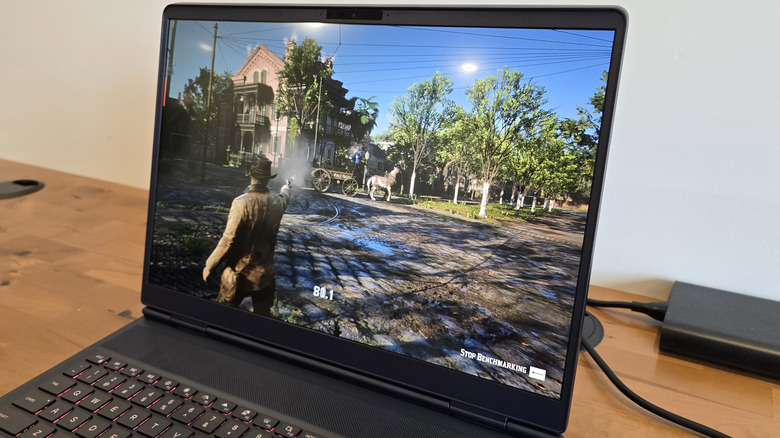
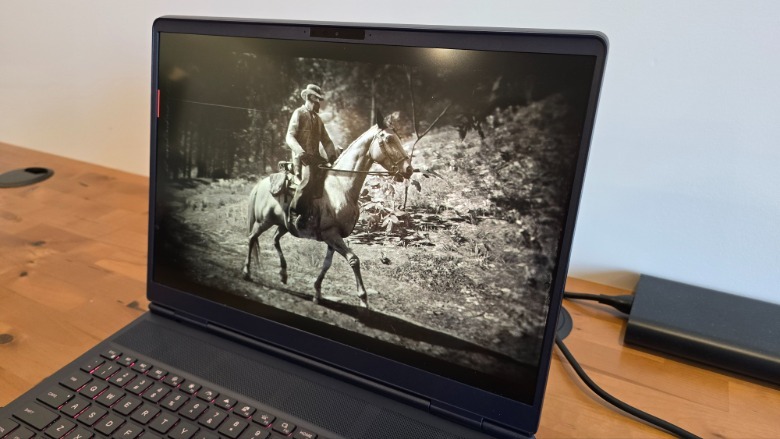
While not all that different from the previous-gen Alienware 16X Aurora, the biggest upgrade between this laptop and the last model is the new OLED screen. Vibrant colors alongside the high-resolution 1600p panel make gaming, videos, and other media really pop. The visual fidelity is impressive enough that it does a lot of heavy lifting when games may not always hit 60 fps. That said, despite most bigger budget AAA games defaulting to a higher-quality preset, this Alienware laptop remains very capable at blasting past 60 fps.
The RTX 5070 Ti equipped in this review unit is a solid performer in games like "Cyberpunk 2077" (benchmarks to follow) or "007 First Light." In particular, "Cyberpunk 2077" very confidently defaults to the Ray Tracing Low preset while still accommodating 200+ fps. Even more competitive-flavored games like "Counter-Strike 2" and "Valorant" readily achieved above 240 fps on less-than-optimal higher graphics settings. Noise levels are also pretty solid for a gaming laptop by default.
 Rob Dolen/BGR
On the scale between whisper-quiet and jet-engine propulsion, the 16X Aurora sings somewhere in the middle under load. Either way, you'll probably still want to bring along a good pair of headphones: While not terrible by any means, the built-in speakers are not going to drown out the fans nor blow you away with quality sound anyway. You can also turn on the dedicated "Stealth Mode" that quiets things down to a dull hiss for more subtle gaming. However, in longer gameplay sessions or with Stealth Mode turned on, the laptop values thermal throttling by default instead of cranking the fans and utilizing the CPU's boost clock.
There were also some infrequent examples during gameplay scenes with higher particle density, or in moments of significant texture loading, where frame times would hitch as the laptop attempted to keep up. This also happens after exiting all games, as the laptop does pause for a significant amount of time as it swaps from the "Performance" to "Balanced" power presets. A small quirk that is easily solved with some time and tinkering, but over the course of around 30+ hours of gameplay testing, these issues were few and far between.
3DMark performance testing and benchmarking
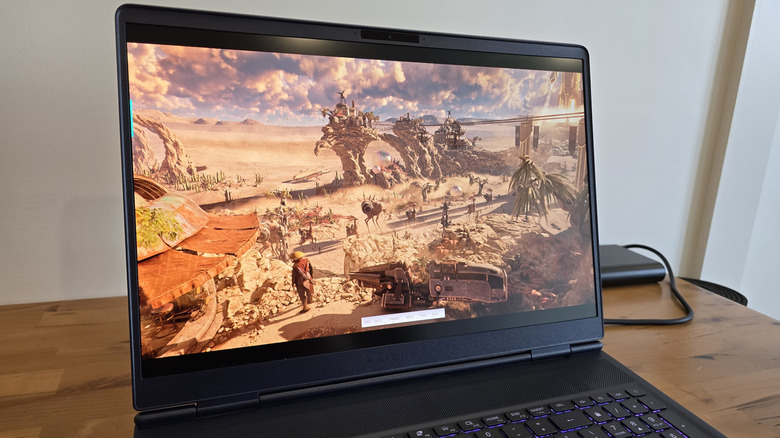
Beyond personal experience from my time with the unit, raw testing helps back up that the Alienware 16X Aurora is a beast for mobile graphics performance. Running through a few tests in the 3DMark benchmarking software for PCs (via the "Steel Nomad," "Time Spy," and "Speed Way" tools), as well as a few popular AAA games frequently utilized in benchmarking, this Alienware laptop performed admirably. All tests were performed at the native 1600p display resolution and 240Hz.
Three of the main 3DMark benchmark tests yielded some impressive results all around. In "Steel Nomad," the test meant to best emulate "non-ray traced" high-end gaming rigs, the Alienware laptop scored an average of 35 frames per second, hovering well within the 32-37 fps range with no major dips or stuttering. In the light version of "Steel Nomad" (meant to emulate lowered graphics settings), the laptop achieved an average of 118 frames per second.
In "Time Spy," there was a tad more variance in scene and particle complexity, which resulted in an average of 101 fps in the first graphics test. The second "Time Spy" graphics test yielded an average of 88 fps, while the CPU-centric test was the only benchmark to dip below 60 at 54 fps on average. In the more substantial, ray-tracing-focused "Speed Way" benchmark, the Alienware scored an average of 39 fps, though it did struggle in particular toward the end of the benchmark with additional and detailed rendering at distance. As for real-world performance, there was more variance, but the Alienware 16X Aurora still performed quite well.
Raw performance and benchmarking in games
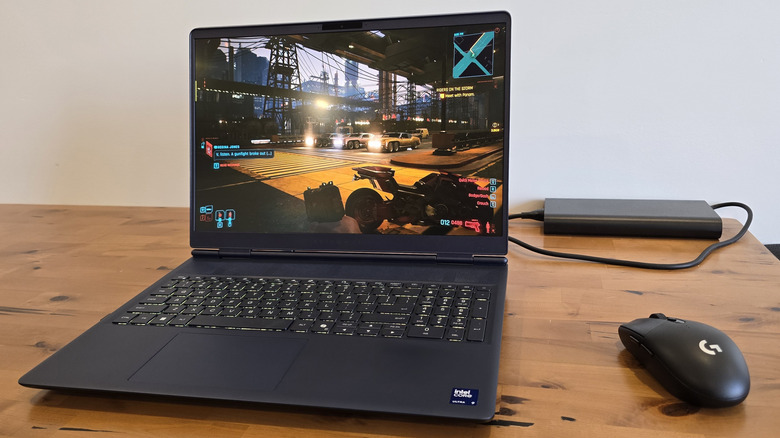
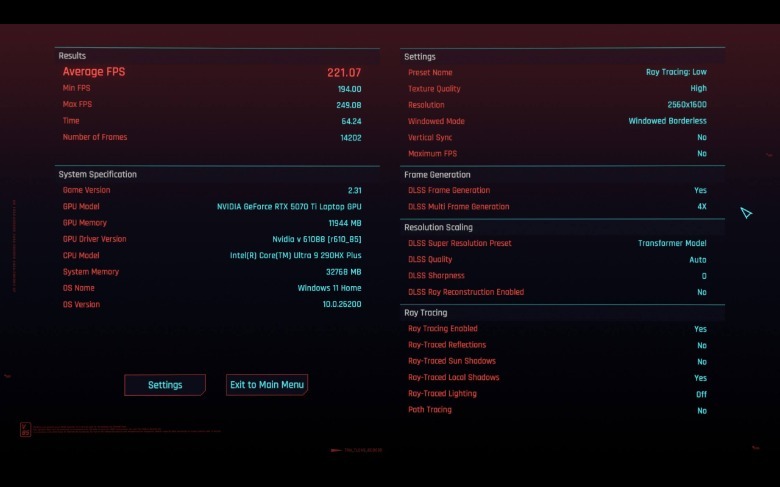
In addition to 3DMark, I also did some testing with a few popular AAA games often used in performance benchmarking (also at 1600p). In "Cyberpunk 2077" on the hardware-detected Ray Tracing Low graphics benchmark, the laptop scored a 221 fps average, with 194 fps lows and 249 fps highs. That's with Texture Quality set to High and ray tracing enabled on local shadows (not lighting or reflections), though that comes with the caveat that Nvidia's DLSS Frame Generation is turned on by default. Without frame generation, you're looking at closer to 58 fps on average, which is still excellent for mobile graphics performance.
 Rob Dolen/BGR
It's a similar story for "Red Dead Redemption 2," where DLSS is off by default. That said, you're still getting a pretty steady average of 68 fps without AI assistance, never dipping below 37 fps and achieving 109 fps highs. With frame-gen, you get a nearly 28% boost to 87 fps on average, with 155 fps highs and 40 fps lows, when DLSS is on (Auto preset). Quality settings are all set to Ultra, minus Reflection and Water Quality (High), as well as Particle Quality (Medium).
Even in newer games without dedicated benchmarks, like "007 First Light," performance was largely excellent. Even on the higher default settings, based on my own gameplay testing, average frame rate still hovered around the 45-50 fps mark during the first few missions, which is quite impressive. Just a few tinkered settings could easily set that over 60 fps. "Baldur's Gate 3" is another example of a game without dedicated benchmarking and lots of performance variance, but I still saw highs of 135 fps, and never dropped below 70 fps in some of the busier sections of Act 1. Safe to say this Alienware 16X Aurora excels at what it was designed for.
Keyboard, ergonomics, and practicality
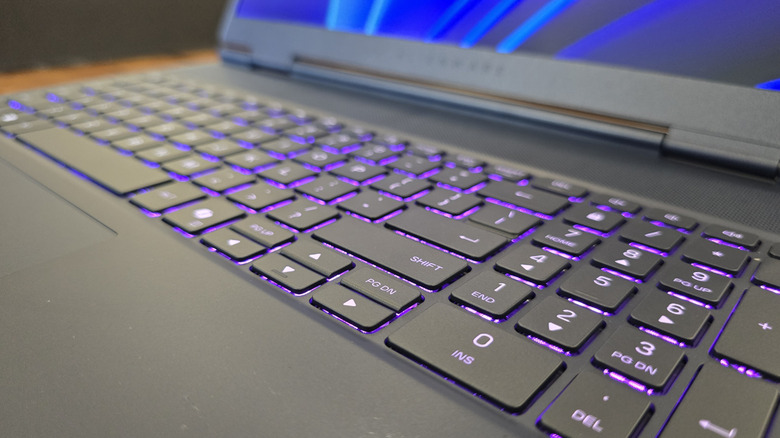
When it comes to ergonomics, many gaming laptops fall victim to the mushy chiclet or membrane keyboards commonly found on all laptops. The Alienware 16X Aurora is only slightly different, with a more tactile step above other comparable gaming laptops. The Aurora's keyboard features comfortable keys with 1.4mm of travel, providing a satisfying click into place when fully depressed.
It's far better than the keyboard on my ROG Zephyrus G14, which doesn't have that same tactile characteristic. As well, temperatures under load aren't exorbitantly hot, so the keys and wrist rests never got too uncomfortable during longer gameplay sessions. Really, the only issue with the keyboard is that it employs single-zone RGB lighting, but I anticipate that's not a major drawback for prospective buyers.
 Rob Dolen/BGR
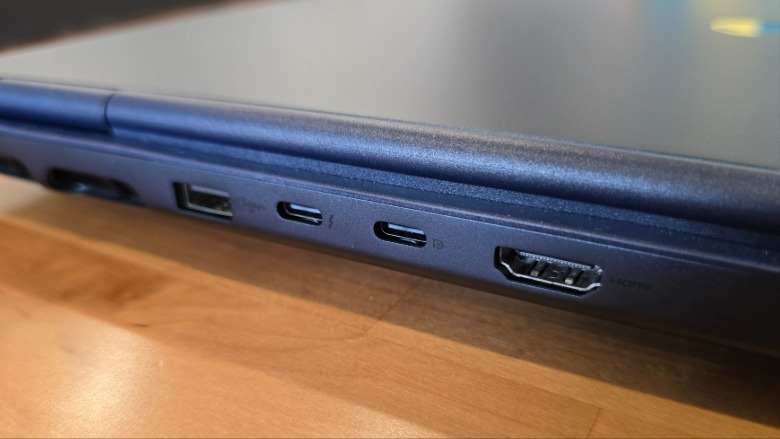
Connectivity is solid; you get one USB-A 3.2 port, two USB-C 3.2 ports (both DP 1.4 compatible, and one can connect to an iGPU for extra performance), as well as one HDMI 2.1 out. You also get the usual ethernet port for hardcore gaming/downloads, etc., alongside an aux port. Nothing out of the ordinary, but the real inconvenience is placement. Plenty of gaming laptops suffer from this configuration, so it's not solely a flaw of the 16X Aurora, but relegating a majority of your ports to the rear panel can be a pain for productivity tasks.
The only major downside for productivity is the necessity for a hub if your workflow requires multiple USB devices at any given time. Easily solved considering most digital nomads will likely already have one, of course, but that still presents the issue of placement. If your hub is USB-C, then you have to use one of two ports at the rear of the machine; only a USB-A 3.2 port is on the laptop's lefthand side. It's not the most mobile-friendly layout for working, and it's arguably not as desk-friendly either. This is a gaming-first laptop at the end of the day.
Battery and productivity performance
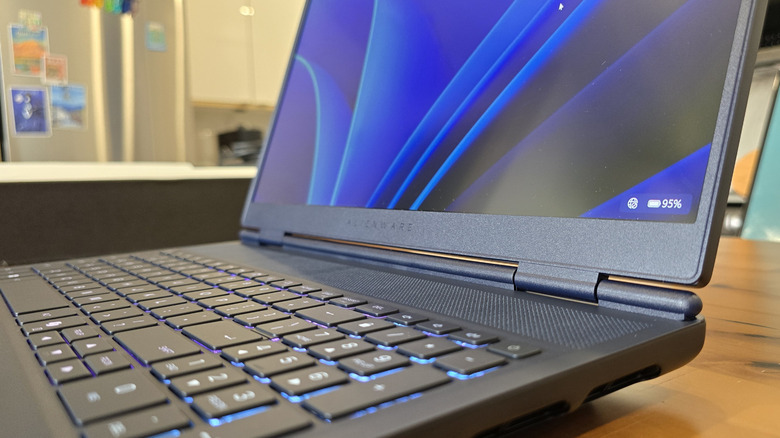
The same rings true for productivity performance when leaving the charger behind. I mentioned my Asus ROG Zephyrus G14 laptop earlier (AMD Ryzen 9 6900HS + Radeon RX 6800S), and that particular system shines as being capable in both productivity and light gaming. The Alienware 16X Aurora puts up a fair attempt, but in comparison, it doesn't shine nearly as well on a single full charge as something like the Asus laptop — much less the average non-gaming laptop.
Asus employs its own optimization wizardry via Armoury Crate (Optimized/Eco mode) to get 7-8 hours of light productivity on a single full charge. In my own testing, even when hot-swapping the GPU to the integrated graphics via Nvidia, the Alienware 16X Aurora got closer to surviving 5 hours or so of light productivity work before needing to snag a charger. You can top off with a Power Delivery-capable charger or power bank in a pinch, but don't expect to do any hardcore gaming off a battery pack.
The tasks themselves are handled deftly without any issue. Writing and editing, emails, answering DMs, even light viewing on YouTube and having multiple tabs open was no issue at all. The internals on the Alienware 16X Aurora are perfectly capable of handling all of it with ease — it's just about keeping an eye on the battery.
Conclusion
As the middle-ish child of Alienware's gaming laptops, most folks considering buying this laptop are heavily taking into account the ratio of price to quality. If your primary use case is gaming at high fidelity without the heft of a desktop, but you still need something stylish that you can use part-time for work, then this unit would be a solid choice — if you can afford it. It's not Alienware's wildest-looking gaming laptop, but it's not subtle either: The 16X Aurora strikes a somewhat vexing balance for the buyer who wants something powerful, but not to the same degree of excess as an Area 51 laptop.
Considering this laptop's main competition would be something like a Razer Blade 16 ($3,499.99 when configured with similar specs), they're so alike that it'd really come down to design differences and buyer preference. This configuration that I tested clocks in at a whopping $3,379.99 MSRP, so several cheaper and similarly-spec'd gaming laptops from MSI, Asus, and Acer undercut this model by as much as $1,000. You'll also have to accept some concessions like bulkier form factors, louder "gamer" design language, and more minor specs differences at that price point.
At the end of the day, Alienware hardware is not always the most budget-friendly, but that's never been the point. You're buying into the ecosystem because the brand has built a reputation for quality pre-built systems and gaming laptops that perform well. You're not getting the most convenient laptop for productivity, and while it can certainly handle those tasks, the greatest mileage you'll ever get out of the Alienware 16X Aurora is from its primary directive — easily playing games on higher settings.