

The Pixel 11 Pro's Notification LED Can Be A Lot More Useful With This Free App
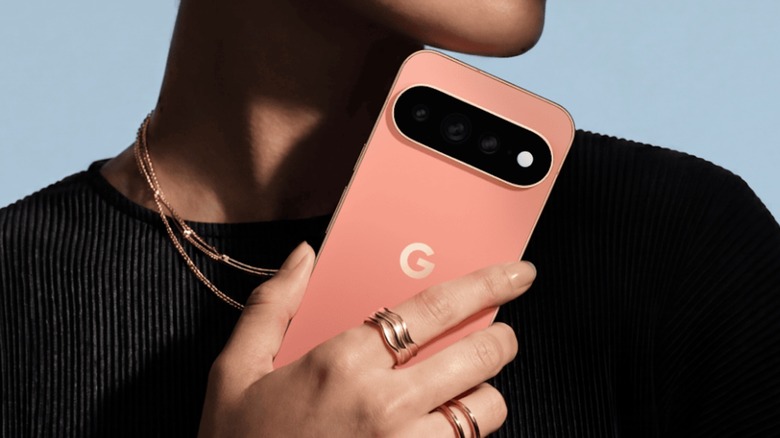
On the Pixel 11 Pro lineup, the new HiLight feature brings various colored LED lights next to the camera lens to provide different, more silent notifications. It's one of several cool features arriving with the Pixel 11 Pro. Useful as it can be, Google currently only has it working with phone calls and Gemini interactions — but a developer by the name of Dhananjay Bhosale (@Dhanajay_Tech) has created a free app for users to get even more out of this feature.
Spotted by David Imel of The Verge, HiLight Studio is available through the developer's GitHub page and offers users the ability to access a wide variety of color options, including animated patterns or solid colors, across the Pixel 11 Pro's eight LED colors. Users that want to try this one for themselves, however, may need a bit of technical know-how, as the app does need shell-level access to a system service in order to function properly. Users will also need to know how to sideload apps.
What's notable about this release is that Google stated third-party developers would not be able to access these LEDs — though interestingly, users are able to access this app without rooting their device. It's also free and isn't supported by ads. Though some users may simply be happy that the Pixel 11 brought back a feature not seen on Android in years, those who want to tinker with the LED notifications may have a bit of fun with the HiLight Studio app.
New app gives Pixel 11 Pro users HiLight LED control
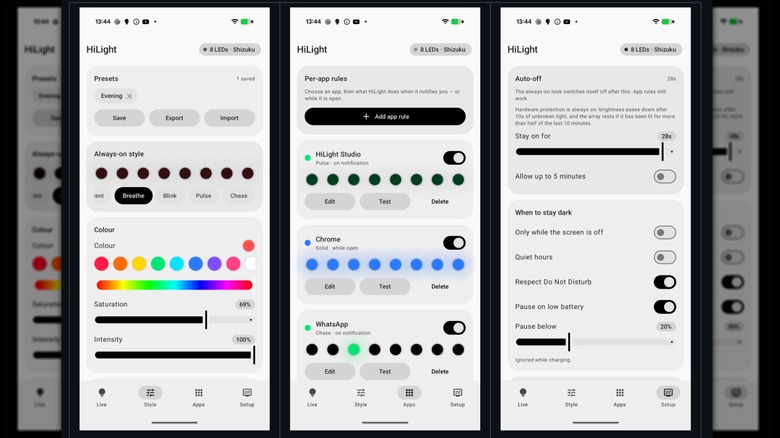
Posted by the developer on his X account, HiLight Studio is compatible with the Pixel 11 Pro, Pixel 11 Pro XL, and the Pixel 11 Pro Fold, so long as they're running Android 17. Along with being able to make adjustments to the HiLight feature for notifications, users can also leverage the LEDs to indicate when Do Not Disturb, Battery Saver, Quiet Hours, and low-battery modes are enabled. The app even allows users to save and load their presets.
Getting this one going may require a bit of work on the user's end. First, users will need to access GitHub to sideload the app, and they'll need to rely on ADB or Shizuku to finish the process. Additionally, users will also need to give the app shell-level access to the "Android lights" service, which needs to be done every time the phone is rebooted. If you're not familiar with a command prompt, this one may not be for you. However, the developer has provided more in-depth instructions on their GitHub page.
Considering the developer of this app has now shown that the HiLight feature can go well beyond what Google currently uses it for (again, just phone calls and Gemini), it will be interesting to see if the company expands the feature for users in the future. Right now, it's great that users have options, but constantly needing to restore access after every reboot simply may not be worth it. However, it may still be less frustrating than Google's new "dynamic" pricing for the Pixel.