

There's No Need To Text Photos Anymore With This Useful Google Photos Feature
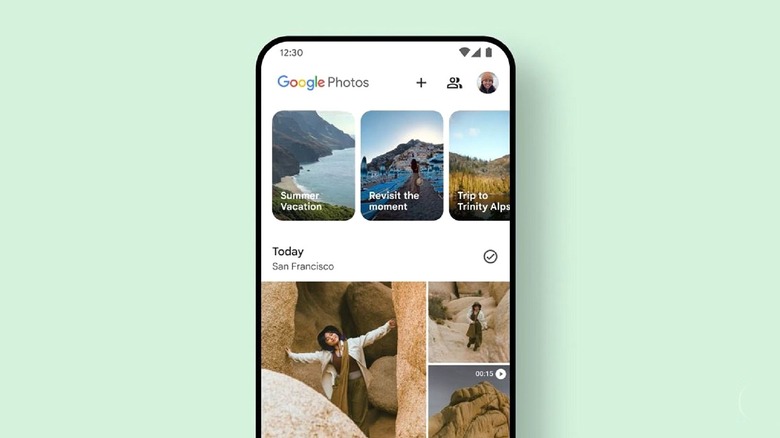
If you've taken pictures of your family with an Android phone, you've probably run into a situation where your partner or spouse wanted you to send them everything you captured when you got back home. You can always email or text them, but that's a hassle, especially when there are a lot of photos to share. But with the right Google Photos setting, you actually don't have to send any photos at all. Within Google Photos, you can set up something called Partner Sharing. Once you do that, all photos uploaded to your account will be shared with an authorized person. You can also customize access by only sharing photos uploaded after a certain date, or only sharing photos of a particular person, like photos of them, or photos of your children. It goes without saying, but never share access with someone you don't trust. Also, you can only have one partner designated at a time.
Setting it up is pretty easy, though. Open the Google Photos app, tap your profile picture in the top right, then go to Photos Settings > Sharing > Partner Sharing. In that menu, specify the starting date, or just share all your photos — you can also select photos with certain people in them — and then invite your partner with the Select Partner option. Anyone you invite will need to have an active Google Account, so keep that in mind. You can also set up a partner in the Google Photos web app on desktop. At any time, you can revoke access to the entire library, remove certain photos that you own if you no longer wish to share them, or change your partner's settings, so you always have full control of any content that you're sharing.
Why use partner sharing in Google Photos?
Texting photos is pretty clunky, especially if you're sending a lot of pictures. Plus, those photos are often sent with reduced quality over a mobile network, and if the person you're sending them to doesn't download them or save them, it can be difficult to navigate back to them later in a chat interface. Sharing all your photos via Google Photos is quick and easy, and your partner never has to download them, unless they want to preserve them locally. On your end, you can easily upload any pictures you capture with the Google Photos app, which backs up your library automatically. If you instead use a computer to back up your Google Photos, the service is making a big change in August, so you'll want to read up on that to continue keeping your photos secure. Mainly, you'll have to upload them manually on desktop.
The biggest downside to Partner Sharing, of course, is that you can only designate one partner, so you can't share your library openly with a group. However, you can create albums and share those with several people. While you're at it, you may want to disable the Google Photos feature that trains AI using your personal media before building a large library. If you don't want to use Google's platform at all or want to move away from it, there are some excellent Google Photos alternatives that also allow you to share your photos. However, there isn't anything like this where you can add a trusted partner.