

SteelSeries Arctis Nova Pro Omni Review: Perfect Headphones For A Multi-System Gamer

The Arctis Nova Pro Omni ($399.99) from SteelSeries offers nearly everything a gamer could need in a headset — at a price to match. It ticks all the technical boxes: superb audio quality, Hi-Res support, effective ANC, and excellent noise rejection from the boom microphone. But where it really stands out over previous offerings (which were already some of our favorite wireless gaming headsets) is the sheer amount of connectivity options and mixable audio.
With the included GameHub basestation, the Nova Pro Omni can simultaneously play and mix audio from up to three USB inputs, a line-in, and Bluetooth. That means your gaming headset no longer isolates you from the work Slack on your PC while you game on your Xbox, and you can keep Discord open on your phone. Or you can simply keep everything connected, without having to constantly swap the source cable. For streamers and anyone else with complex gaming setups, that kind of flexibility might be exactly what you need.
SteelSeries has taken what was already one of the most feature-packed headsets and raises the bar even further by turning the GameHub into a mini audio mixer. The question is whether that flexibility can justify a price point that's firmly in the luxury end of gaming audio.
Design and comfort

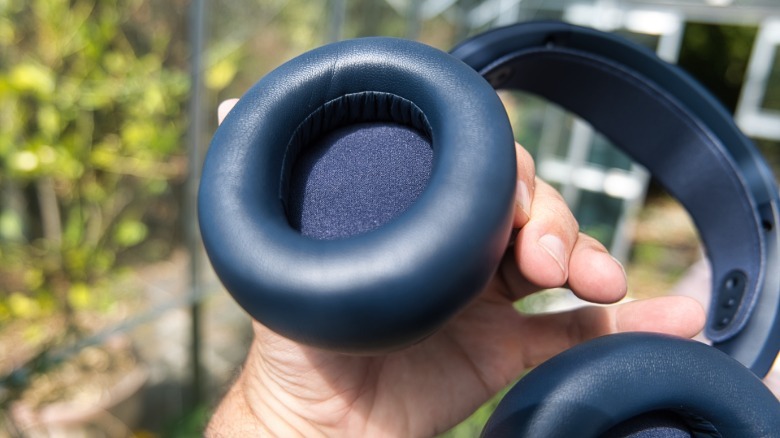
We were sent the midnight blue edition of the Arctis Nova Pro Omni for testing, but it's also available in white and graphite. It offers little in the way of accents or highlights — just a dark, metallic blue SteelSeries logo on each ear cup. The headband is metal, and despite the overall plasticky look, the bulkiness contributes to the feeling of durability. There's a neoprene strap for comfort that can be adjusted to fit in two positions, and the ear cups turn to face flat, but otherwise don't fold in for compact transport. A drawstring pouch is included to keep daily dust away.
The faux leather is comfortable and soft, though it will eventually degrade. I found myself getting sweaty ears quite quickly in the unseasonably warm British summer. The side panels on the ear cups snap off easily, hiding the USB port on one side (used for firmware updates), and the battery slot on the other.
 James Bruce / BGR
Out of the box, I'd have to be honest and say it doesn't look like a premium headset, and definitely gives off a more utilitarian vibe than something you'd wear out on the street.
The good news is that they're otherwise comfortable to wear for extended periods and have just the right amount of rigidity to stay put without undue pressure. If you shake your head vigorously, they will fall off — but these are headphones for gaming, not for workouts. While you can connect them to your phone via Bluetooth, I wouldn't recommend going for a run with them.
Software and companion app
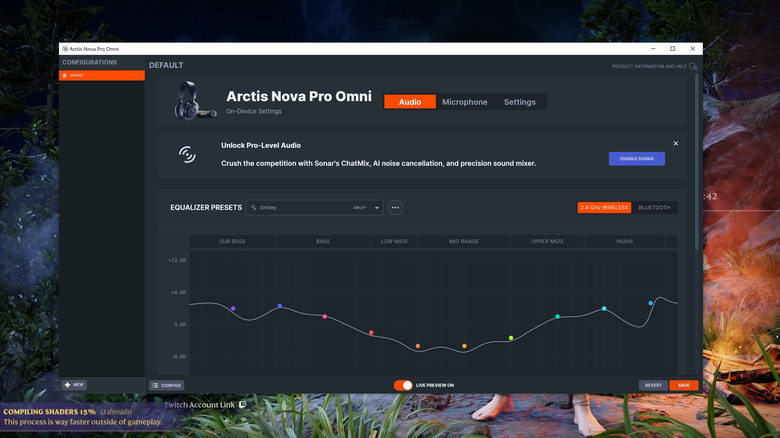
The desktop app SteelSeries GG is a hefty 403MB, encompassing all the SteelSeries devices and some additional fluff, like "3D Aim Trainer." I suppose close to half a gig isn't that much on a modern drive, but it's quite bloated if you only want to manage the EQ from your desktop. Unfortunately, you'll also need it for any firmware updates, which can't be done from the Arctis companion smartphone app, so it's not really optional.
You'll also need to register to use the Sonar part of the software, which is where many of the fancy sound settings are managed. Sonar takes over from the basic audio engine as a separate software layer that runs only your PC. Sonar can't be managed from the smartphone app, and it doesn't apply to other inputs; it's strictly for processing PC audio. The main reason to use Sonar seems to be the virtual surround processing (here's everything you need to know about spatial audio), but I've always been skeptical of these. Most games where this matters already do a good job of placing sound in a 3D environment, so adding another layer on top of this tends to muddy the spatial cues — and there's only so much you can do when you only have stereo headphones, after all.
The software also provides a separate audio mixer for your apps, but unless you have a specific need for it, I'd avoid enabling Sonar. In trying to do so many things at once, it ends up being unnecessarily confusing for little benefit. I found myself using the Arctis companion app more than anything; it's a lot simpler, bloat-free, and provides all the settings I actually want to use.
Audio quality
The sound quality is unsurprisingly great; the Nova Pro Omni already made our list of best wireless headphones for music at home. It's a balanced profile with no distortion at reasonable sound levels. There are four presets — Flat, Bass Boost, Focus, and Smiley — and a custom EQ, though you'll need to use the desktop companion app to set it up. Your EQ choice is saved to the headset, so if you have a preference, you won't need to constantly change it. In general, I found Smiley (a V-shape that pulls up the bass and high while lowering the mids) was my preference for everything, though that might be an age factor and the fact that I'm not enough of a pro gamer to benefit in any way from "enhanced environmental cues" apparently offered by the Focus EQ.
The headset supports 96kHz or 24-bit audio, but only via the wireless basestation. You'll need to adjust the hardware output rate outside of the SteelSeries GG software using your system settings, however. It also supports LC3+ codec for Bluetooth, but my iPhone doesn't, so it's just the standard SBC; some Androids may differ. I tried a few high-bitrate FLAC files, and I'd be lying if I said I could tell any difference between the 48kHz/16-bit and 96kHz/24 bit output modes. Again, though, my age — and the fact I grew up content with the early age of low-quality MP3s — means I probably don't have the right ears for Hi-Res audio.
The Nova Pro Omni has on-device ANC, and for general background noise and the hum of whirring fans, it generally works well. Unfortunately, it still lets in the sound of my child's voice while they're playing "Minecraft," which I imagine is the primary reason for any father to buy a gaming headset with ANC.
Audio mixing and the GameHub
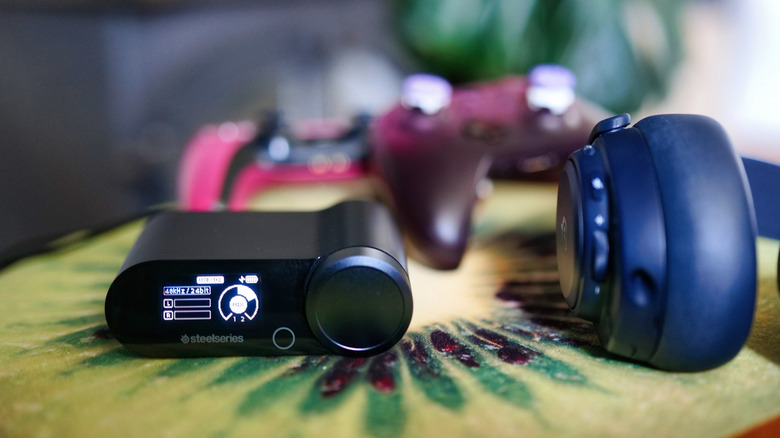
The standout feature of the Nova Pro Omni model is the ability to connect multiple audio sources and dynamically mix them. For those who game on a console but use their phone or PC to chat on Discord, that's a killer feature that would normally preclude you from using a gaming headset of any kind. It might also be handy if you need to keep on top of desktop notifications, like your work Slack, while gaming on another system. That said, it's difficult to come up with many other scenarios where this would be of use.
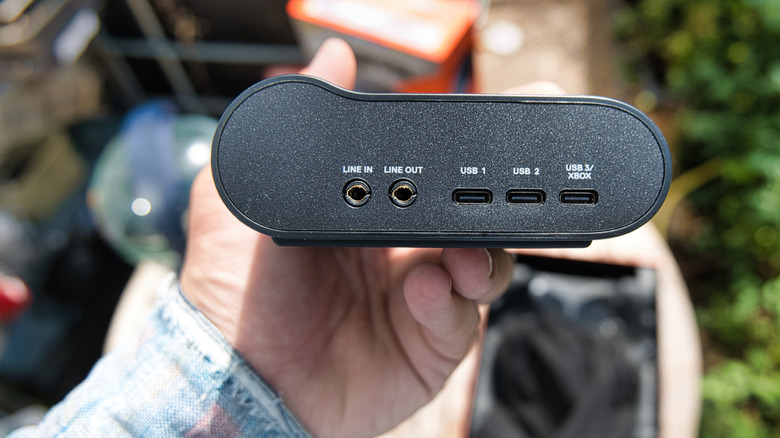
The Nova Pro Omni can be used to simultaneously stream wirelessly via the dedicated 2.4GHz connection from the hub alongside Bluetooth direct from your phone. There are a total of three USB-C inputs on the mixing hub — one of which is specifically to support an Xbox (since it requires a hardware authentication chip), though it can also be configured back to standard USB-C mode. There's also a basic 3.5mm stereo line-in.
You can mix these sources on the hub itself (just tap the button once to enter mixing mode; holding it down will go to the settings menu) or via the smartphone app. Bluetooth volume is outside of this, with the volume mix controlled directly from your smartphone or other source device. Confused? You're not the only one. The physical controls on the headset tell a similar story. Turning the power off from the power button, doesn't, in fact, turn the power off. It merely powers down the dedicated wireless side. If your Bluetooth is still on, the headset is still on. It's only after turning off the Bluetooth connection that the headphones can be considered fully powered off.
You'll also find a line-out port around the back; this is configurable to either Speakers or Streaming mode. The former means it automatically cuts out when the headset is connected; the latter gives you a constant clean audio line for streaming from another device. Personally, I used this to drive a haptic vest.
Unlimited battery life

I could tell you that SteelSeries quotes 60 hours total battery life on the Nova Pro Omni headphones, or I could state that, in reality, it's closer to two thirds of that with all the fancy mixing and wireless plus Bluetooth bits enabled. But actually, battery life doesn't matter: the seemingly absurd claim of "unlimited" battery life does indeed check out.
That's because the Arctis Nova Pro Omni includes two batteries and a charging system built into the GameHub. Therefore, you'll always have a charged battery on hand to swap over to when necessary. Functionally, then, the battery life is unlimited — at least when you're at home. Out and about, 19 hours is the expected life for a single battery when ANC is enabled.
Microphone quality
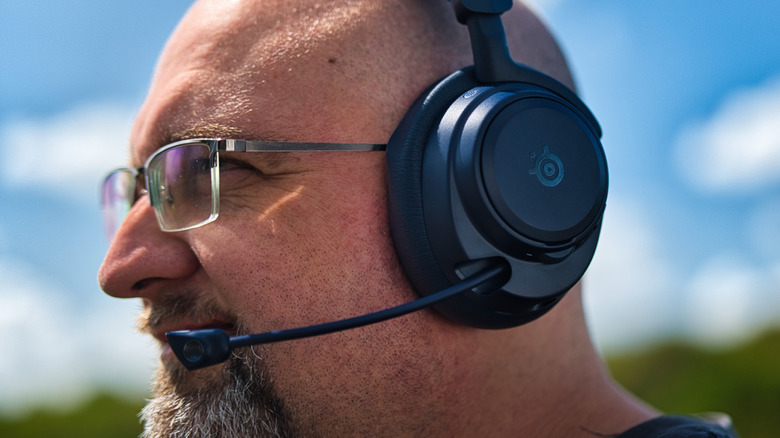
From a hardware perspective, the microphone pulls out of the main body and isn't particular rigid. Still, it managed to retain its position during testing and automatically mutes once placed back into the housing. There's also a separate mute switch, which you'll know is on because a small red LED on the mic head illuminates. It's an omnidirectional microphone, which means you don't need to be practically licking the thing, with noise cancellation picking up the slack admirably.
I measured the quality by recording and listening back to my own voice. Vocal quality was superb –more than enough for conversing on Discord or chatting on your stream. Three levels of noise cancellation are available, and I tested them all with the loud background noise of a busy café; all performed excellently with no obvious loss in voice quality.
Wind sounds can get through, so don't sit under the air conditioner or with a fan to your face. The microphone features a separate EQ, and although there's no built-in vocal transformer, there is a fun walkie-talkie setting — or you can sound a little more professional with the Broadcast mode. The level of mic passthrough (sidetone) is also configurable, with no discernable lag.
Is the SteelSeries Arctis Nova Pro Omni worth it?
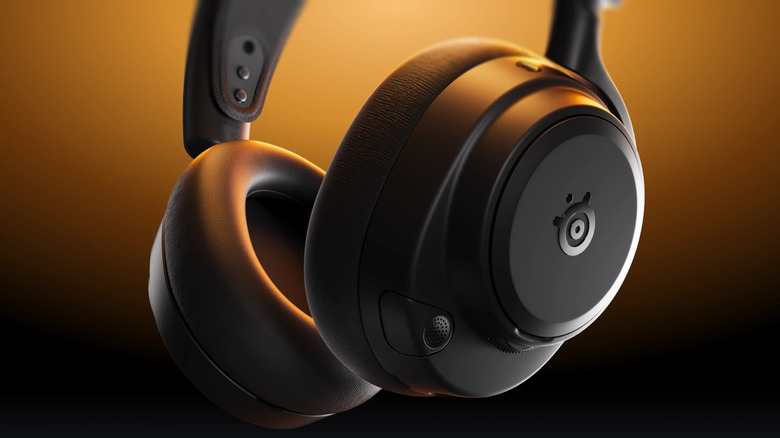
$399.99 is a lot of money for a gaming headset; even more than these luxury gaming controllers. I wouldn't say the Arctis Nova Pro Omni is overpriced, but it veers solidly into the realm of luxury item despite looking like something that ought to be cheaper. It ticks a lot of boxes for technical features, and the ANC on the microphone and headset is superb. It sounds premium, too, no matter what you throw at it — but I'll preface that by saying I don't have the $599 Nova Elite to compare to.
The audio mixing could be a killer feature for you, and if so, the price is absolutely justified. If you don't need that — because you're strictly a PC gamer, for instance, where you can do any audio mixing you need on your desktop — it's a lot harder to justify. You'd still benefit from "unlimited" battery life and superb audio if you opted for the discounted Nova Pro Wireless, but you'd lose out on the ability to mix multiple systems, as well as the smartphone app and Hi-Res support.