

Costco Offers Tech Support For TVs, PCs And More - Here's How To Access It
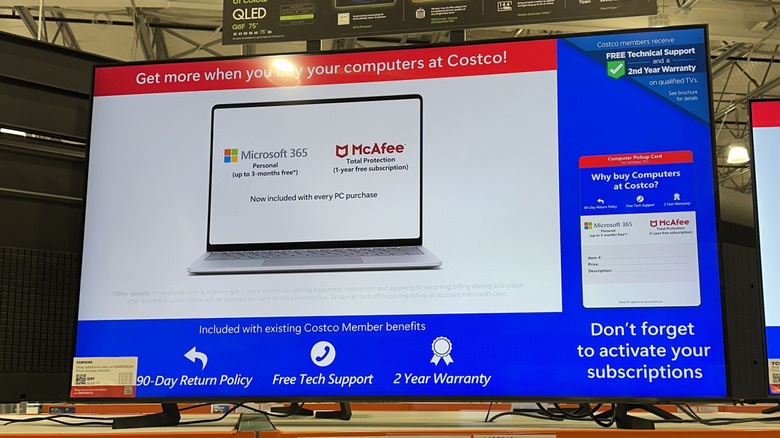
If you're looking for reasons to buy your electronics from Costco, receiving a favorable deal is a primary motivating factor. Costco's generous 90-day return policy for many different types of electronics can give those shopping at the membership warehouse club confidence about making the purchase, too. One other benefit that you might not know about is free tech support, accessible through the club's Technical and Warranty Services department.
Whether you're a boomer who struggles with new technology or just can't quite figure out how to make your new electronics purchase function as intended, Costco's tech support can help. You can start by accessing information for troubleshooting your electronics purchases at the Costco tech support web page. The warehouse club offers online advice for products like computers, laptops, televisions, security systems, hearing aids, cameras, home theater systems, printers, modern appliances (many of which offer Wi-Fi connectivity), and more.
If you can't find the answer on the tech support web pages, you can call for help. Costco tech support is available at (866) 861-0450. It operates seven days a week between 5 a.m. and 8 p.m. Pacific time (or 8 a.m. and 11 p.m. Eastern time). You'll have to provide information when you call, including your name, Costco membership number, the Costco item number for the product that needs troubleshooting, the serial number, and the purchase date.
What happens when you call Costco's tech support?

When you call Costco's tech support team, having information about the product and your membership will speed up the process. As long as you purchased the item through Costco, the call and subsequent help is free. Listening to and selecting from the automated menus only requires a few minutes.
When you start the troubleshooting process, the Costco representative will read through a checklist of items to try to fix the problem. Many Reddit users describe these as extremely basic troubleshooting steps. If the support team members at Costco cannot help you fix the issue, they'll often connect you directly with the manufacturer's tech support team for advanced troubleshooting. Costco's team often remains on the phone during this interaction. If it doesn't work, Costco's team may be able to help you file a warranty claim for a newer product. Some suggest that you should always buy your tech at Costco because the membership warehouse gives you up to two years of extended warranty coverage on certain products.
Although some Redditors mention having to spend time on hold with the Costco tech support team, others said they received helpful service that was fast. Additionally, many users said Costco's ability to pass your call directly to the manufacturer's tech support team without having to start over was a significant advantage. Others said the initial Costco service was not overly helpful because of misdiagnosed problems or lengthy, unnecessary troubleshooting steps.
Accessing troubleshooting data through the Costco website

If you'd prefer to try to troubleshoot the problem yourself without having to make a call, Costco's tech support website offers many troubleshooting documents. The website sorts the documents by the category of product. If your product doesn't have an associated category, you can use the "general support" or "other devices" options. You can access these documents without having to provide your Costco membership number or proof that you purchased the product at Costco.
When you begin troubleshooting one of the larger product categories, you'll be asked a series of questions that attempts to help you find the correct document. For example, when troubleshooting a television, you'll be asked to select your brand and model. (If you can't find your model of TV in the provided list, you can access a "generic television troubleshooting" page.)
On the web page for your specific model, you can access guides for using different features, such as pairing a remove control with the TV. You'll also see instructions for troubleshooting common problems, such as setting up an Ethernet connection. Additionally, you can access a troubleshooting guide where you'll answer questions to try to diagnose the problem. If accessing the online documents doesn't fix the issue, the website will give you a troubleshooting reference number that you can use if you call Costco for tech support, giving the support person a starting point.