

10 Reasons Boomers Struggle With New Technology (And How To Help)

We may receive a commission on purchases made from links.
It's an extreme dose of irony that the high-tech devices designed to make our lives easier end up adding complexity to a large number of users. In the pursuit of rushing the latest technology with groundbreaking features out to consumers, most tech companies tend to forget that not everyone can stay up to date with all these developments. While younger audiences have grown up with tech in their hands and usually find it easier to get accustomed to any new software or hardware features, the same isn't always true for older generations — especially the baby boomers.
Identifying these pain points and taking a measured approach to help boomers learn how to use the wealth of technology at their disposal can be a major task, but it's an effort that most family members are willing to make. So, if you notice your parents or grandparents struggling to connect their new earbuds, navigate their phone after a software update, or communicate with a smart device, you're not alone. Here are 10 instances where boomers may struggle with a new piece of technology, and ways you can help them adjust.
The growing feature creep is a problem
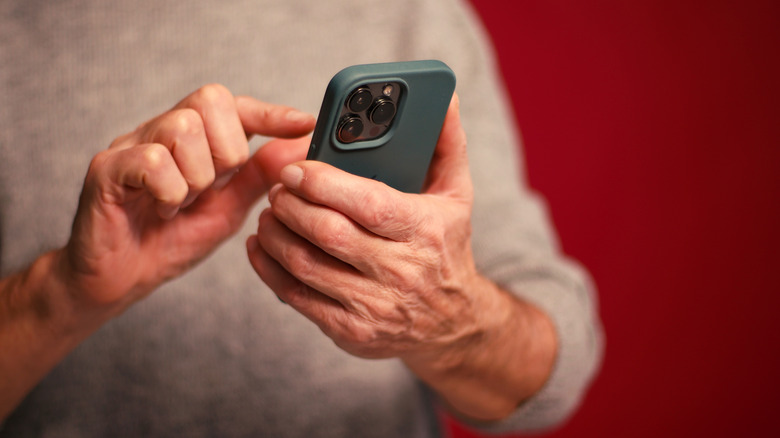
While the appeal of using a customizable and feature-rich phone operating system (OS) like Android definitely appeals to technologically oriented consumers, iPhones ended up being the dominant smartphone because of their ease of use. The simplicity of iPhones is a major reason why fans love Apple's products so much. Despite this, it's becoming evidently clear that even the so-called "simple" iPhone is striving to add as many features and options as possible to its latest offerings. The addition of once-exclusive Android features like widgets, slide-to-type, and the iOS version of an app drawer make it clear that this feature creep will continue to be a thing in future smartphone generations.
This isn't limited to your phones, with smart TVs, earbuds, and even the newest cars boasting a ton of features that either require some fiddling around with the buttons or force you to scour a manual to figure out exactly what they can do. Software updates continue to add more features – also known as feature bloat — to these products while either hiding basic ones behind a deluge of menus or renaming them to something more convoluted making them harder to find on the device. For boomers who aren't used to digging around in menus or reading up on all the changes made in a software update, this feature bloat adds confusion and complexity.
Cluttered UIs are a pain to navigate
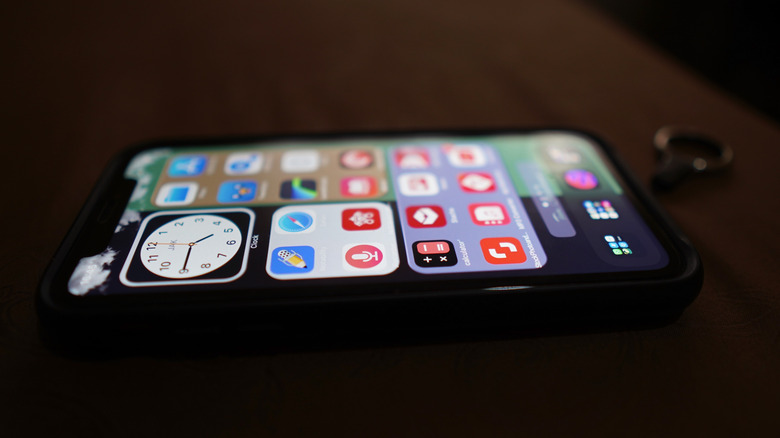
UI and UX design is something that many tech companies prioritize when developing new products. While user interfaces used to be quite minimal back in the day, it always seems like the goalposts that decide what is considered to be a clean UI are shifting. For people who have been a part of the relevant tech ecosystems for a while, these user interfaces don't seem all that complex and barely require an adjustment period on their end, but for boomers who find basic device navigation to be a pain, a UI that is anything but barebones can be a nightmare to navigate.
Downloading even a few crucial apps is enough to flood a device's home screen with so many icons that it'll make a boomer's head spin. Sure, they can try cleaning up these screens by organizing apps into folders and removing any unnecessary applications from the main page, but this requires basic knowledge of what they have to long-press, what can be moved around, and how they can drag and drop icons to create subsections.
And just like feature creep, this isn't a problem specific to smartphones, as the sheer volume of streaming services available today creates similar issues on smart TVs. Don't even get us started on cars, with the UI of infotainment systems varying across models and being a pain to navigate in vehicles that didn't prioritize this area.
There are too many new things to keep track of
Gone are the days when phones and computers were the only two pieces of tech that featured a substantial learning curve for senior citizens to master. The growing prevalence of smart home technology means that most boomers can't escape the need to open an app to use their fans, thermostats, lights, and switches, especially if they live in a household with tech-savvy relatives who love taking full advantage of their smart homes. It compounds the struggles they're already facing and becomes an even greater barrier to entry when it comes to learning about the latest tech.
This is especially true around the house, but it's even becoming a growing issue in modern cars, which have shifted away from physical controls and buttons to a digital dashboard and infotainment system. Aside from the obvious negatives of being yet another tech hurdle they have to get over, this also raises safety concerns that might prevent boomers from driving safely on the road. After all, the last thing you want is for your parents or grandparents to struggle with the car's dashboard while on the road.
A documented decline in cognitive functions and senses

It's a well-known fact that an aging brain finds it harder to retain information, recall what it has learned, and focus on a particular task. In fact, this is a universal aging issue that doesn't take into account situations where cognitive and sensory functions experience a massive decline. Around 15% of Americans aged 70 and older have dementia, which rules out the possibility of being able to teach the nuances of new tech to afflicted individuals.
Meanwhile, more than half people in the U.S. who are older than 75 have significant hearing loss, and compounding this issue, less than 20% of people suffering from hearing loss between the ages of 70 and 79 actually use a hearing aid. This is significant, since up to 40% of these individuals experience notable levels of cognitive decline, preventing them from efficiently learning how to operate the latest tech. All these stats make it clear that the limitations of the human mind can play a major role in making new technology a struggle for boomers to learn.
Confusion over what to trust
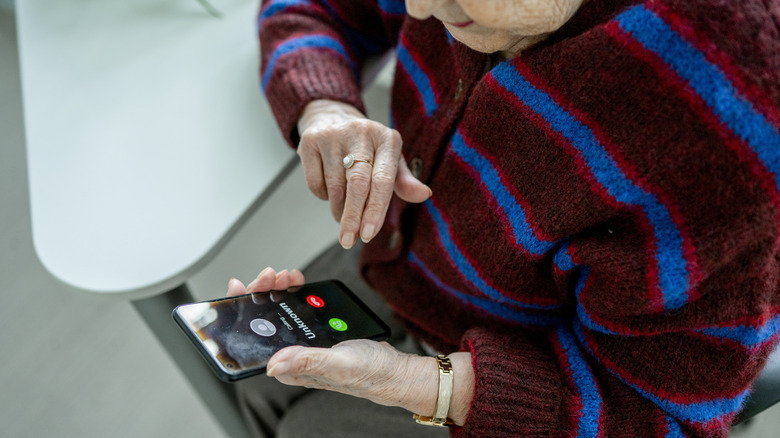
If it wasn't hard enough for boomers to learn how to use the tech at their disposal, it doesn't help that most scammers exploit this vulnerability and manipulate boomers unfamiliar with how tech operates to become a victim of their exploitative measures. A study conducted by the University of Portsmouth in 2024 revealed that 75 percent of people aged older than 75 — fittingly enough — had received at least one scam call in the past six months. Making matters worse these days, most scammers are using AI to trick you and your family, while others take on the guise of tech support to use a boomer's lack of knowledge against them to cheat them out of their money.
On top of all this, most websites also feature invasive ads that disguise themselves as regular UI elements, ranging from pop-up windows to swipe interactions. These fraudulent advertisements usually redirect gullible boomers to get-rich-quick schemes and other offers that are too good to be true, making them fall prey to one of the most common ways that hackers will attack their computer. In fact, 66 percent of Americans aged 65 and above have reported that they've been targeted by an online scam. Given how these fraudulent practices will instill a sense of distrust in boomers when it comes to the latest tech, it's easy to see why they would exhibit a reluctance to operate modern devices, preferring to avoid any new tech outright.
Purchase boomer-friendly tech

Now that we've focused on potential struggles that boomers may experience with their tech, let's look at ways to help. Instead of buying devices with a dizzying array of features that would confuse any boomer, try to buy gadgets specifically designed to be less complicated? Basic phones with loud ringtones and easy-to-navigate UIs are obvious recommendations here. Some notable recommendations include the Jitterbug Smart4 (a boomer-friendly smartphone), or the Jitterbug Flip2 (a simple flip phone).
Another way you can make a boomer's life easier is with cool smart wearables that let you monitor their health. It automatically reports any heart rate irregularities and informs a caretaker or a family member if they've experienced a severe fall. An Apple Watch or a Samsung Galaxy Watch is pretty useful here, but you can also purchase wearable tech specifically made for boomers, such as the Medical Guardian MGMove. Of course, devices made for boomers aren't limited to cell phones and wearables. Although it might take some convincing or nagging, a good hearing aid could make their lives easier. If they are suffering from any type of hearing loss, Oticon, Phonak, and Elehear are three brands with quality hearing aids that will serve senior citizens well.
Teach boomers with a lot of patience

We've already spoken about cognitive decline and how it prevents most older adults from learning the nuances of the latest tech. On their own, trying to operate a smartphone, laptop, smart TV, or anything similar can be a massive pain, but with the support of family and friends, this learning process can become far smoother. Navigating apps, changing a device's settings, troubleshooting common problems, and staying up to date on the latest software developments can take a while to learn, but a lot of patience will go a long way in helping boomers figure out exactly how they can operate their devices without feeling overwhelmed.
Eventually, you'll not only educate seniors on the best way to use the latest tech, but you can even address any security concerns and teach them how to protect themselves from digital scams. Tone down the technical language, write things down to provide an easy reference, and make learning fun. This way, even the most technologically challenged boomer will understand how useful their phones and computers are.
Optimizing accessibility features
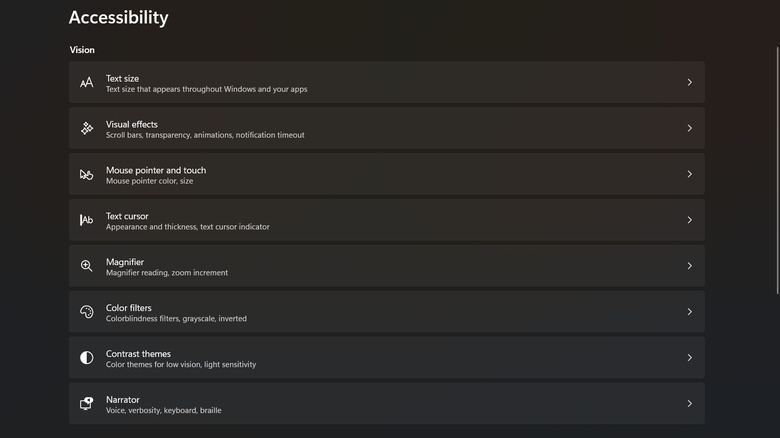
While smaller text and neat app drawers help your phone's UI look more aesthetic, seniors who have impaired vision or just find it very challenging to navigate cumbersome interfaces won't care about how neat and organized the apps on a phone are. What matters most is that they can use this phone without struggling with basic touch functions or making endless typos while using the on-screen keyboard. It's here that accessibility features can be a huge help, making sure that the user interface is legible and has easy-to-select elements. This can be changed in a device's settings, letting you adjust text size — or the size of the UI's elements itself — and use high contrast mode to make the UI elements more legible.
Of course, these options aren't limited to your phones. Most computers also have a suite of built-in accessibility features, making it easier for seniors to navigate this technology. Aside from enabling high contrast and increasing display size, there are other features you can also enable to make this tech easier to use for boomers. A Magnifier tool can zoom into specific parts of the screen and make them easier to use. With Narrator, the device will read out any screen elements for visually impaired folks and make it easier for them to navigate the UI.
Voice control

People who think that voice control is nothing more than a novelty are clearly not taking into account how convenient this tech is to use for older adults. Since most boomers find it challenging to navigate a phone's touchscreen, voice commands can be extremely useful here. The learning curve to understand how voice input works on a phone isn't steep, and it helps boomers utilize their smartphones more efficiently. With some nifty voice commands, you can make and receive calls, get your messages read out loud, get directions, adjust phone volume and brightness, set an alarm, toggle Wi-Fi, and more.
The utility doesn't stop here. Boomers who hate using tiny keyboards will love how voice control lets them circumvent this requirement and voice out the phrase they've been struggling to type out. Voice commands are helpful in many aspects of connected life, including computers, tablets, smart TVs, and even some modern cars. Of course, it would be impossible to talk about the benefits of voice control without mentioning how this feature can be used to connect various elements of a smart home. Instead of fiddling with an app, using voice commands is a far more efficient way to interact with your Google Home, Amazon Alexa, and Apple Home hubs. It's one of the biggest reasons why you should always install a voice assistant in your smart home.
Stick to one thing at a time

We've already talked about how overwhelming the deluge of tech has become for older adults. Trying to learn how to operate a multitude of devices at once can be very challenging, to the point where retaining information becomes a huge endeavor. If you're sitting down with a senior citizen to teach them how the latest tech works, then do them — and yourself — a favor and focus on one thing at a time. A smartphone or a laptop is already complex enough as is, so you're better off ensuring that they know how to operate one thing properly before moving on to the next device that is puzzling them.
This is especially important if a boomer is trying to learn things by themselves. Using a step-by-step guide and sticking to one device will go a long way in mitigating the struggles they face in this ever-growing technological landscape. Not only will this help seniors become more independent, but it also helps eliminate any errant feelings of social isolation. After all, being able to take video calls and participate in online forums prevents seniors from feeling lonely.