

5 Clever Uses For The Google Pixel Tag
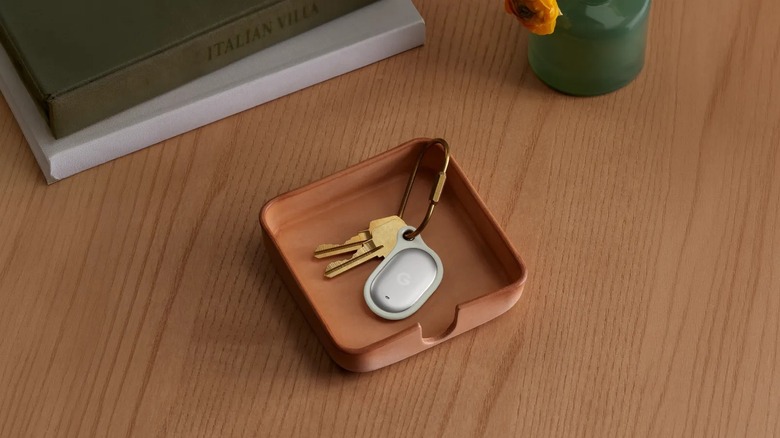
It's finally happening. Google is releasing the long overdue Android version of an AirTag, five years after Apple first introduced its Bluetooth tracker to the market. Aptly called the Google Pixel Tag, this peculiar $30 oval-shaped tracker works exclusively on Android devices and relies on Google's Find Hub network for location tracking. It works pretty much like the AirTag, with features like seamless pairing, precision tracking, item sharing, and the option to ring the tag. And just like the AirTag (and other Bluetooth trackers), the Pixel Tag is the best accessory to get if you keep forgetting where you left your car keys or wallet.
But beyond helping you find your keys and wallet, the Google Pixel Tag can come in handy for all sorts of other scenarios too. It could also help you keep track of your children or luggage during your next outing. You could also use it to avoid getting lost while finding your car in the parking lot. If you're thinking of getting a Pixel Tag when it releases in November, here are some clever uses for it.
Finding your Android phone
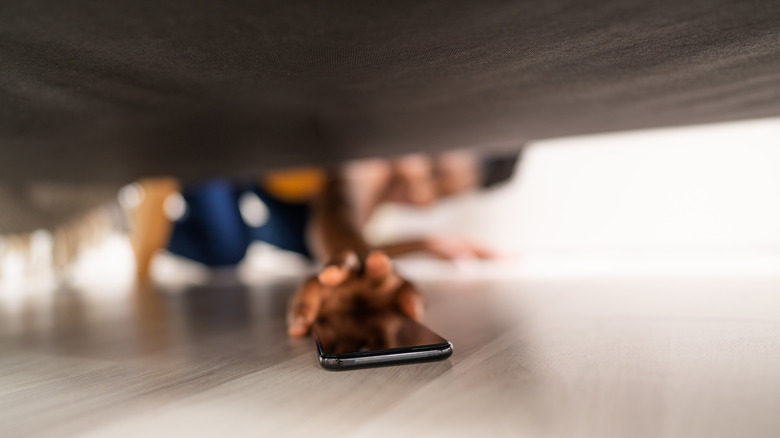
More often than not, you'll attach a tracker to things you misplace all the time. Maybe it's your house keys or the TV remote. But what if it's your Android phone that usually goes missing? Normally, you'd have to rely on a separate phone or computer to find it. You either have to borrow a friend's phone to call your mobile, or go on your computer to check the location on Google's Find Hub.
With a Google Pixel Tag, though, all you need is the tag itself. Simply grab the Pixel Tag you previously paired with your Android phone and press the button on it. If your phone is within range, it will start ringing. And yes, this works regardless of whether it's in silent mode. This reverse tracking feature makes it easier for kids or elderly people to locate their missing devices as they don't need to deal with a separate mobile or computer. Plus, it's a pretty straightforward process anyone can follow. Keep in mind that the feature is only available for Android devices updated to at least Android 9.0 and built with Bluetooth 6.0 or later.
Locating your car in a huge parking lot

Trying to locate your car in a huge parking lot is never the easiest of tasks. Even with some landmarks, you can easily forget the exact spot where you parked. Sure, some apps can help you remember. Apple Maps and Google Maps conveniently come with an automatic parking location feature, so you can find your parked car with your iPhone or Android. But the apps usually require your phone to be connected to your car's Bluetooth. If it's not paired, then you'd have to pin the parking spot location on the app yourself — something you can easily forget to do too.
To save you from all that trouble, just put a Google Pixel Tag in your car. Anywhere in your vehicle is fine. You can place it in the center console, hide it in the glove box, or toss it in the trunk. The Pixel Tag uses stainless steel construction and has an IP67 rating, which means it's protected against exposure to dust and brief submersion in water.
When it's time to find your car in the parking lot, simply hop on the Find Hub app on your Android and use the Pixel Tag to get directions to where your vehicle is. It's that easy.
Avoid the risk of leaving behind your bags on a trip
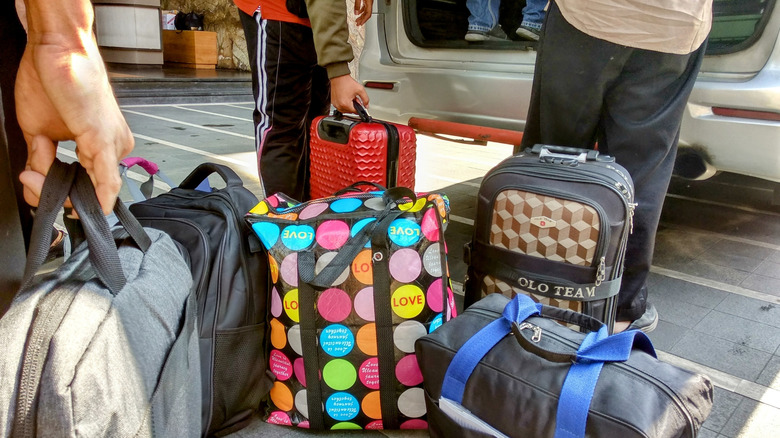
With how many bags you usually carry on your travels, it's very easy to lose track of one (or two) when you leave the hotel or airport. That's why it's a good idea to slip a Google Pixel Tag inside all of your bags, then turn on the nifty feature called Left Behind. Left Behind works just like its name suggests. When you unintentionally leave behind a belonging with a Pixel Tag in it, you'll get an alert on your paired phone. You no longer have to frantically call the hotel or go to the airport's Lost and Found hours later. Within a few minutes of the Pixel Tag being out of range, you'll automatically be notified.
If you don't travel that often, Left Behind can still be handy for everyday use. You can throw a Pixel Tag in anything else you usually bring outside the house — say, your work bag, laptop bag, toolbox, or even lunch box.
We have to wait until the Pixel Tag gets released in November to know the full details of what else Left Behind can do. But if it's something like the AirTag's Notify When Left Behind functionality, you might be able to make exceptions for specific "safe locations" like your home, where you can leave behind items without triggering an alert.
Keeping track of your kids when out in public

No matter how attentive you are as a parent, there are instances when you'll find yourself separated from your kids, especially in large crowds. To be on the safe side, it's best to have your small children wear a Pixel Tag every time you go to amusement parks, fairs, or any other busy location. The Pixel Tag is only 0.2 inches thick and weighs just 0.4 ounces, so it shouldn't be a hassle to wear or carry around. Your kids can either have it as a bracelet, wear it on a lanyard around their neck, or hide it in the pocket of their pants or jacket.
As of this writing, Pixel Tag holders and cases aren't as readily available as AirTag accessories yet. But once Google starts officially selling Pixel Tags, it likely won't take long before you can find creative accessories for it. Google might even offer some options themselves.
Safekeeping your important documents

Google Pixel Tags — or other Bluetooth trackers — are mostly placed in objects you use and carry daily. However, they can also be helpful for keeping track of static items like your important files. You probably don't move your birth certificate, insurance papers, or mortgage documents all the time. But because you don't usually need them, you might forget where you stored them in the first place. Instead of going through each and every box in each and every room in your house, you can add a Pixel Tag to your document folder instead.
Thanks to its precision tracking, you'll get easy-to-follow directions to the exact location of the tag. If you still can't find it with just the visualization on your phone, there's always the option to make the tag play a sound once you're close enough to it. It's important to note, though, that your paired Android phone should be equipped with Ultra Wideband technology to use this feature.
In terms of runtime, the Pixel Tag's battery can last you up to a year, so you won't need to worry about it dying on you. Just make sure to look for the tag and check on it every few months or so to see if it's still working as expected.