

5 Disadvantages Of Using Apple Maps Instead Of Google Maps
It may feel like it was another world years ago when people stopped at a gas station and picked up a paper map to travel. Today, travelers can take advantage of multiple automated systems that deliver up-to-date directions. Two of the most popular are Apple Maps and Google Maps. You may prefer one over the other, perhaps because Google Maps has added key features for 2026 or because you're loyal to everything that has the world-famous Apple logo on it.
If you're using Apple Maps, you may be experiencing disadvantages compared to Google Maps. Some of them include the possibility of bloated storage, a lack of detailed, integrated user reviews for restaurants and businesses, an occasional selection of routes that aren't always the fastest based on real-time information, an inability to fully use it on a non-iOS device, and fewer benefits for international travelers.
Some may decide that the disadvantages of Apple Maps make it not worth using. However, they may not want to use Google's offering, either. Perhaps you might decide that Waze is better than Google Maps or Apple Maps for planning driving routes, especially considering that Google Maps utilizes some of Waze's features. (Google owns Waze.) You may even prefer using Garmin over the other options. The standalone Garmin device means you can preserve your smartphone's battery, while receiving many of the same navigational features of smartphone apps. (You can also leave the Garmin in your car.)
Apple Maps can quickly eat up your smartphone's storage

Because Apple Maps is part of iOS, you might think that you're saving storage space by sticking with it instead of downloading and using Google Maps on your iOS device. After all, both of them use a similar amount of storage space when downloading offline maps.
However, after using it for a while, you may notice that Apple Maps is taking up a lot of storage space. One user mentioned that the app is occupying a whopping 38 GB of storage, even though it wasn't being used. The Apple Maps app seems to have a storage issue that causes it to grab obscene amounts of storage data, regardless of how often it's in use.
Some users say the problem lies with the way Apple Maps uses its Documents & Data feature, which may be a bug in the app. Updating to the latest version of iOS may help with the problem. Other users reported that they solved the problem by turning off and clearing the data stored that relates to "significant locations" in Apple Maps.
When seeking restaurant reviews, Apple Maps may be lacking
If you primarily use a map app to find restaurants or other specialty retailers near your current location, you may also want it to display reviews, so you can make a decision about where to go. Apple Maps has limitations on where it sources its reviews. Yelp is the app's most common option for finding reviews, and Apple Maps doesn't often display written opinions from its own users.
Some may prefer the reviews that Google Maps offers, as it shows reviews that other Google users leave. Even if someone leaves the review on a business' Google profile or elsewhere in the Google "ecosystem," it can automatically migrate to Google Maps for display.
Several Redditors say they specifically avoid Apple Maps because of its reliance on Yelp reviews. One even uses Apple Maps for route planning but switches to Google Maps for finding businesses or restaurants in the area. When seeking customer reviews, consumers typically rely on Google more than Yelp. Google reviews tend to be more plentiful, and Yelp has a challenging filter process that prevents certain opinions from being visible.
Apple Maps won't update problematic routes as fast as Google
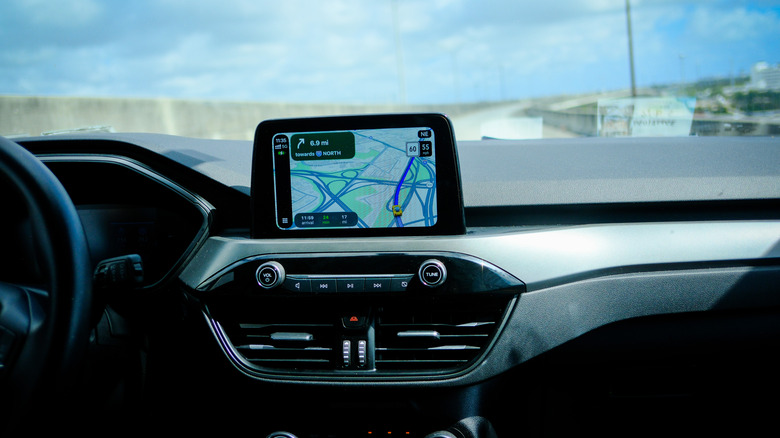
If arriving at your destination as fast as possible is your main reason to use a map app, Google Maps seems to have better results when managing real-time problems within the route, including unpredictable things like new road construction projects or accidents.
One Redditor said Google Maps showed information about an accident that led to a new route, while friends traveling in a separate car using Apple Maps didn't receive the information in time, causing a delay. Both apps allow users to make reports about delays in real time as they travel.
However, because Google Maps has a larger user base than Apple Maps, the chances of Google users reporting accidents and other traffic delays in real time are higher. If you frequently travel in urban areas with significant traffic, you may notice that Google's real-time traffic updates ensure your trip remains on time.
You have limits on where and how you can use Apple Maps
If you prefer using Apple Maps, you may appreciate that it's built into iOS, making it easy to use on any Apple mobile device, including the iPhone, iPad, and Apple Watch. However, if you want to try to use the app on an Android device, you can't download it as an actual standalone app from the Google Play Store. Meanwhile, Google Maps is available for download from the Apple App Store and the Google Play Store, meaning you can use it on iOS or Android mobile devices.
If you want to use Apple Maps on an Android device, you'd have to operate it through a web browser, such as Safari, Edge, Chrome, or Firefox. Because you aren't using the actual Apple Maps app, though, you'll have feature limitations.
For example, if you've saved locations through your account with Apple Maps, you can't sign into the account and access the saved information when running it through a browser. Because the option of using Apple Maps in a browser has only been around a fairly short time, though, Apple will probably continue adding to it.
International travelers may notice limited info with Apple
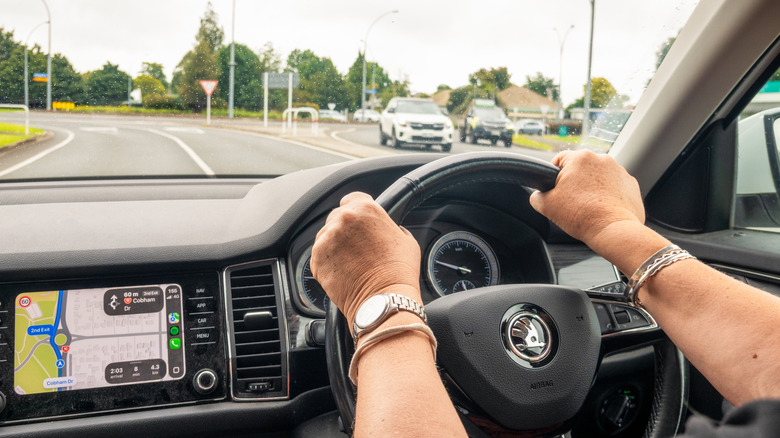
Adjusting to driving outside the U.S. can be challenging, as you may have to drive on the left side of the road or try to read metric speed limit signs. However, using your favorite mapping app while traveling internationally can make the process more enjoyable. Google Maps tends to offer extra information about international locations, especially if you're traveling outside the major cities, which gives it an important edge.
As an added advantage for an international traveler, Google reviews of businesses in other countries tend to be more detailed and plentiful than what are found on Apple Maps. You can access these reviews directly through Google Maps. If you're not familiar with the country or city where you're traveling, having this kind of extra information before visiting restaurants or sites is extremely helpful.
If your international travel involves Canada instead of going overseas, Google Maps continues to hold an edge in offering more detailed and plentiful business and restaurant reviews in rural areas. For this reason, if you normally use Apple Maps, you might still want to download Google Maps and have it available as a backup.