

You Shouldn't Record All Your Phone Videos In 60FPS - Here's Why
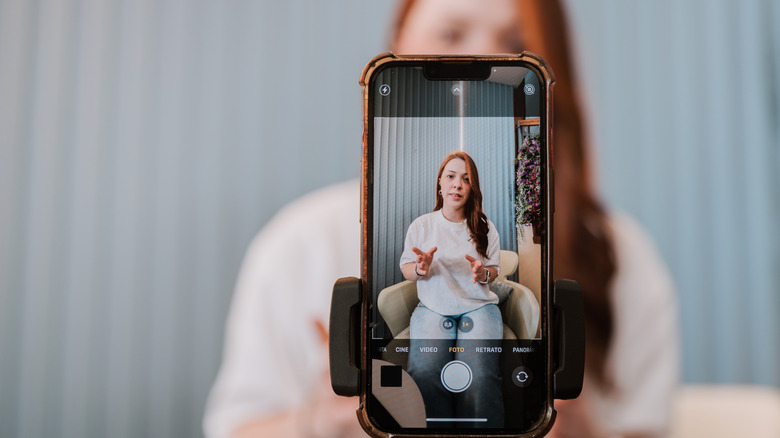
It's borderline magical that we now carry devices in our pockets more powerful than the computer that took us to the moon. Show your phone camera to a silent film cinematographer, and they'd practically lose their minds at the quality. Back in that era, video cameras were limited to shooting at 26 frames per second (FPS) on the higher end. These recordings were then projected at 24FPS, which eventually became known as the cinematic standard.
Today, phones can shoot as high as 60 and 120FPS. Whether you choose to do so, over say 30FPS, depends on your taste, what you're filming, and your available storage space. Shoot a video at 60FPS, and you'll capture twice as many frames as if you went with 30FPS. More frames are perfect for capturing sports, people moving around, vlogs, or anything with a lot of motion. The biggest reason to avoid recording at 60FPS is the lack of motion blur.
Despite actually looking more realistic, a 60FPS video can invoke a sense of uncanny valley, courtesy of the soap opera effect. Over time, our brains have learned to find 30FPS, which is closer to the 24FPS cinematic standard, a bit more pleasing and a lot more natural. Plus, along with looking like a rerun of "General Hospital", 60FPS video content is twice as heavy on your storage.
How to change the framerate on your phone
Fortunately, it's fairly easy to make your videos look more cinematic. The iPhone Camera app is super capable and has a pre-set Cinematic mode. You can fine-tune it by going to Settings, then navigating to Camera and finding the Record Cinematic option. There you can change the frame rate and resolution. It's worth visiting the Record Video menu too. In here, you can flip on Auto FPS, and the camera will automatically drop the frame rate to 24FPS in low-light conditions, which in turn bumps up the video quality.
On Android, the process may vary between OS versions. You can generally find the recording settings in your Camera app under Video mode. There, it's possible to switch to 24FPS or 60FPS, as in many cases 30FPS is the default. If that isn't cinematic enough, try apps like Blackmagic Camera to make your Android (or iPhone) behave more like a professional movie camera.
How much space does 60FPS take up?
Say you're shooting your hyperactive cat (or dog) doing parkour around the house. For that video, 60FPS is the perfect framerate because it can capture motion better. However, you can also expect it to take up a hefty amount of storage space — and it will add up quickly. A 16-second 30FPS video at 1080p requires about 29MB of space. Bump up the framerate to 60FPS, and it will eat up nearly 50MB.
It's even more extreme at 4K, where a 16-second video shot at 60FPS requires approximately 130MB, depending on the model. It might seem like a minor difference, but multiply these figures by 10 recorded clips to see how fast videos can drain your device's storage space. A two-and-a-half-minute 60FPS clip at a lower resolution will grow to 500MB, which can be a problem if your phone has just 256GB of internal memory and no SD card slot.
Switching to 30FPS can slash this in half, so if you're strapped for space, that's likely the best option. It's also smart to free up space in your Google Drive if you're dead set on capturing footage at 60FPS. Delete the video once the backup to Google Photos is complete, and voila, you're up a few GBs. Managing your cloud storage is another issue altogether, but the free space that it unlocks is helpful when recording.