

5 Signs Your MacBook Charger Is No Longer Safe To Use
We may receive a commission on purchases made from links.
MacBook chargers are the unsung heroes of daily computing, quietly doing their job until they suddenly stop. Whether you're using a third-party USB-C charger for your MacBook or the one that came in the box, it's one of those small yet important accessories that you plug and unplug from your laptop countless times a week without ever giving it much thought. But just like laptops, charging accessories also endure plenty of daily wear and tear, which can eventually take a heavy toll on this piece of hardware.
A dying power adapter isn't just a minor inconvenience that ruins a productive afternoon at the coffee shop. When dealing with the high-voltage electricity required to keep a MacBook running, any physical damage can translate into a legitimate safety hazard. And continuing to use a compromised charger puts your MacBook at risk of catastrophic electrical failure, which could also potentially cause damage to you or your surrounding environment.
If your adapter is on its last legs, you don't necessarily need to pay the Apple tax for an official replacement (although doing so gives you that proprietary reassurance). If you're considering a third-party option, the Anker 140W MacBook charger is also a great choice. At $80, it costs as much as Apple's 96W charger, except it can charge both lightweight Air and hardworking Pro models, along with a few extra gadgets at the same time. It's nice to have a backup charger in mind, but knowing the warning signs of a failing MacBook charger can help you determine whether you actually need one to begin with. Here are five of the most common.
Frayed wires and exposed shielding
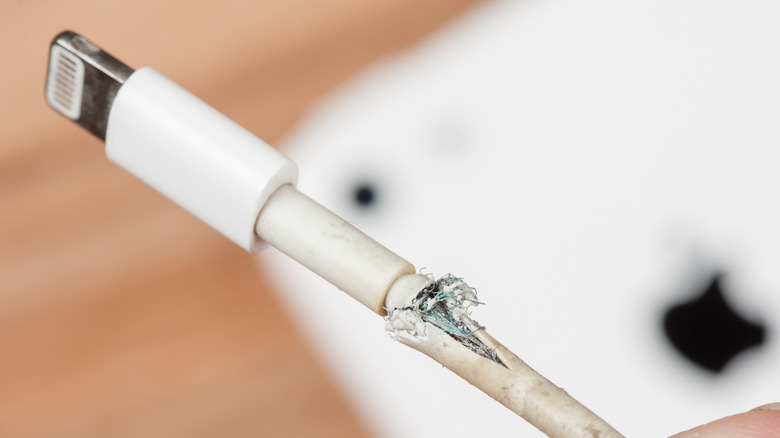
A quick glance at your charger's cable is the easiest way to spot a disaster waiting to happen. The cord connecting the power brick to the MacBook goes through a lot of physical stress during its lifespan; daily bending, tight coiling, being chewed on by pets, and getting run over by office chairs will inevitably break down the soft, flexible outer jacket. However, once that rubber casing gets split open, it leaves the delicate internal wiring and metallic shielding exposed to the elements. That's extremely problematic and should never be ignored.
Reaching for a roll of electrical tape or even a messy dab of superglue may seem like a clever life hack, but in reality, they're not a good fix for this. The problem is that neither can restore the heavy-duty insulation required to safely channel electricity, nor would they fix up the internal wire strands that are already breaking apart. It should go without saying, but exposed wires increase the chances of you getting a nasty electric shock, especially if the cord rubs against bare skin or something conductive, like metal desk legs. Furthermore, a broken outer shell can even let moisture into the cable's core, setting the stage for a sketchy short circuit.
The second any internal metal peeks through a cable's pristine white casing, the charger needs an immediate retirement party. A frayed cable is a fire hazard and a threat to your laptop's motherboard due to the chance of it short-circuiting. Picking up a brand new replacement is, unfortunately, the only surefire way to guarantee proper insulation and dodge the threat of an unexpected electrical fire.
Bent, loose, or damaged plug prongs
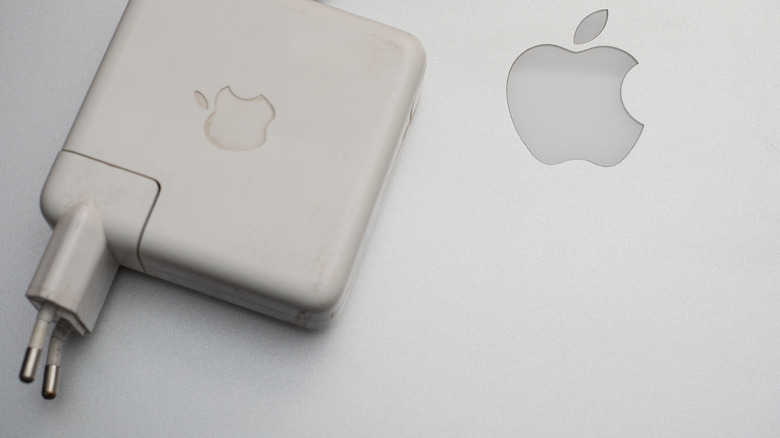
Those folding metal prongs on the back of the charging brick have one simple job: locking securely into a wall outlet. Unfortunately, doing things like violently yanking the brick out of the wall from across the room or accidentally dropping it on a hard floor can easily bend these connectors. If a prong looks crooked, jamming it into an outlet again can bend it more or cause an uneven connection. You can try to straighten them with tweezers or pliers while unplugged, but there's no guarantee that will make things good as new again.
A perfectly healthy MacBook adapter plug (and, really, any type of plug) should slide into an outlet socket smoothly and sit totally flush against the faceplate. In contrast, any noticeable resistance, wobbling, or need to wiggle the brick just to get a charge indicates some structural damage. Bent or wobbly prongs likely won't sit flush; they might be harder to push into the outlet, and they might not have proper, constant contact inside the outlet. This issue often results in dangerous electrical arcing or your charger overheating, which can damage it or even the MacBook itself. If your charger has mangled prongs, this is a good time to ditch it for a new one so you don't have to worry about the risk of sparks flying out of the wall.
Inconsistent charging and power drops
Sometimes the most dangerous chargers look perfectly fine on the outside but are flat-out falling apart on the inside. An adapter that randomly stops and starts charging indicates that something is wrong under the hood. So if your MacBook is plugged in but the battery charging icon keeps switching between on and off, the power flow is likely disrupted. There could even be internal issues, like damaged wires or a failing voltage regulator.
This erratic charging isn't just an annoying quirk that makes it hard to fill up your laptop's battery. When electricity flows erratically like this into your MacBook, the sudden spikes and drops in voltage are bad for its internal power management systems. Give it enough time, and these wild surges can even fry a motherboard.
Hardware that's unable to maintain a steady, reliable flow of electricity has completely lost its primary safety features. While random power drops might seem like a harmless glitch at first, they actually point to a dying power supply that could surge uncontrollably when you least expect it. Grabbing a reliable new adapter is the best way to protect your MacBook's expensive internals from destructive voltage spikes.
Severe damage to the laptop connector
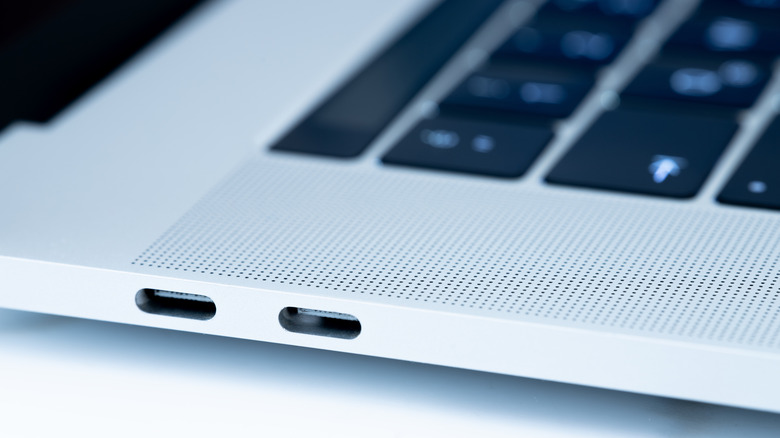
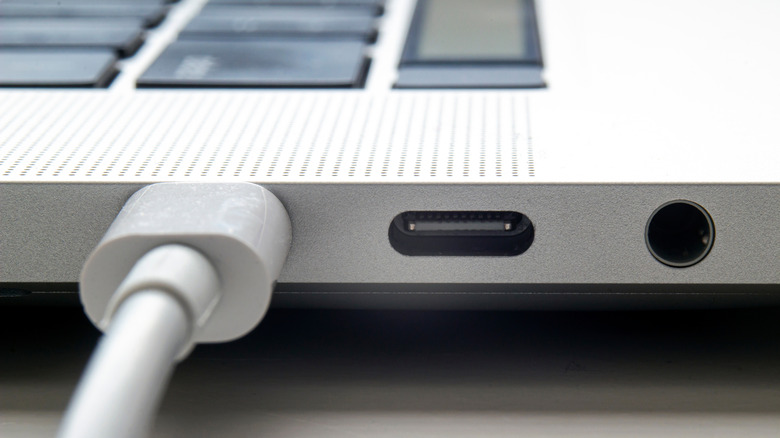
The tiny tip of the cable that actually plugs into the MacBook gets pretty heavily used each day, and it deserves plenty of scrutiny. If you're wondering if you should charge your MacBook with MagSafe or USB-C, it doesn't matter much here. The real issue is that this constant action can wear down the metal contacts, warp the housing, and attract tiny debris that can quite literally ruin the connection. The shell around the plug is just plastic and can easily crack under a heavy accidental bump or knock, leaving the fragile connector pins totally exposed.
A busted connector rarely fits smoothly into the charging port, often forcing users to prop the cable up at a weird angle just to get a charge. That's a good way to notice if there are any issues with yours. Jamming a bent or misshapen plug into your MacBook is a terrific way to damage it, as this can easily warp the charging port, and that can lead to its own set of costly repairs. Worse yet, a loose connection right at the laptop chassis is likely to generate massive electrical resistance, creating dangerous heat buildup (and that can potentially damage nearby internal components).
Take a moment to inspect the laptop connector on your charger, and if it shows any signs of melting, burning, crushing, or any other issue, stop using it immediately. Blackened or scorched pins are undeniable evidence that electrical arcing is regularly happening, and that can even melt the surrounding plastic. Snagging a replacement cable promotes a tight, secure fit that safely delivers power without threatening to melt the side of the laptop.
Excessive heat generation while you're using it

Power adapters naturally get a little warm when they're juicing up your laptop. Even feeling a slight temperature bump during an intense video editing session is totally normal and expected. However, there is a huge difference between a slightly toasty power brick and one that feels like it just came out of the oven. While there are many neat things you probably didn't know your MacBook could do, connecting it to an overheating charger shouldn't be one of them.
This excessive heat suggests that internal components are failing: They're either creating tons of electrical resistance or losing the ability to dissipate that thermal energy. This can also happen if a charger doesn't have plenty of ventilation, if it's sitting right in the sun, or if you're using a charger that isn't meant to charge a MacBook. Most importantly, an overly hot power brick can potentially burn you, and it's an active and severe fire hazard.
Make sure you never ignore a piece of hardware that's starting to double as a small space heater. If your power brick is getting super hot, unplugging it immediately and then letting it cool down on a hard surface is the only smart move here. Buying a brand new charger is way cheaper than dealing with the catastrophic and expensive aftermath of a house fire.