

4 Powerful Tablets That Can Replace Your Work Laptop

Your work laptop might be running a little slow, or maybe you're just fed up with the lack of a touchscreen for some of your more creative workflows. Tablets have effectively become these weird hybrid devices over time. When the original iPad launched, it didn't support a multitude of features, like multitasking or HDMI out — it was essentially just a big iPhone. Meanwhile, Android tablets didn't get split-screen capabilities until 2016. Over the course of time, PC-tablet hybrids started cropping up, bringing touch functionality to operating systems like Windows 11.
Our criteria here are simple. The tablet needs to, at a baseline, support multitasking and a wide variety of applications, as well as accessories. Thankfully, modern options have solved a majority of the pain points of early tablets. With the standardization of USB-C, a lot of these tablets will go great with our recommended hubs and docks.
Of course, as with any recommendation piece these days, pricing on all tablets is impacted by the ongoing issues with RAM, storage, and processor shortages. Keep that in mind, as even the often infallible Apple has raised prices on its hardware offerings across the board in recent weeks.
iPad Pro
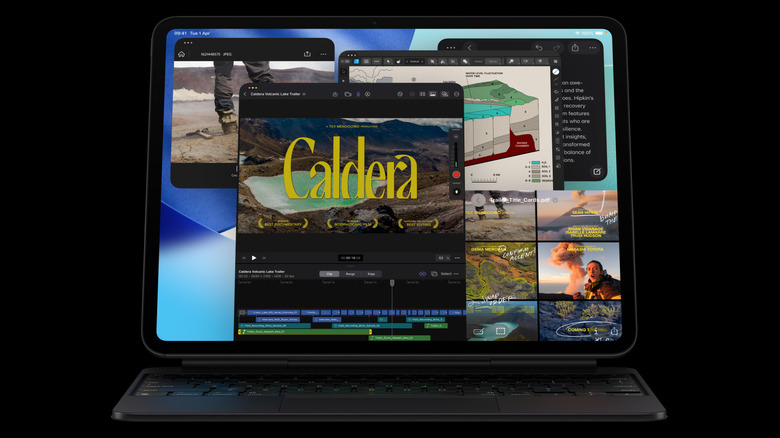
For those looking for a cleaner, simpler work device, there is no better choice than an iPad Pro. Coming in 11-inch and 13-inch sizes, with up to 2 TB of storage and the same M5 chip found in MacBooks and iMacs (with the M6 due in 2027), the iPad Pro has become a workhorse. Still not quite encroaching entirely on the MacBook's yard, the iPad Pro has its own — mostly shared with iPhones — App Store, making it a cinch to switch between devices if you're on iOS already. A vast majority of productivity apps are available on iPadOS, including Slack and Notion.
It'll also require one of the many, many keyboard cases available, including Apple's own, to become a proper work machine. Nobody is going to enjoy tapping away on the software keyboard for an entire day. However, the Apple Pencil Pro is a fantastic addition to have — when combined with some of the better note-taking apps out there, it is exceptional for jotting things down during a meeting or while planning.
Apple has also eased up on what can and can't be connected to an iPad these days, so external storage, hubs, mice, and external monitors can all be connected to the iPad Pro. That's great news for those into content creation. On top of that, the iPad's available creativity suites, from Blackmagic Design's DaVinci Resolve to ByteDance's CapCut, Adobe's Premiere, and Luma Touch's LumaFusion, all work great with the brute force of that M5 chip behind them. iPadOS also has multitasking, and the iPad Pro can operate as an external monitor for those with macOS devices.
Asus ProArt PZ14
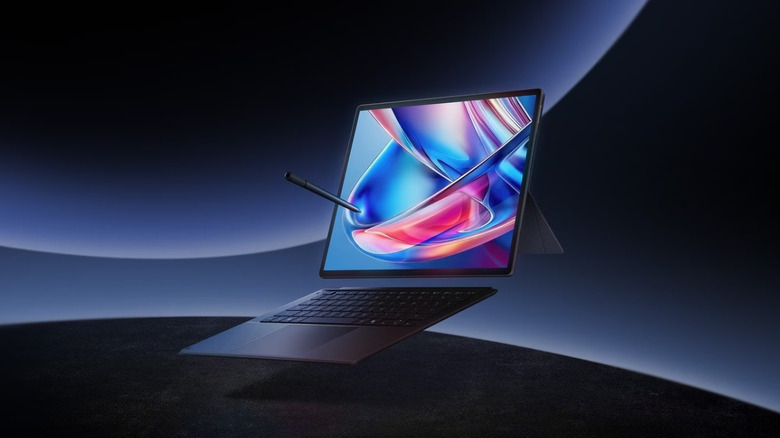
Recently released and getting some warm reviews, including a 90% score from NotebookCheck, the Asus ProArt PZ14 is an ARM-based Windows tablet that packs a Snapdragon X2 Elite. In other reviews, like from TechTablets, the performance was praised in creative tasks, and there seems to be a lot less friction with running mainstream programs on Windows on ARM now. The architecture has been a bit of a hurdle for Microsoft to overcome, but it appears that the Asus ProArt PZ14 is great at showing off the progress made.
Backing that chip is up to 32 GB of RAM and up to 1 TB of storage. It can be cracked open and have an additional storage drive added to it — once prices sink back down. The two USB-4 ports mean you'll always have one port free for accessories if charging, so you'll never be caught out. According to Gadgets360, it is also pretty nifty at charging, going from 20% to 100% in around 40 minutes.
It is a rather large device, coming in at 14 inches, but that has its benefits. Asus has taken advantage of Windows 11's improved desktop environment management and advertises the tablet with a "portrait mode." For writing or coding tasks, this turns the entire device vertical as you type on the detachable keyboard, giving you a full view of the text. Unlike Apple's offering, this comes with the accessories you want, like the Asus Pen and the keyboard case, so in that context, the high price of around $2,000 doesn't seem as bad.
Surface Pro for Business 12th Edition
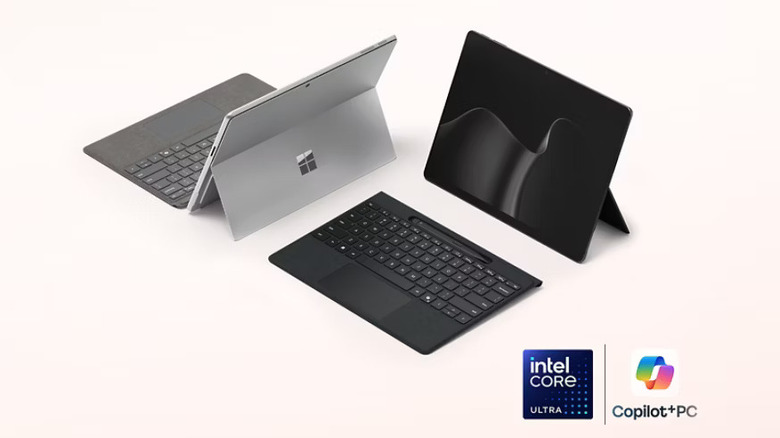
The latest version of Microsoft's tablet hybrid, the Surface Pro for Business 12th Edition (the really boring, long name tells you it's a work product, you see), comes with a new Intel Series 3 processor, with a choice between Ultra 5 and 7 chips. Your decision on the processor isn't only about core performance specs, as the Intel Series 3 Ultra 5 variant comes with an LCD panel, while the Ultra 7 model ships with an OLED. Notably, the Business Edition will allow you to use 5G, so you'll be connected when on the go — depending on service, of course.
Panther Lake, the codename for Series 3 chips, was hotly anticipated and has been well-reviewed in devices that they've appeared in so far. There's enough juice to rip through most tasks, and it also keeps you in the x86 world for maximum compatibility with all your programs. Those needing more of a kick will want to stick with the Intel Series 3 Ultra 7 variant, as it can be configured with 64 GB and 1 TB of storage, compared to the maximum 32 GB and 512 GB on the Ultra 5 model — though this would be perfect for those with lighter loads.
Like Apple, Microsoft wants to sell you the accessories separately. During checkout, it'll offer the keyboard case and Slim Pen, both of which have been praised in the past. There are probably cheaper options in terms of docks, too, compared to the official Microsoft offerings here.
OnePlus Pad 4
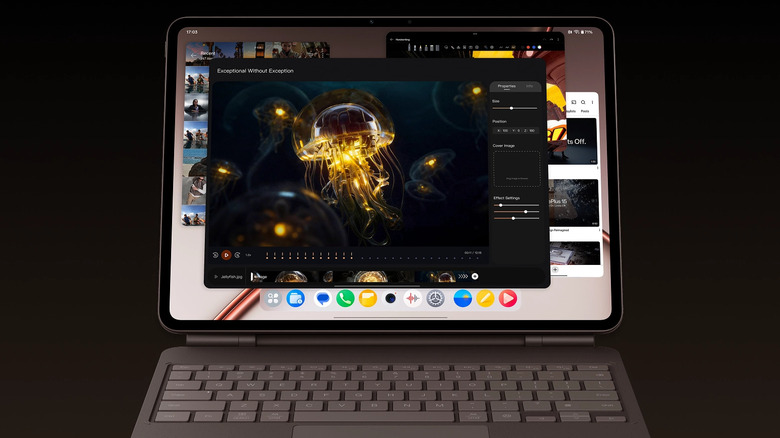
The OnePlus Pad 4 has been getting some rave reviews, with one of the major complaints being the lack of an OLED display — but this is for work, right? That said, the IPS panel that comes embedded isn't too shabby, and should be more than enough for the various work tasks at hand. Photo editing for color accuracy might be a little bit of a no-go, but for cobbling images for the web, it'll be just dandy. Swinging out of the creative space, OnePlus Pad 4 comes with a killer multitasking feature, Open Canvas, which replicates the more traditional multitasking expectations that come from a PC, perfect for working setups.
It's all powered by the Snapdragon 8 Elite Gen 5, which Android Central said is ludicrously powerful in practice, with anything thrown at it barely being hit in the performance range. The display is a huge 13.2 inches, enough for multiple productivity apps to be used in conjunction with each other. The dedicated OnePlus Pad 4 Smart Keyboard is sold separately. If you're in the U.S., you might need to seek other channels, like eBay or Swiftronics, to get your hands on one of these.