

Firefox For iOS Has An Essential Feature That Safari Needs To Add
Firefox has introduced a new Ad Blocker feature on its iOS version that allows you to block advertisements while browsing on your iPhone or iPad to reduce distractions. It was originally released as an experiment to select users in August 2026, but is now rolling out globally. The feature leverages Apple's WebKit Content Blocker technology, which was introduced over a decade ago in 2015. This content blocker tech essentially enables browsers and extensions to securely block some aspects of a webpage. Although the technology comes from Apple and has been available since iOS 9, Safari doesn't come with its own ad blocker, unlike Firefox and other lesser-known browsers like Brave.
The Firefox ad blocker is disabled by default; however, you can turn it on by navigating to Settings > Browsing > Ad Blocker. It's available on all iPhones running iOS 15 or iPads running iPadOS 15. Keep in mind that the feature is being rolled out gradually, so you might not see it immediately. Interestingly, Firefox isn't bringing the same ad-blocking feature to Android or even the desktop version, at least right now. It says that both Android and the desktop app support an excellent ecosystem of extensions, which gives people access to plenty of ad blockers. As a Firefox user on desktop or Android, you can install any of these third-party extensions to block ads.
What will Firefox's new ad blocker block?
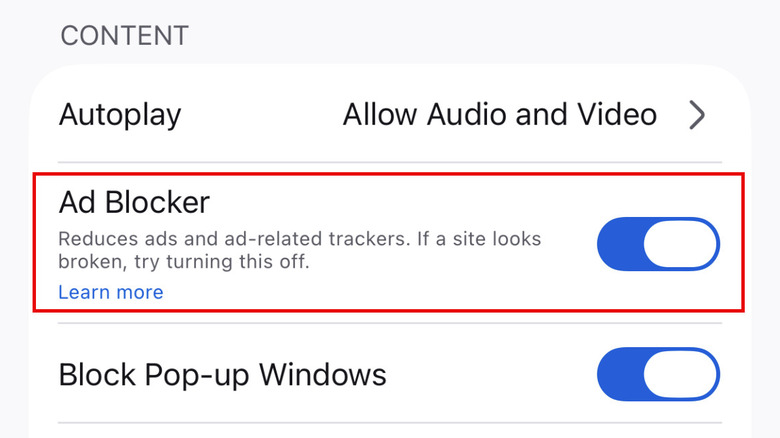
According to Firefox, it's relying on a filter based on EasyList, which is a popular filter list used by ad blocker extensions and browsers to determine which ads to block. This means you might still encounter some advertising, and you don't get the same flexibility as some of the proper third-party ad-blocking extensions that allow you to add or enable filter lists based on your needs.
Still, Firefox says you will not see advertisements delivered by third-party ad networks and exchanges, intrusive ad formats like overlays and pop-ups, and several third-party ads on websites. It will also restrict ad-related trackers to safeguard your privacy. However, it won't block ads on search engine result pages or sponsored content on Firefox's own home or new tab page.
Besides the ad blocker, Firefox for iOS already includes several helpful features, including a pop-up blocker and enhanced tracking protection. It also comes with an AI setting that lets you block any and all AI enhancements that Firefox has right now or adds in the future.
What can you do to block ads on Safari?
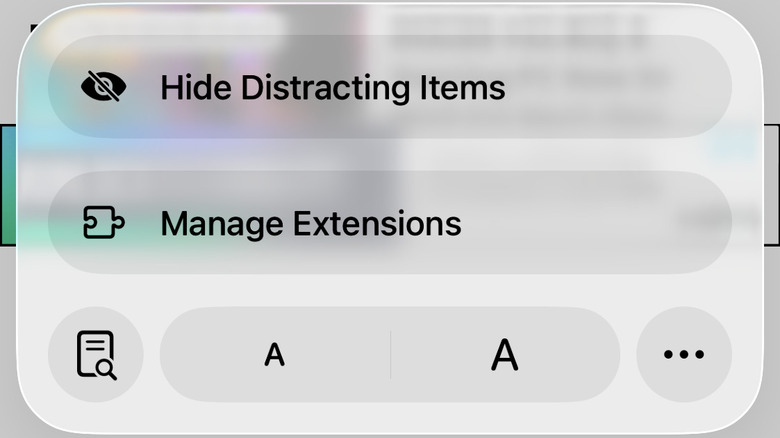
Although Safari, like Firefox, comes with a built-in pop-up blocker, it doesn't include any default ad-blocking mechanism. However, Safari for iOS includes a feature called Hide Distracting Items that can temporarily hide some elements of a webpage. You can use this to remove any particularly irritating advertisements from a webpage. To use this on a webpage, tap on the page menu in the address bar, and you will see the option. Once you select "Hide Distracting Items," you can tap on any element on the page, including advertisements, and make them disappear temporarily. However, the feature doesn't work well with webpage elements that change frequently. Hence, this is not a replacement for a proper ad blocker but can certainly be helpful in a pinch.
A more permanent solution for blocking adverts is Safari extensions. As the browser supports extensions, you can install an ad-blocking extension to get rid of the ads. It's an extra step, but it does solve your advertisement problem. Some of the ad-blocking extensions include AdGuard, 1Blocker, and AdBlock Plus.