

5 Of The Best Safari Extensions, According To Apple Users
As Apple's default web browser, Safari can be one of the quickest ways for those on Mac, iPad, or iPhone to access the internet. With built-in privacy features such as Intelligent Tracking Prevention and Private Browsing, it can be a solid choice for Apple fans, even if there are some disadvantages to switching to the browser. With options to expand the capabilities of Safari thanks to third-party extensions, we wanted to take a look at some of the best we've found from around the web.
Going by what Apple users have to say across the App Store, social media, and online forums, we've found a variety of Safari browser extensions that can work across several devices within the Apple ecosystem, and all of them are available in the Apple App Store. Primarily, many of these apps focus on eliminating much of the excess that comes with modern web browsing, including disabling certain design decisions, removing ads, or making a certain streaming website easier to use. These extensions can also help with readability or opening specific apps more quickly.
Bear in mind that many of these extensions cost money, and we also let you know when extensions have in-app purchases. We've also recommended some free browser extensions users should always install if you're interested in pushing the abilities of Safari even further. Remember that you can manage your Safari extensions on iPhone and iPad by opening settings and navigating to Apps > Safari > Extensions. On Mac, open Safari, then choose Safari > Settings > Extensions from the menu bar.
StopTheMadness Pro
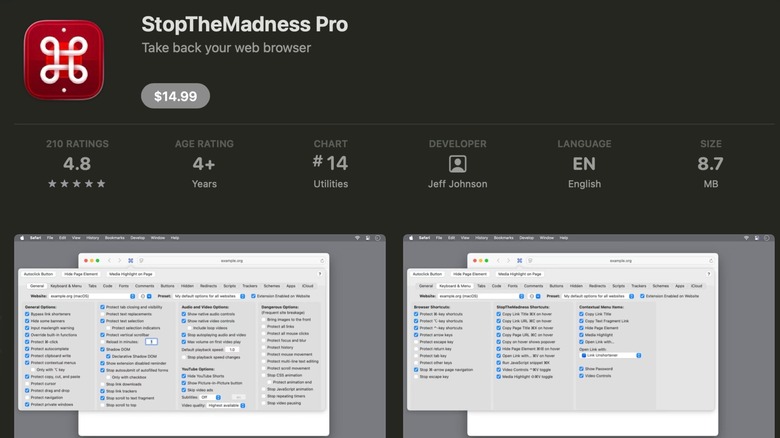
With a 4.7-star rating and 197 reviews in the Apple App Store, for $14.99, StopTheMadness Pro has a single goal in mind: make Safari easier to use. Created by indie developer Jeff Johnson, StopTheMadness Pro works on Safari across a variety of Apple devices, including iPad, iPhone, and Mac. It also has support for Firefox. The app essentially modifies certain features websites may include, but its full list of capabilities can actually be quite lengthy.
One noteworthy feature of StopTheMadness Pro is its ability to enable certain items that websites have disabled. This means if a website usually prevents you from copying and pasting or relying on AutoFill, StopTheMadness Pro restores these abilities. The extension is also capable of bypassing URL shorteners. It also focuses on some smaller functionality tweaks, including the ability to stop web animations, disabling autoplaying audio and video, and even preventing websites from overwriting the system's clipboard.
Looking at reviews within the Apple App Store, users find the app to have a number of notable quality-of-life improvements and enhancements. Though at least one user wished for a trial option, several gave the developer praise for his quick response times and providing consistent updates for the app. However, at least one user did mention that the Element Blocking features could use more work. Since this extension supports iPhones, you may also want to look at these other Safari extensions iPhone users need to try.
Dark Reader for Safari
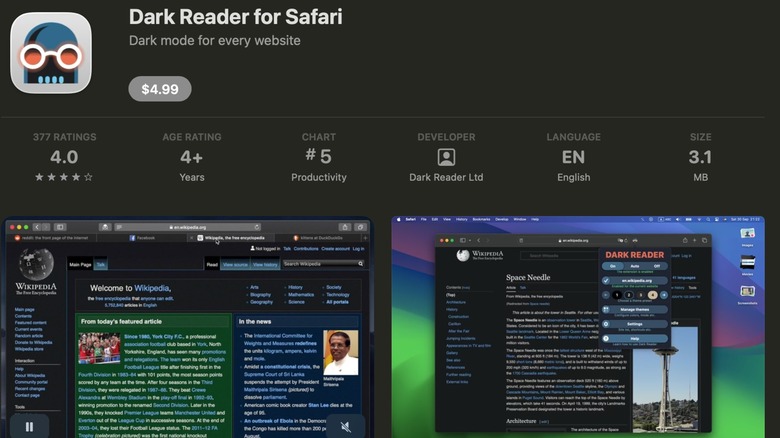
It seems almost every app needs a dark mode these days, and the $4.99 Dark Reader for Safari takes this idea and applies it to every website viewed in Safari. It was developed by the same people that created the original Dark Reader extensions, and the team has been bringing dark mode features to the web since 2014. Users on the Apple App Store appreciate Dark Reader for its reliability.
If you're not familiar, dark mode is essentially a software feature that eliminates light backgrounds and replaces them with darker colors. It's meant to help reduce eye strain by minimizing contrast between the surrounding environment and your display, which may help improve battery life. This may explain why Dark Reader holds a 4.3-star rating with 280 reviews on the Apple App Store, as the app automatically gives any website loaded into Safari a dark mode theme. Users can also give websites a sepia tone, or there are options for theme presets or even user customization.
Another cool feature in Dark Reader is that it can automatically detect when a website is already using dark mode, and it includes options for automatic sync with your system. The app doesn't include ads, and there's support for Mac, iPhone, iPad, and even the iPod Touch. While users do appreciate the quality-of-life features this app provides, at least one does note that it can be pricey. Nonetheless, the cross-device compatibility can make this one appealing.
Wipr 2
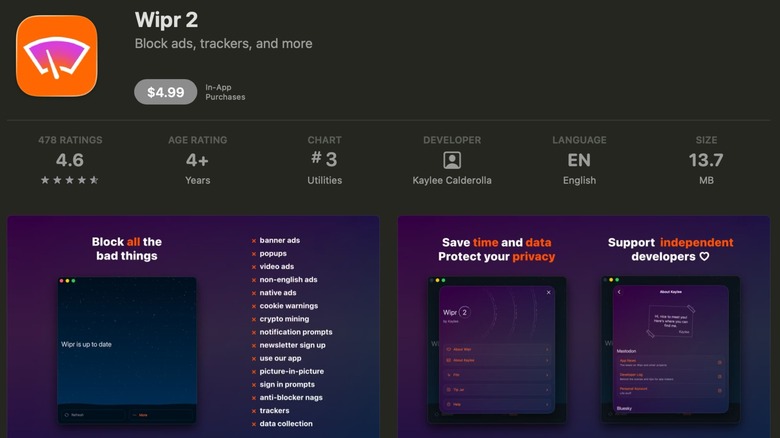
Holding the fourth position on the Apple App Store's list of Best Utilities Apps, the $4.99 Wipr 2 by independent developer Karlee Calderolla works across a variety of Apple devices, including the iPhone and iPad. It aims to block all things that "make the web slow and ugly." Along with blocking popups and ads, Wipr 2 also eliminates smaller prompts and notifications while also providing some additional security features meant to fight data collecting.
With a 4.7-star rating and over 1,200 ratings in the Apple App Store, Wipr 2 includes support for VoiceOver and Voice Control options, and there are also different colored icons for those that like to keep things coordinated. The app's blocklist is updated twice a week, and Wipr 2 supports a multitude of languages. Additionally, the developer claims that users will notice "significant improvements" to their data usage and battery life, but we also recommend other ways you can get the most battery life out of your MacBook Pro.
Be aware that this extension has in-app purchases, which include access to the Filtr add-on that applies Wipr's features to all the apps on a device — acting at the network level and promising to avoid a user's data. Customers on the App Store appreciate this one for its easy setup and its ability to block ads. However, at least one user reported having an issue with restoring their purchases. This can be a good choice for those that like to support the work of independent developers.
Vinegar - Tube Cleaner
If Wipr 2 is meant to be a cleaner for Safari's browsing experience, then the $1.99 Vinegar – Tube Cleaner by developer And a Dinosaur is the equivalent for YouTube. One cool thing about this extension is that users can bundle it alongside the developer's other extension, Baking Soda, which works for web video players outside of YouTube. This one may also be ideal for users who grow tired of YouTube Premium consistently raising its prices. Vinegar ranking No. 32 on the App Store's list of Best Utilities Apps also attests to the app's overall usefulness.
Compatible with iPhone, iPad, and Mac, Vinegar provides a couple of small features to the YouTube player, including removing ads and providing picture-in-picture. Something that's also interesting about this extension is that it can also allow YouTube videos to play in the background, so long as users remember to set the video to audio-only quality. If you're curious, it accomplishes all of this by replacing the typical YouTube player with an HTML video tag.
Holding a 4.3-star rating with 756 ratings in the App Store, users appreciate Vinegar for its good picture-in-picture support, ad-blocking capabilities and consistent updates. Users also appreciate this extension for its cross-compatibility options, though at least one user reports having issues with subtitles always turning on. Another also reports experiencing playback issues. For those that frequently rely on YouTube as a streaming option, Vinegar may be worth keeping your eyes on.
Hush Nag Blocker
Along with holding a 4.4-star rating with over 1,100 reviews, Hush Nag Blocker by Oblador AB makes our list for being a free Safari extension that aims to eliminate cookies and privacy tracking pop-ups. Something appealing about this extension is that it doesn't access or collect user data, and being an open source project with a permissive MIT license is also a bonus. Hush also includes support for a variety of Apple devices, including Mac, iPad, and iPhone.
Promising ease of use, Hush claims users only need to download the extensions from the App Store and then enable it in Safari. The cool thing about Hush is that the way it avoids viewing a user's browsing habits is by having Safari do the tracking and cookie blocking to avoid pop-ups — Hush is merely providing the instructions. Since the extension is essentially a set of rules provided to Safari, Hush has a file size of only 3.6MB.
Considering all the privacy features Apple devices have, this one may be good for those that adhere to the company's philosophy. In the Apple App Store, one user gave the app points for freeing up space on their device, whereas others give it points for its blocking capabilities. However, at least one user also reports that certain websites may still slip through the cracks.
How we picked these Safari extensions
We looked at a variety of factors when curating this list of Safari extensions, including what users around the web and within the Apple App Store have to say about each app. Considering most of these extensions cost money or offer in-app purchases, we only recommended apps that hold a 4-star rating or better based on hundreds, if not thousands, of ratings or reviews. Additionally, we also give bonus points to extensions that have wide cross-compatibility, and we did our best to ensure that each available item has something unique to offer users while still providing at least periodic updates.