

Bluetooth Mouse Vs. Wireless Mouse: What's The Difference And Which Is Better?
In the early days of computers, if you wanted to navigate the screen and open documents, you were left with using a wired mouse. Today, you aren't tied down with a long cable anymore as there are other options available. The computer mouse may remain the same, but over the years it has been updated to become more modern in how it connects to your PC, laptop, or even tablet.
Throughout the evolution of the mouse there have been updates that remove the wire using either a Bluetooth or USB connection. Both work similarly by allowing you to move the cursor on your display, but they are different when it comes to functionality and connectivity. A Bluetooth mouse is capable of being paired with devices that have Bluetooth, whereas a wireless mouse uses a USB dongle to connect. If you are looking for a mouse with a more stable connection to get work or school done, or play video games, then a wireless USB mouse may be the better option overall for you and your needs.
As for the cost of a Bluetooth or wireless USB dongle mouse, they can run around the same price, though that will depend on brand and its purpose. For instance, the Lenovo WL310 Bluetooth mouse is around $13.99, while the USB dongle Amazon Basics 2.4 GHz Wireless mouse is $13.52. However, keep in mind, prices may vary. There are even things you didn't know your mouse could do like remap buttons.
The pros and cons of a Bluetooth mouse

A Bluetooth mouse is one that uses Bluetooth technology and connectivity to pair with other devices. Instead of relying on a wire or USB dongle to connect to a computer, once the mouse is turned on it should appear under the Bluetooth section of your laptop, tablet, or phone allowing you to pair it with the device.
As Bluetooth connects wirelessly to other devices, the mouse needs to be relatively close to the item in order to work. It's a more versatile way to connect a mouse as Bluetooth is able to pair with a wide variety of devices, as long as they support Bluetooth. This makes it a more viable option for traveling as you can pair it with a phone while you're on a plane to get some work done then pair it with a laptop once you arrive at your destination.
A few downsides of Bluetooth mice is that they may not have as long a lasting battery. They may also have stability issues when connecting if you are in a crowded area or have older Bluetooth devices. They may also be more difficult to pair as they don't connect directly to a device via wire. If you want to save a few bucks, you might be able to get a Bluetooth mouse for slightly cheaper, as well. Unless you get the Apple Magic Mouse which is $79.
The pros and cons of a wireless mouse
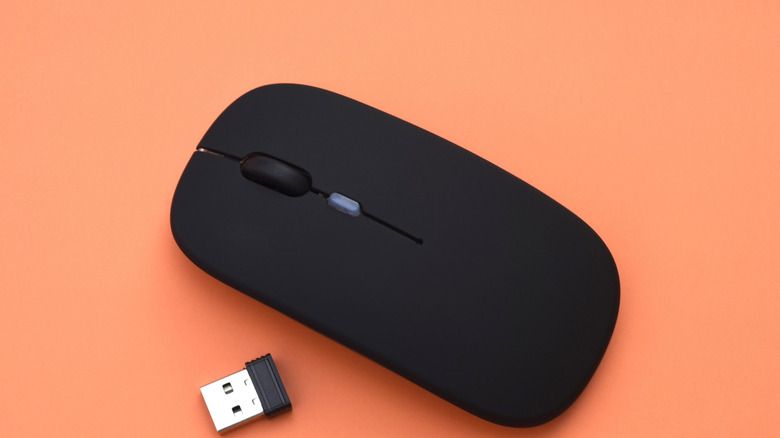
A wireless mouse uses a USB dongle to connect with a laptop, computer, or other compatible device. It will typically use radio frequency (RF) waves that communicate between the dongle and the mouse in order for you to control the cursor on the screen. They offer a generally stronger connection and can be used further apart from one another.
They do also use batteries, typically something like a single AAA battery, to operate. This means you will have to change out the battery if it gets low or dies. However, it may last longer than a Bluetooth charge. If you do a lot of gaming or editing, a USB mouse may be the better option as they tend to be faster with their direct connection with the device.
You may experience some latency or lag from a wireless mouse, depending on potential interference. They are also less versatile and can only connect to devices with a USB slot. A USB dongle wireless mouse may also be slightly more expensive if you find one with more buttons for MMO gaming such as the MSI Versa PRO W Gaming Mouse which goes for around $109.99. If you game on a wireless mouse, it may be worth switching to a wired one. Finding the right mouse depends on your needs. If you're working, either may be good, but for more stability and a stronger connection, a USB wireless mouse may be best.