

What Is A Business Tablet And Do You Need One?

A business tablet, sometimes called an enterprise tablet, is a premium tablet model designed for professional use. These tablets focus on security, performance, and durability, and are powerful enough to serve as a respectable substitute for a laptop while on the go. They offer long battery life, good portability, and often come with versatile setups, including styluses and keyboards. If specialized, they may have hardware or software installed to handle distinct tasks like data capture, healthcare recording, GPS routing, and more. These tablets are generally bigger or heavier than regular ones, offering enough screen real estate to handle complex activities you'd do on a laptop or peripheral device without sacrificing portability and interrupting your workflow.
While business tablets seem handy on paper, they aren't truly needed, especially if you are using one to replace a computer. Unless you strongly prefer a specific operating system (say Android or Apple), you can get away with most lightweight workstation laptops. These budget, office-ready computers beat Chromebooks and can handle most of what you throw at them without breaking the bank. If size is a major concern, foldables like the Samsung Galaxy Z Fold 8 also work well for seamless productivity via its stylus support, while still being great for everyday communication. Essentially, it boils down to this: use enterprise tablets only if your job demands it or you work in a harsh environment, like a construction site, that requires a device that can withstand it; otherwise, choose a less expensive capable alternative that also works well for general everyday use.
Premium tablets that also work well for professional use
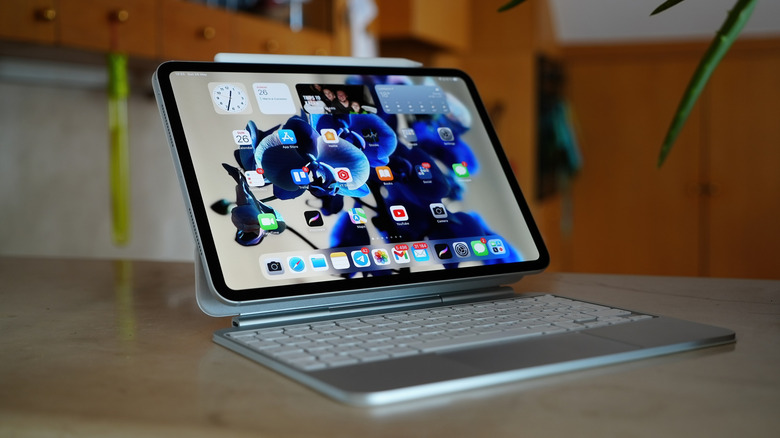
Unless your workplace requires a specialized toughbook, like a Panasonic Toughbook FZ-G2 or a Zebra ET60W/ET65W, you can purchase a premium tablet that also functions well for professional use. Generally, premium tablets from manufacturers like Samsung, Apple, and Microsoft perform similarly and reliably, as they handle heavy multitasking and offer software that supports productivity tools. For example, with Samsung's S tablet lineup, users get a strong Samsung DeX experience. Samsung DeX is a mode you can enable when connected to a monitor or TV, while using the tablet; the UI replicates the look and feel of a PC.
Microsoft's Surface Pro series is another popular choice because it's essentially a 2-in-1 laptop, built for portability but with full laptop functionality. Because of this configuration, it also supports different input methods through its touchscreen, precision trackpad, and keyboard, offering great flexibility for typing, drawing, and using software.
Apple is another safe choice that usually offers robust security like no other operating system; iPads work well thanks to the efficient M chips, but if you want to go big, you'll appreciate an Apple iPad Pro. These are great to take on the go because of their size, and versatile form factor. You can also buy one with 5G capabilities if you'd rather use your own secure network without relying on your phone. It just requires opting into a plan that supports it — which means you don't have to worry about using an open, unsecure network at your local coffee shop while you're working.