

How Many Google Nest Wi-Fi Points Is Too Many?
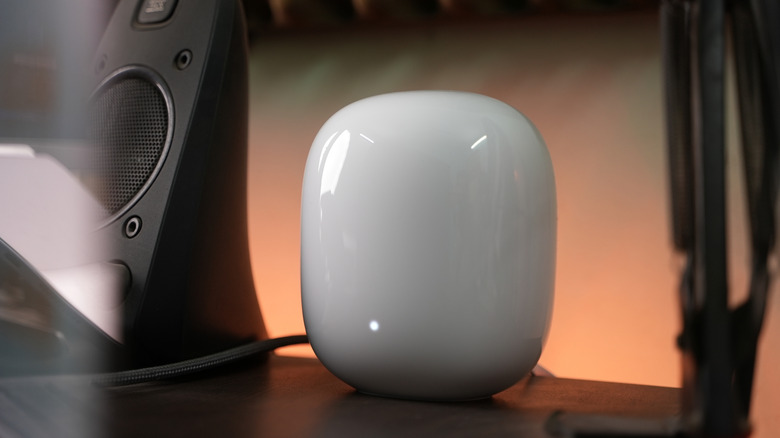
Google's Nest Wi-Fi mesh networking devices are a great way to deal with Wi-Fi dead zones and other coverage issues in your home. You place them around your home to extend your Wi-Fi coverage by leveraging multiple mesh nodes without creating different networks. This allows your devices to get a good Wi-Fi signal while remaining connected to the same network. Although having more mesh nodes is helpful in some situations, going overboard with nodes can actually backfire. Google actually recommends a maximum of five Nest Wi-Fi mesh devices in a single network, which includes your primary node and up to four satellites. It says adding more nodes can impact your overall Wi-Fi performance negatively.
There are multiple reasons why too many mesh nodes can be harmful for your Wi-Fi network. For example, having multiple nodes in a smaller space can cause wireless congestion. This is because mesh nodes use the same radio waves for communicating with each other as well as the primary node. If there are too many nodes, you will end up crowding the available radio frequencies and reducing network performance.
Another major reason is the increased latency. As your data hops across multiple mesh nodes to reach the main node and then to the larger internet, the time consumed in this process can increase the delay or latency. Moreover, if you have too many mesh nodes in smaller areas, the Wi-Fi networks transmitted by each node overlap with each other, and your devices are often forced to jump from one node to another; this can result in an unstable connection or network dropouts.
How to decide how many mesh nodes you need

When you're deciding the number of Nest Wi-Fi nodes you'll need to cover your home effectively, you need to consider things like the size of your house, the material used in its construction, and how much Wi-Fi congestion you're dealing with. Google says one Nest Wi-Fi Pro node can cover up to 2,200 square feet, and so on. If you have older Nest Wi-Fi or Google Wi-Fi mesh networking systems, you can consider using one node per one to two rooms and two nodes for two to three rooms and so on. Essentially, treat one node as capable of handling coverage in one to two rooms.
That said, there are some other considerations. Google says nodes work best when they are in a clear line of sight with each other, as barriers like walls and furniture can impact the Wi-Fi performance. If you're unable to do so with your current number of nodes and are facing coverage or speed issues, you might want to add an extra node. Similarly, if your home has multiple stories, it's best to add nodes on each floor. This means even if your home has a 2,200-square-foot area but two floors, it's a good idea to place a node on each floor.
If you're dealing with a lot of Wi-Fi congestion because you live in an apartment building, you can consider placing nodes closer. However, you can always start a bit conservatively and then add extra nodes as needed, rather than splurging on many in one go. Finally, if you can, invest in a wired backhaul to reduce latency and any potential speed drop that is caused by the signal going through multiple nodes before reaching the primary router.