

Ditch The Charging Port On Your Computer Mouse And Use This Instead

We may receive a commission on purchases made from links.
Back in the day, your computer mouse and keyboard plugged directly into their own dedicated PS/2 ports on the back of the tower. This began to change in the early 2000s, when plug-and-play functionality made it easier to detect and control different devices automatically through a simple USB port. Over time, the cables were replaced with wireless transmitters, and eventually, battery-powered mice became the norm. Modern mice usually have an internal battery that typically needs recharging every few weeks using a USB-C or Micro USB cable.
Huge technological progress has been made in the last 20 years. It's now even possible to use a cordless mouse without ever having to charge it manually. That's because various companies now offer mousepads with built-in wireless charging coils. The only catch is that few computer mice support wireless charging yet, and the ones that do tend to be more expensive. They're also usually from big-name manufacturers like HP, Razer, and Logitech, though, so at least you're buying from a brand known for quality.
Let's address the elephant in the room: Not everyone needs their mouse fully charged all the time, and plugging in a cable occasionally is hardly the end of the world. Still, depending on where your mouse's charging port is, a dead battery at an inopportune time could force you to stop working or gaming. It's a minor annoyance, sure, but one worth paying to avoid.
Are there any downsides to using a wireless charging mousepad?
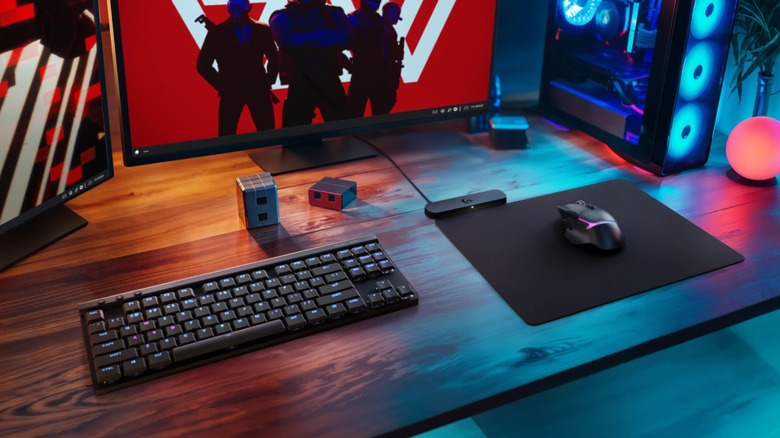
Part of the beauty of this setup is that it actually sidesteps two main disadvantages of wireless charging technology. First, your device requires direct contact with the charger, which makes it hard to use and charge it at the same time (which is why some prefer wireless charging stands over pads). Additionally, batteries take longer to reach capacity since wireless charging is less efficient than using a cable. However, since your mouse should spend most of its time atop the mousepad anyway, neither is really an issue.
There are a couple of downsides, though. Inductive charging requires two devices, one with a transmitting coil and one with a receiver (often contained within a "coin" that slots into the mouse). If these coils are misaligned, more energy dissipates as heat. That's a problem because heat can reduce battery life. Still, most Qi-compatible mousepads should have a fairly large transmitter coil, so just don't leave your mouse in the corner and you'll likely be fine.
Finally, very few ergonomic mice support wireless charging. Most available options target gamers, and you'll struggle to find a true vertical or trackball mouse with this functionality. So if you have hand or wrist pain, it may be better to hold off until this feature is more common.