

The 5 Best Filaments You Can Buy For 3D Printers
We may receive a commission on purchases made from links.
No matter who makes an FDM 3D printer or how much it costs, cheap filament isn't going to give users the results they expect. In my experience, investing in a cheaper 3D printer and buying the right filament is a better choice than buying an expensive printer and using questionable filament spools from the odd corners of eBay.
Many users, myself included, typically stick to one of two brands because they just work. There's nothing wrong with that of course, but there's so many filaments and brands worth trying that produce different or better results. This goes beyond where you get STL files, which can include open source 3D project models. This is about material. PLA is popular for 3D printings, but there's very cool uses for stronger filaments such as PETG and flexible ones like TPU too. For people willing to step out of their comfort zones, there are all sorts of projects including working grips for a workshop, or shock absorbing phone cases, that they can make with different filaments.
Buying from popular 3D printer brands is a good place to start. A spool of filament from industry names like Prusament PLA are a great way to guarantee better results than a $5 roll from a random dropshipper on TikTok. Trust me, I've been there. Below are five filament brands and types I would happily use (and tried) for any of my projects on my Prusa XL 5-head and Elegoo Centauri Carbon.
Voxel PLA+
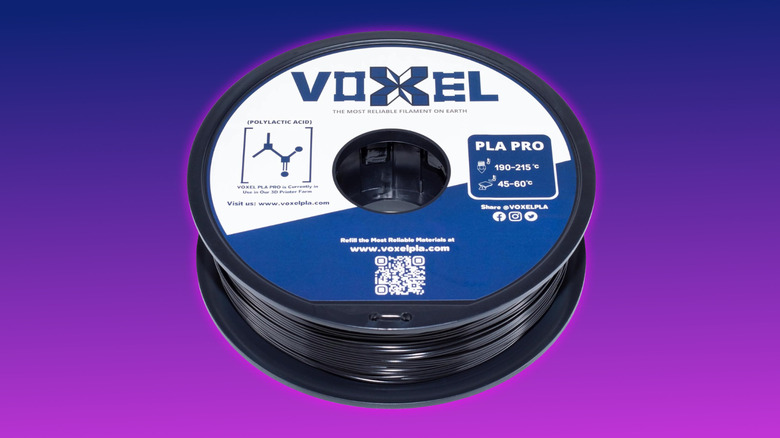
Starting with the basic PLA filament, Voxel PLA+ is a great choice that can be picked up for $16.99 for a 1-kilogram (2.2 pounds) spool, with 3 kilograms (6.6 pounds) costing $50.97. Buying in bulk is where Voxel's pricing really kicks in, with 6-to-10 1-kilogram spools costing $16.55 apiece, 11-30 at $16.15 each, and 31-50 for $15.98-per-spool.
PLA has a low melting point, low thermal expansion, good layer adhesion, minimal warping, and is perfect for anything ornamental and low stress applications. Voxel PLA+ has a print temperature of between 200 degreess Celsius and 220 degrees Celsius (392 degrees Fahrenheit to 428 degrees Fahrenheit). Its bed temperature is up to 60 degrees Celsius (140 degrees Fahrenheit), The spools come vacuum-packed in 21 basic colors. For bulk buyers, these colors can be a mix of whatever suits their needs.
All of Voxels filaments are engineered and made in Southern California, where the company also operates a farm of 250 3D printers. There's nothing like a company putting its money where its mouth is in my opinion, and each spool is a plastic one, meaning it'll work in any automatic AMS multicolor setups. Don't try using a cardboard spool, it didn't end well for me. Overall Voxel PLA+ prints really nicely and keep up with my favorite brand, Prusament, in terms of quality and adhesion. Assuming you stick to the slower print speeds and the right supports, there's very little post processing to do whenever I've used this filament.
Prusament
Prusament is the gold standard for me and is often seen as a premium option. Coming in at $26.99 per 1-kilogram for PLA, the consistency in this brand is excellent. The company even includes a QR code on every spool that logs how and when each of them was made.
The quality control is also excellent, with Prusa saying that every batch tested against the standard colorway before shipping. This is a godsend for massive prints, like when I printed out a white two-tone Stormtrooper helmet by using two cheap rolls of filament when starting out. Prusa says it holds a strict diameter tolerance limit of ±0.04 millimeters, and publishes information about that on its website.
One of my pet peeves with cheap spools is they sometimes include tangled filament that can halt a long overnight project. Prusa says its spools are wound on machines that use controlled tension to ensure consistency. It's nice to see a manufacturer putting so much care into things like this that are often overlooked. Best of all, Prusa spools are now also made in Delaware as well as the Czech Republic, so makers don't need to worry about import duties and long shipping times. Every kind of Prusa filament I've tried, including PLA, PETG, and glow-in-the-dark, have all run perfectly on both of my 3D printers. I'd sooner spend a little bit more and save on print failure headaches.
PolyLite PETG from Polymaker
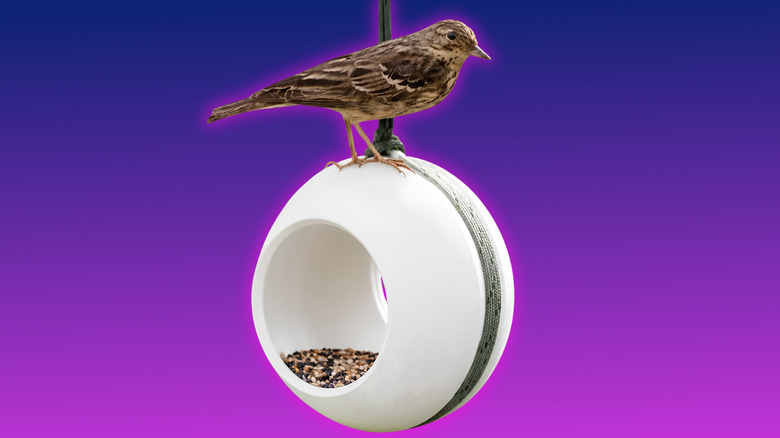
PETG is best described as "taking off the training wheels" when stepping up from PLA, in my experience. PETG is stronger and has better heat and sunlight resistance, with more flexibility than PLA. That combination makes it perfect for practical use for outdoor objects like bird feeders to tire air caps. But it's also harder to print due to higher temperatures needed, among other things.
I found Polymaker's PolyLite PETG to be a good budget option at $15.99 for a 1-kilogram spool. It has a heat resistance of up to 80 degrees Celsius (176 degrees Fahrenheit), so it's great material for printing out casings and shrouds for electronics like a Raspberry Pi build. It's tangle free and comes delivered vacuum packed to avoid moisture, which is great when storing bulk filament.
Higher temperatures create more wear and tear on the 3D printer, so before committing to printing in PETG, make sure to check over instruction booklets on what your 3D printer can handle. Budget 3D printers don't typically work with PETG filament unless specifically stated, because of temperature constraints. Also, even if your printer can handle PETG, it's good to swap out any standard brass nozzles with hardened steel to help too. Polymaker's take on PETG wasn't an issue for me, I just made sure to turn my printer head fans off in-slicer for the first layer so it adheres properly.
Inland TPU
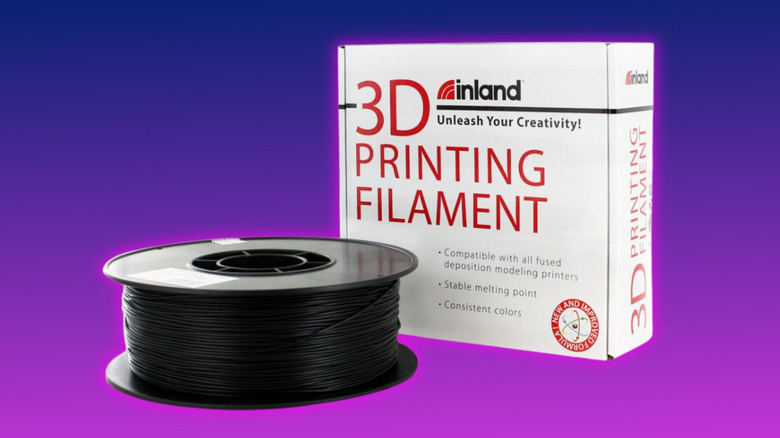
I love making things with TPU. Tt bends without breaking and has a rubber feel, making it great for practical projects like door handles, phone cases, and seals. Overall toughness is determined by the amount of infill given in-slicer, with around 50% being enough for a tough yet flexible build when I've used it, just use less for more flexibility.
The biggest point to make when working with TPU like the one Inland produces is that you should use a direct drive print head. This means the motor and gears that push filament into the extruder need to be positioned directly on top of the print head due to how flexible TPU is. If you're not using direct drive, it's not worth just trying and hoping for the best. In my experience, it fails otherwise.
Inland TPU is currently $21.99 at Micro Center for a 1-kilogram spool. It needs between 210 and 240 degrees Celsius print temperature to flow properly with a bed temperature between 60 degrees Celsius (140 degrees Fahrenheit) and 80 degrees Celsius (176 degrees Fahrenheit) for proper adhesion. For anything that needs to absorb impact, grip, or flex, TPU is the best filament for the job, with Inland being readily available for delivery from Micro Center.
Protopasta Recycled PLA
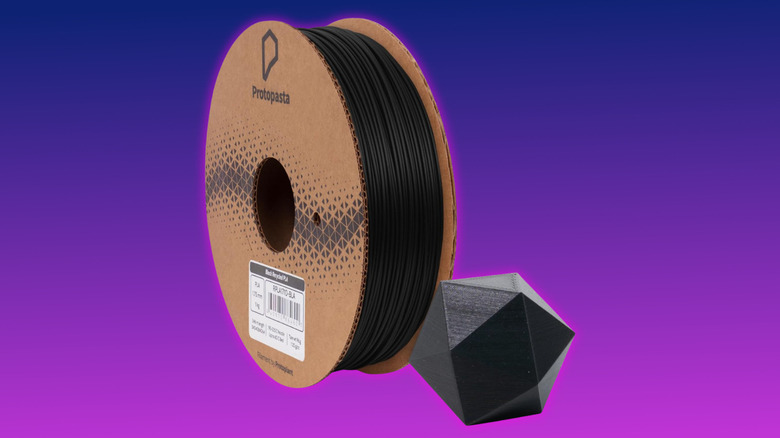
For makers looking for a cheeky bargain while getting the same quality as the premium alternative, Protopasta Recycled PLA is a great choice. The company collects its own waste stream from filament production to make the recycled PLA that's fully compounded for the same performance when printing. It may contain sparkles of different color dependent on the waste stream used for a particular batch, that works well when trying STL files from obscure 3D printing sites.
It's also cheaper. Protopasta charges $19.99 for its 1-kilogram spool, a $10 saving when compared to its standard black PLA spool at $29.99 on Amazon. That's great for makers like myself who print off in any color, then prime and paint whatever colors they need. Both the recycled and standard PLA spools are made in the U.S. and are standardized to a 1.75 millimeter diameter alongside making sure it has less embedded moisture to flow better than other standard PLA filaments. This helps avoid excess heat absorption, and forms better on build plates.
As previously mentioned, I love a tangle-free spool, and Protopasta's recycled filament is just that, albeit on a one-use cardboard spool. Make sure to avoid putting this in any automatic filament dispensers unless it's on a filament hook like on the side of the Elegoo Centauri Carbon 2 or Prusa XL.