

What Does The Leaf Symbol Mean On Your Google Nest Thermostat?
Comfort at home is getting harder to afford every day, with energy prices rising, along with temperatures around the globe. At the same, the enterprise craze over AI has driven investment in new data centers, putting even pressure on local power grids, water pipes, and overall supplies of materials like memory chips. These types of crisis have happened in the past, and there is a lot we can learn from them, but this time around climate change. Natural disasters such as wildfires are destroying solar farms, adding to the energy crisis in new ways.
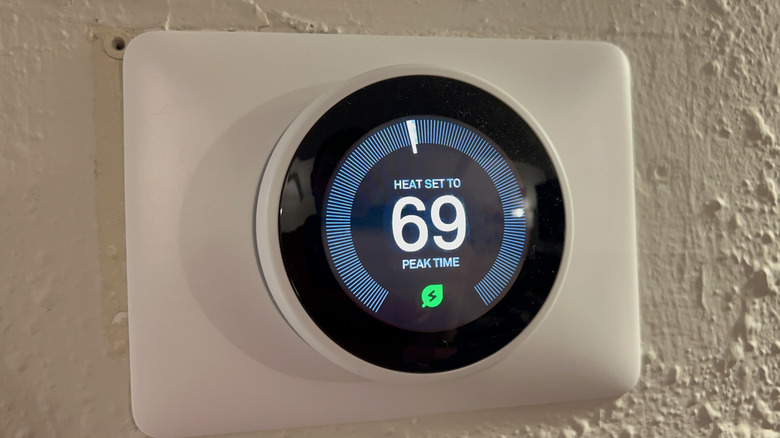
Some people are looking for ways to help offset this wave of worrying trends, and one answer from Google's Nest smart home division has been to encourage you to save energy from you HVAC bill. To do that, Nest displays a leaf when you set home temperatures to save more energy. But that even make a difference?
We should note that a Leaf on your Google Nest Thermostat indicates a temperature that the device has determined to be power-saving. On a Nest Thermostat, those temperatures are set at or below 62 degrees Fahrenheit in colder periods, and at or above 84 degrees during warmer periods—variances will apply across multiple thermostats for different rooms with their own temperature schedules. A Leaf will also indicate when the thermostat senses no one is home, switching to Eco Temperature mode effectively allowing more flexibility in heating and cooling. The math there will depend on your preferences, the outside temperature, and your system efficiency.
Does the Nest Leaf mean anything at all?
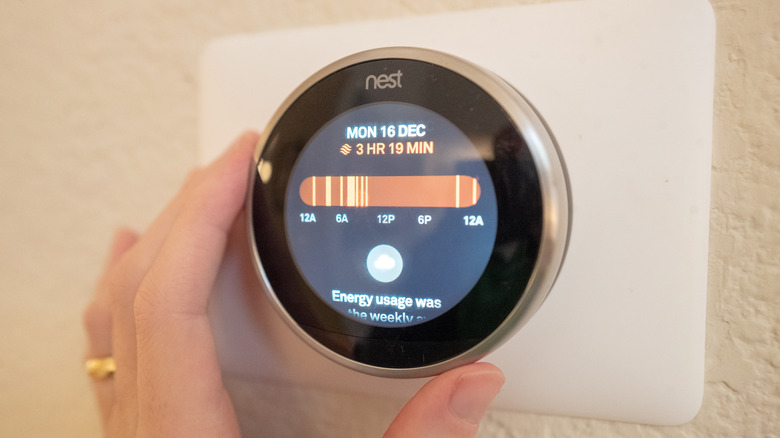
Google says that Nest Leafs are only a "guide" that is meant to "encourage" you to set power-saving temperatures. They're also used as a sort of competitive measure against other households where you purportedly "earn" Leafs on days when you use less energy on climate control than usual. You can see your Leaf-earning days in your monthly Nest Home Report as well as your position among cohorts.
The exact criteria isn't clear for what separates a Leaf-earning day from one without a Leaf, so we don't know if you need to be on a Leaf temperature setting at all times of the day. There's been plenty of consternation around this from curious thermostat owners over the years, but not much in terms of a public response to Leaf-related questions other than a short note tucked into the company's online help center. That said, if you have a learning thermostat and you're using Nest's learning feature, you may get more Leaf days by following its auto-programming scheduling. Of course, the Nest learning feature isn't for everyone, and neither is earning Nest Leafs.