

What Does The Yellow Gear Symbol On Your Google Nest Thermostat Mean?

We may receive a commission on purchases made from links.
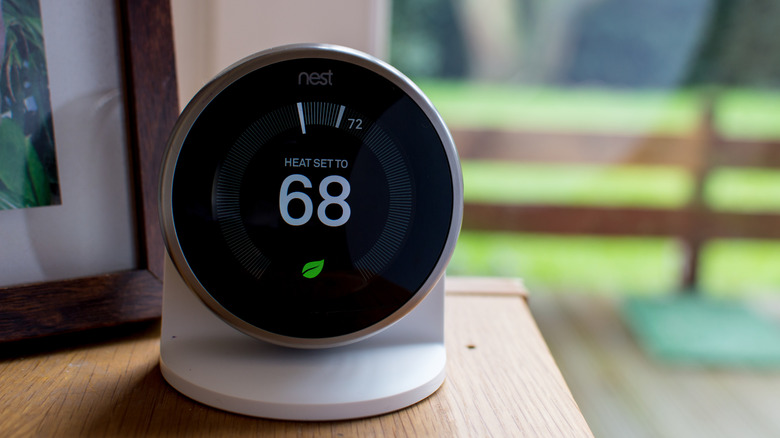
Your Google Nest smart thermostat shows a variety of symbols and icons to indicate what's happening at any given time, including temperature readings, the Nest Leaf, mode symbols like cooling or heating, and more. Depending on how you have your Nest programmed, you may see a yellow gear icon with a leaf outline in the middle. That yellow gear symbol has a very specific purpose. It tells you that the Seasonal Savings feature is active and currently helping you save on energy costs.
Google's Nest thermostat is designed to learn your habits and schedules and, over time, automatically adjust or control temperature settings to make cooling or heating your home more efficient. The Google Nest learning feature isn't for everyone; some prefer to turn it off and use the thermostat as a standard, manually-controlled device. But if you do leave it on, you can also benefit from Seasonal Savings.
Seasonal Savings is an offshoot of the learning functionality, where the system uses what it has learned about your home and climate control adjustments to make "subtle" changes that reduce energy costs. It might change the temperature little by little over several days for a total change of about one to two degrees at a time. That, in turn, lets the cooling or heating system run less, use less power, and ultimately reduce your power bill. You have to enable it first. The Google Nest will usually prompt you on the device. Some have reported it turning on seemingly without authorization. There's also a chance that if you select "enable" to dismiss the notification, you may not realize what you're turning on.
Your thermostat has to qualify before you can enable Seasonal Savings

According to Google's support page for the feature, each qualifying Nest thermostat will receive a prompt, so if you have multiple thermostats in your home, you'll be asked on each one. The feature is available only to residents in the United States and Canada, except in Quebec. Moreover, there are two variants, one for the summer and another for the winter, so the prompts will appear earlier in those seasons.
During the summer, if your system has been continuously cooling the home with air conditioning, you'll see a prompt to activate savings. The opposite is true during the winter. If your home system has been actively and continuously heating, you'll see a prompt for the winter mode.
You can also choose to have the Google Home app notify you when Seasonal Savings is available so that you don't miss out. To do that, open the app and go to Favorites or Devices > Climate > Your Thermostat. Then go to Settings > Temperature Preferences, and under Nest Sense, select the Seasonal Savings option, then turn on savings notifications. This is one of Nest's advanced features, especially since it relies on scheduling, so you will need active internet access to use it.
What does Seasonal Savings actually do?
When the mode is active, it helps you save energy by reducing how often the system cools or heats. As mentioned, it does this by making small adjustments throughout the day or week. It combines what it knows about your climate control habits with local weather. The system will only make changes "if it thinks you may be comfortable at the new energy-saving temperature," according to Google. If it detects that a change would make you uncomfortable, it can reverse the setting.
While Seasonal Savings is active, the yellow gear icon will display on the main display. You'll also see a unique banner in the Nest app under Energy History that shows the current system's progress. It shows how long the program has been running and what changes have been made. You're always in full control and can return things to normal if you want.
All in all, this is one function you probably didn't know your Nest Thermostat had, and there are many other features like it that you should read up on. It's a great example of the modern smart home working for you to generally improve your life and experiences.