

AWOL Vision Aetherion Max Review: An Outstanding Centerpiece For Your Home Theater
We may receive a commission on purchases made from links.
The AWOL Vision Aetherion Max is the first projector that has made me forget I'm not watching an enormous TV. The color quality, black levels, edge-to-edge clarity from AWOL Vision's PIxelLock technology, and brightness are simply superb. It makes choosing a projector over a 4K TV no longer feel like a compromise of image size above everything else. It turns out, you can have it all.
I've tested a lot of laser projectors in my career, and even more DLP projectors. I stopped watching anything on a TV about a decade ago — I prefer the cinematic size over image quality — but I've always felt like I'm missing something. The leap from DLP to laser projector was already massive; the leap from previous-generation laser projectors to whatever dark magic the Aetherion Max makes use of feels equally vast. It's priced at $3,799 on Amazon, but it's worth every penny.
But while the feature set for both gamers and home cinema enthusiasts is incredible, you'll need to tweak some settings to take advantage of those features. As I found out, VRR for PC gaming on this projector in particular is far from plug-and-play.
Hardware and design
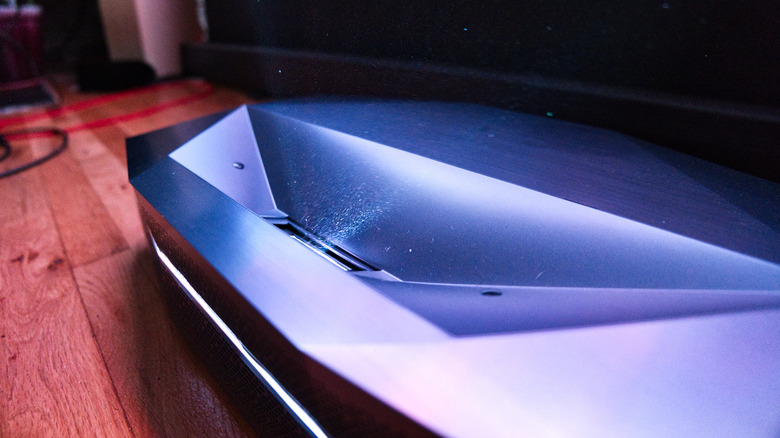
The Aetherion Max is the smallest laser projector I've tested, measuring 22 × 12.7 × 5.5 inches. The Cybertruck-like sharp lines and front LED bar will be divisive, and they feel like a deliberate appeal to gamers (though that's far from the only audience this beast is suited to). The design incorporates a lens protector that automatically slides open when powered on, but also in the box is a chic, full top cover for the device to help combat the accumulation of dust.
For reference, I've paired the Aetherion Max with an AWOL Vision Floor Rise ALR UST Cinematic+ 120" screen ($1899.99, Amazon), though I also tried projecting on a plain wall painted with a natural lime paint, which allowed me to stretch to 150 inches. If your budget doesn't allow for an Ambient Light Rejection screen, lime paint is a good alternative that eliminates the hotspots you'll find with typical wall paints, though it can take weeks to fully carbonize.
 James Bruce/BGR
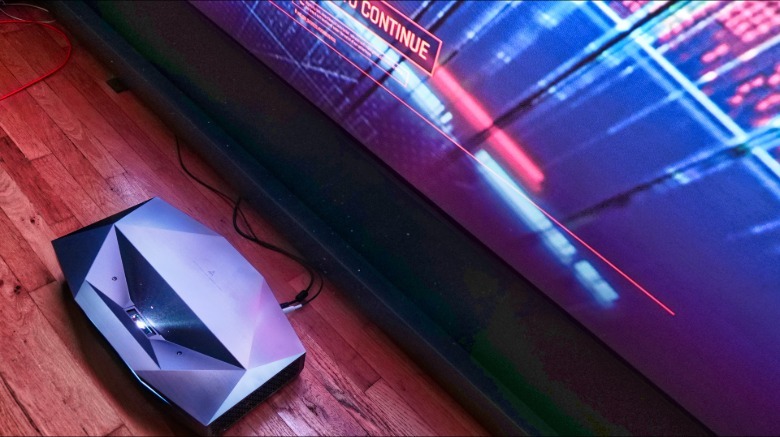
Nine inches from the rear of the projector to the wall was all that was needed for a 120-inch diagonal screen; that tallies up with AWOL Vision's screen calculator perfectly. To achieve a 200-inch image, the back of the Aetherion Max would need to be placed around 22 inches from the wall. At that point, the vertical rise is also a consideration, with the bottom of the projection starting 27 inches off the ground. It's also worth considering that while the projector pairs perfectly with AWOL Vision's own screen, the lens doesn't have an optical shift feature, so you need to physically move the projector to the right position to match the screen.
Image quality and black levels
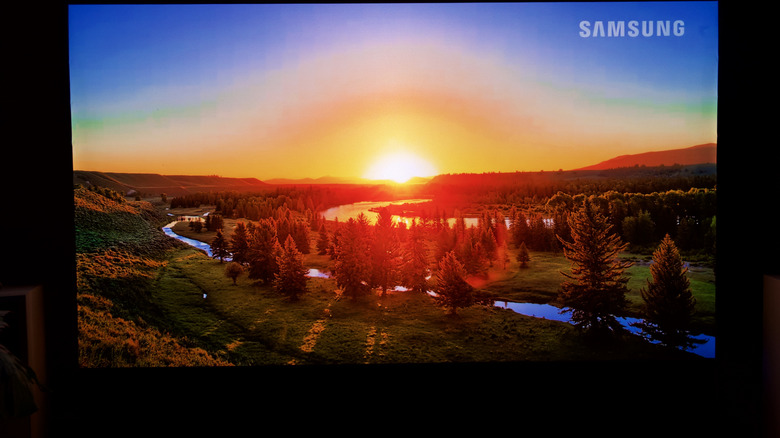
It's difficult to convey how utterly gorgeous the projection from the Aetherion Max looks in person. Any color banding you can see in the image above came from JPEG compression and isn't there in reality. HDR enhanced content is almost surreal — I didn't manipulate that image to make the colors pop more. There's also a huge range of visual settings to tweak to your heart's content, and it's all easy to access in a responsive menu, with a live preview of how it affects the picture rather than forcing you to back out again and ponder any difference.
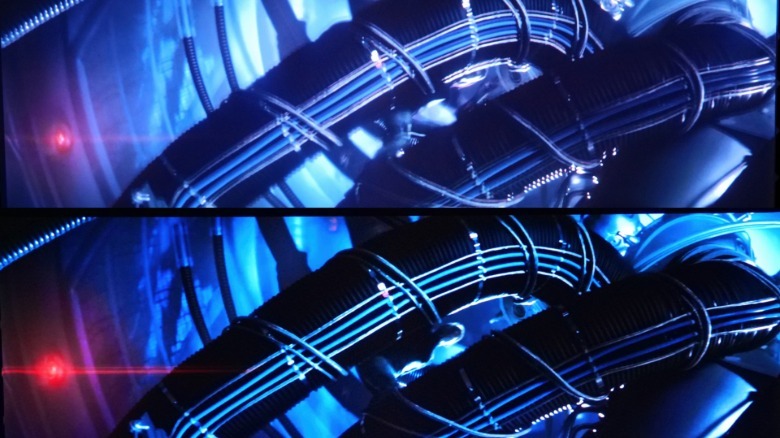
Black levels are traditionally the biggest issue with projectors, since they don't have the same local dimming capabilities of an OLED panel, often appearing dark grey at best. Since you can't "project" a black color, there will always be some level of light being output or reflected. Using an ALR screen with low gain helps, as it rejects any ambient or stray light. Below is a scene from "Star Trek Into Darkness," with the AWOL Vision LTV-3500 on the top (an older model with a similar brightness), and the Aetherion Max on the bottom. Notice the mushier contrast and black levels in the top image.
 James Bruce/BGR
Turning down the overall brightness of the projector output and ensuring there's no ambient light also helps, but the Aetherion Max has another clever trick up its sleeve: Enhanced Black Level (EBL) processing. When enabled, it looks at the current scene and dynamically reduces laser luminance as needed. Bright elements still appear bright by comparison, while the reduced output means blacks can stay as black as possible. This only affects darker scenes; if the overall composition is mostly bright elements, EBL has no effect.
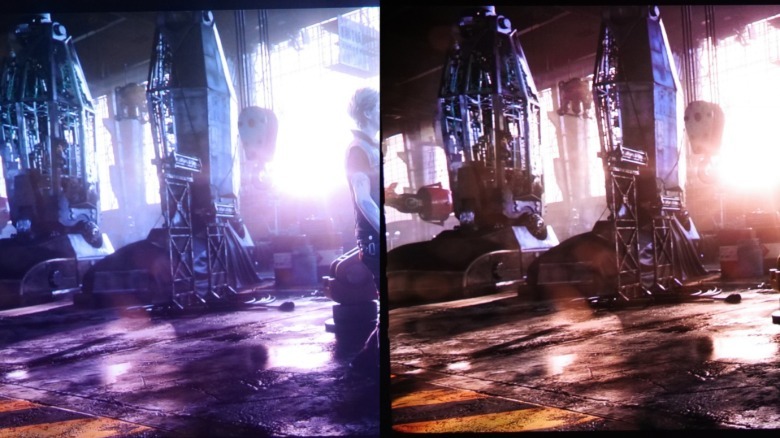
The Aetherion Max has a stated 6,000:1 native contrast level (which is already impressive); EBL enhances that to a perceived 60,000:1. That said, it'll only make a difference in Filmmaker or Cinematic picture modes. If you stick to HDR Dynamic or Dolby Vision Bright, the modes are effectively cancelling each other out. In the comparison below from "Ready Player One," with the Aetherion Max on the right and LTV-3500 on the left, this is just the standard HDR Dynamic mode — EBL wasn't active, and it still looked great.
 James Bruce/BGR
There's a separate setting to recover details in dark scenes, colors are fully tunable, and there are numerous other AI enhancements like super scaling for lower resolutions. Plus, there's vocal enhancement when using built-in speakers. There's a lot to play with here, and while you may need to experiment to get the absolute best settings for your setup, the image is still impressive out of the box.
Gaming on a projector: finally a thing?
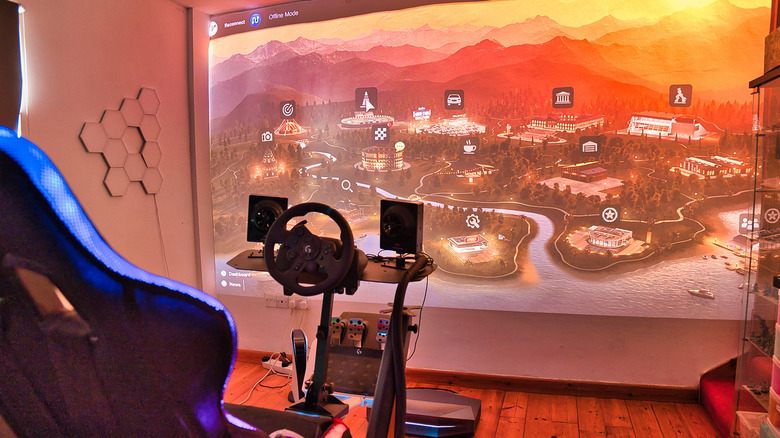
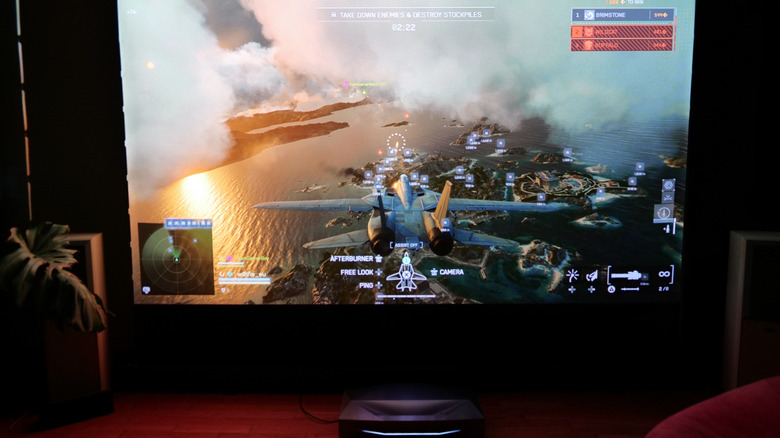
It used to be the case that using projectors for gaming was a terrible idea if you cared about screen tearing or trivial things like having the game actually respond when you pressed a button. But thanks to a combination of Automatic Low Latency Mode (input lag as little as 1ms automatically enabled where supported) and VRR support, it's become a gamer's dream.
VRR (Variable Refresh Rate) allows your display to dynamically match the exact framerate that your device is currently managing. While a constant 60 or 120Hz is wonderful, your machine needs to keep up. The moment it can't push frames out fast enough, you get screen tearing and judder as frames are skipped. A variable refresh rate matches the display rate to the frame rate, so even if your machine can't handle more than 48fps, for example, it'll still look smooth (48hz is generally the lower limit).
But there is one big caveat and a whole heap of setting to adjust before it all works. Most importantly: VRR is only supported for 1080p modes, not 4K. AV receivers will strip the signal, so you should connect directly to the Aetherion Max and then use the HDMI eARC port to get audio back to your surround receiver. If you have the right cable, you can use DisplayPort from your PC to bypass a lot of the HDMI negotiation fuss; but the input on the Aetherion Max is a USB-C DisplayPort, not the full size one. Many cables are unidirectional, meaning they go from the USB-C output to the full size input, not the other way around. Still with me?
 James Bruce/BGR
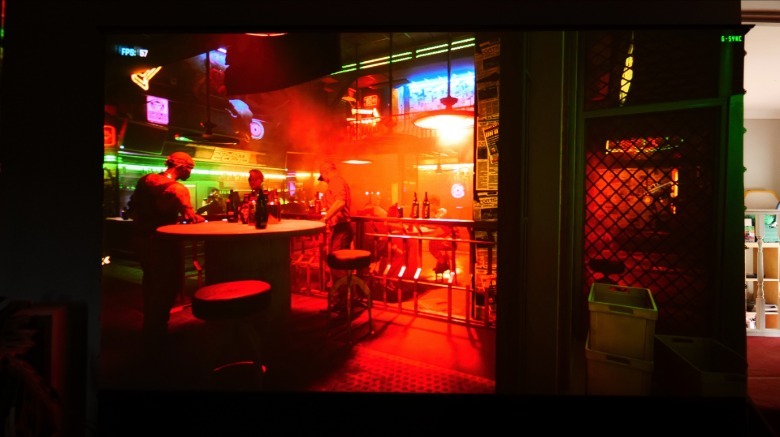
For HDMI, you'll want to turn the HDMI protocol on the Aetherion Max side to Enhanced Pro and enable AMD FreeSync in the Game Settings menu (don't worry about the name if you have an Nvidia card — it's the same underlying technology as G-Sync, and in this case, compatible all the same). Then you need to enable it on the Nvidia app's global settings and separately scroll down to enable it for that particular display. After a few hours of fiddling, I finally it all working, and it was glorious. I could turn up all the other graphical settings in "Cyberpunk 2077," and it still felt smooth (that little green text in the top right shows G-Sync is active). The PlayStation 5 signal info also confirmed a variable refresh from 48-120Hz was supported.
Software and Google TV
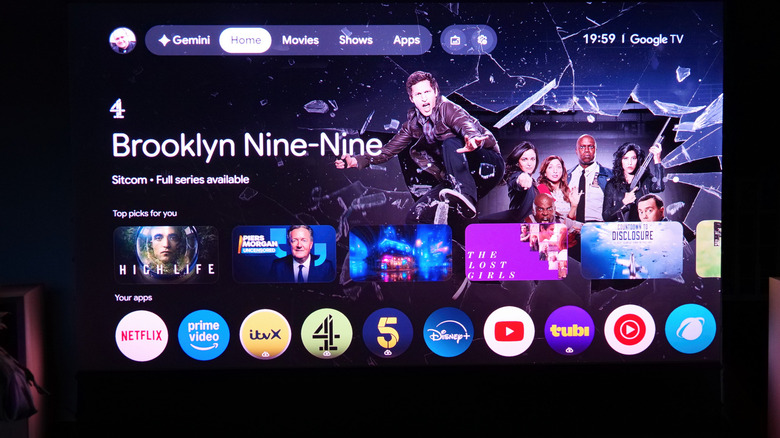
Though you can set a different default behavior, out of the box and after initial setup, you'll be booted straight into Google TV — a familiar interface that I needn't explain, with recent updates making it more useful than ever. And unlike some generic systems, Netflix is fully supported and licensed for 4K playback.
AI also makes an appearance, though I can't quite figure out why. Hit the dedicated AI button on the remote to bring up the universal AI menu. The main feature here is an automatic picture enhancer, which should, in theory, analyze your current viewing and change all the visual settings to optimal. In my experience, it turned on motion interpolation for everything, including movies, which immediately put me off ever touching it again; I'm extremely sensitive to the "soap-opera effect". In truth, it's easy enough to find your own preferences, so I wouldn't bother trying to get the AI to do it for you.
Daytime viewing and brightness
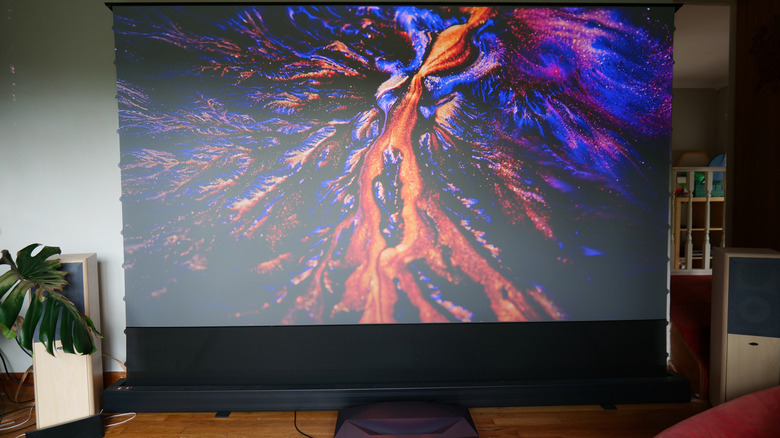
AWOL Vision claims a brightness of 3,300 ANSI lumens for the Aetherion Max, and though it's difficult to measure accurately with the lux meter I have, it matched my expectations when compared to similar projectors (including the LTV-3500, which is supposedly around 3500 lumens). For night viewing, the brightness isn't as important — if anything, it'll be blinding enough that you need to turn it down. I settled on a 6/10 luminance level for regular use.
It's only in the daytime that brightness becomes a useful measure, and in that respect, the Aetherion Max performs as well as can be expected. The photo above shows a worst-case scenario: the window is directly opposite our screen, and the sun is just coming around to be perpendicular, washing out all black levels and destroying the contrast, particularly in the lower left. It was watchable like this, but not something I would recommend. Daytime viewing is possible, though, as long as you keep it out of direct sunlight (or, you know, just draw the blinds). Not thinking about placement is one of the biggest mistakes people make when buying a projector.
Conclusions
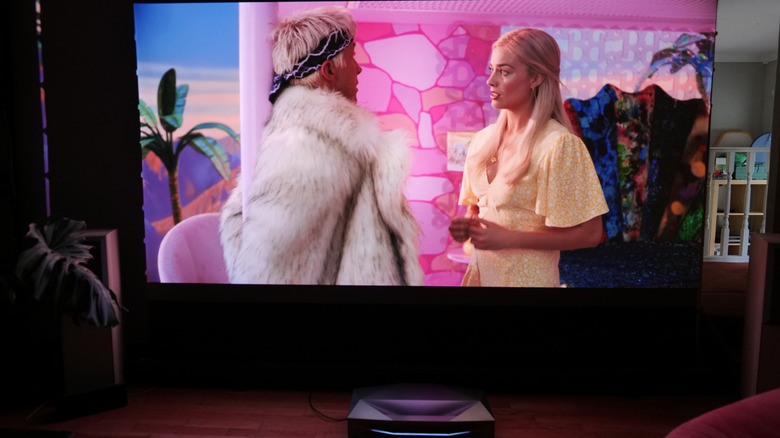
It's rare to find a projector that's at all suitable for gaming, let alone one that's so capable for gamers as well as home theater enthusiasts. But the Aetherion Max does it all — as long as you're content to game in HD only for that buttery smooth VRR and 120Hz. No more compromises.
Anecdotally, my wife generally doesn't like to game on a projector; she asks me to plug it back into the monitor in the corner when we have our weekly "Valheim" session, as you can often lose a lot of the details in gloomier areas. But I asked her to give it a go on this one, and she was blown away by the difference.
There are so many settings to tweak that telling you about the picture quality would be somewhat moot; colors can truly pop or you smush them back to something less Barbie-like. EBL can useful, but only if you're not running in high-brightness, high-contrast dynamic modes. Either way, you can suit the image to match your preference — the Aetherion Max has the technical prowess to look exactly how you'd like it to and offers a smorgasbord of controls to do so.
There's only one reason not to buy the Aetherion Max: AWOL Vision just announced the LuxVision — the world's first 4K 120Hz projector with optical shift. If you have a gaming machine capable of those sorts of frame rates, the $6,000 launch price is likely reasonable. For the rest of us, the Aetherion Max is one of the best UST laser projectors you can buy for under $5,000.